Real-Time Visualization with Tableau and Singdata Lakehouse

You want answers fast. Real-Time Visualization with Tableau and Singdata Lakehouse makes that possible. When you see data as it happens, you can spot problems or new chances right away. Check out what happens when you use visuals instead of just reading numbers:
Benefit | Description |
|---|---|
Faster Insights | Visuals are processed 60,000 times faster than text, enabling quicker decisions. |
Improved Understanding | People retain 80% of what they see versus 20% of what they read. |
Better Collaboration | Visual tools bridge gaps between technical and non-technical teams. |
Focus on Key Metrics | Dashboards highlight critical data, cutting through information overload. |
Proven Results | Companies using visualization tools see up to 85% higher sales growth. |
You get the full picture, share insights easily, and help everyone make smarter choices together. Let’s see how this can work for you.
Key Takeaways
Real-Time Visualization allows you to see data as it happens, enabling faster decision-making and immediate responses to changes.
Using visuals instead of text can improve understanding, with people retaining 80% of what they see compared to only 20% of what they read.
Integrating Tableau with Singdata Lakehouse provides quick access to live data, enhancing collaboration and ensuring everyone works with the same information.
To set up effective dashboards, focus on simplicity, clarity, and interactivity, ensuring users can easily explore the data.
Regularly monitor and optimize your data processes to maintain speed and accuracy, which keeps your dashboards running smoothly.
Real-Time Visualization: What and Why

Defining Real-Time Visualization
You want to see what’s happening in your business right now, not yesterday or last week. That’s where Real-Time Visualization comes in. This approach lets you watch your data change as it happens. You don’t have to wait for reports or updates. You get the latest numbers, charts, and trends right on your dashboard.
Here are some key features that make Real-Time Visualization powerful:
Feature | Description |
|---|---|
Speed | You see updates with almost no delay, so you can act fast. |
Accuracy | The data you view is reliable, helping you make smart choices. |
Operational Awareness | You spot issues or trends early, which helps you avoid problems. |
Ability to Handle Data Streams | You can track hundreds of live charts at once, even when data flows in quickly. |
You also need quick data ingestion and fast processing. When your dashboards load fast, you don’t lose time waiting. This means you can check on sales, inventory, or customer feedback in seconds.
Business Value of Real-Time Insights
When you use Real-Time Visualization, you give your team a big advantage. You can change your strategy right away if the market shifts. This helps your company grow and run smoothly.
Tip: Real-time data analysis can cut development time by 60%. You might not need as many engineers, which saves money.
Here’s how real-time insights help your business:
You spot problems before they get big.
Your marketing team can see what works and adjust campaigns quickly.
You make decisions faster, which can boost revenue and efficiency.
A company that uses real-time dashboards often sees better results. Teams work together more easily. You get answers when you need them, not after it’s too late.
Singdata Lakehouse and Tableau Integration
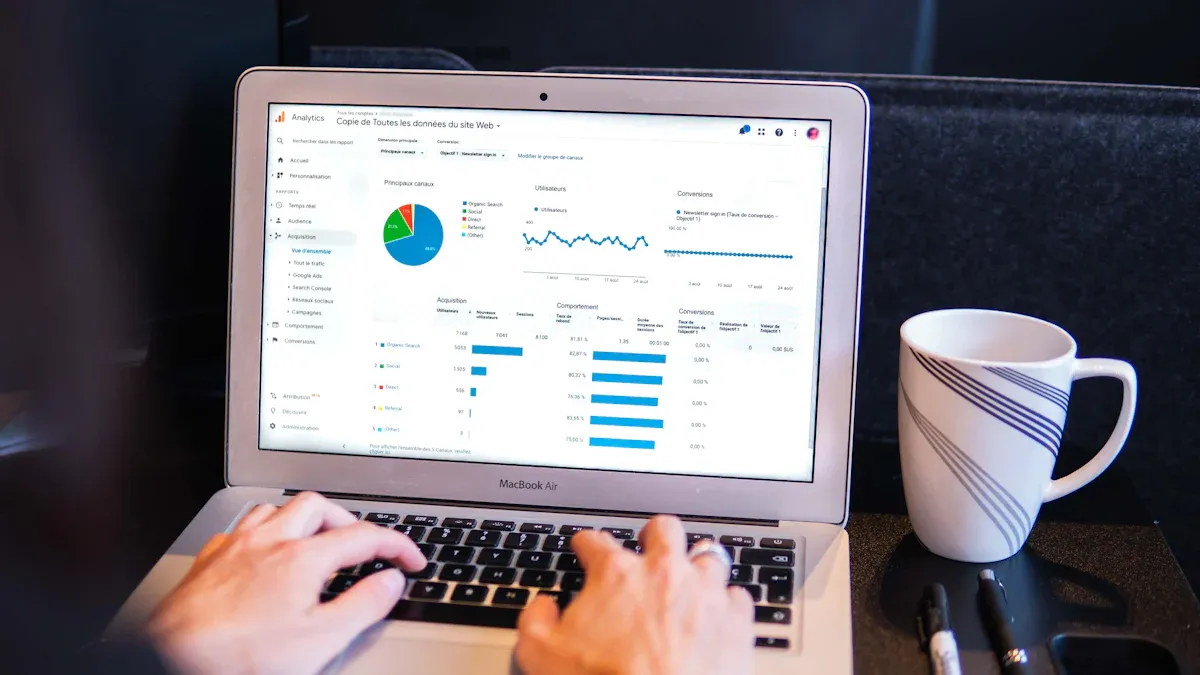
Singdata Lakehouse Overview
You want your data to move fast and stay safe. Singdata Lakehouse gives you both. This platform brings all your data together, so you don’t have to jump between systems. You get quick access and strong security. Here’s what makes Singdata Lakehouse stand out:
Feature | Description |
|---|---|
Performance Leap | You see data almost instantly, not hours later. |
You save money by using fewer resources and cutting messaging costs. | |
Simplified Architecture | You work with one system, not many, so things stay simple. |
Agile Business | You can test new ideas and launch them quickly. |
You don’t need to worry about slow reports or missing data. Everything updates in real time, so you stay ahead.
Integration Benefits
When you connect Tableau to Singdata Lakehouse, you unlock powerful tools. You can build dashboards that show live data. Your team sees what’s happening right now. Here are some benefits you get:
Fast decisions with up-to-date charts.
Lower costs because you use resources better.
Easy teamwork since everyone looks at the same data.
Strong security features keep your data safe.
Singdata Lakehouse protects your data with fine-grained access control, encryption, and audit logs. You decide who sees what. Your data stays private and meets rules like HIPAA and GDPR.
Connecting Tableau to Singdata
You want to set up Real-Time Visualization with Tableau and Singdata Lakehouse. Here’s how you do it:
Open Tableau Desktop and find the Connect pane.
Search for data and pick Tableau Server or Tableau Cloud.
Choose your data connector, or click More for extra options.
If you don’t see your source, use JDBC, ODBC, or a Web Data Connector.
Enter your server name and sign in. Set up any extra settings you need.
Now you can build dashboards that update as your data changes. Your team gets answers fast and works smarter.
Setup Guide
Data Preparation in Singdata
You want your data to be clean and fast before you start building dashboards. Good data preparation makes everything run smoother. Here are some smart ways to get your data ready in Singdata Lakehouse:
Set up validation rules so your data stays accurate when you bring it in.
Use automated cleansing to fix mistakes and remove bad records.
Run regular maintenance tasks like vacuuming and indexing. This keeps your database speedy.
Watch key metrics such as query response time and latency. You can spot problems early and fix them.
Normalize your database. This helps cut down on repeated information and keeps things organized.
Add indexes to your tables. Queries run faster and dashboards load quickly.
Create views for complex queries. You make data easier to find and use.
Use caching for data you look at often. This lowers the load on your database.
Build your system so it can grow sideways. You can handle more data as your business expands.
If you want your Real-Time Visualization to work well, you need to keep your data healthy. When you follow these steps, you help your team get answers fast.
Tip: Always check for data consistency. Validity, accuracy, completeness, consistency, and uniformity matter when you show live data. Here’s a quick look:
Characteristic | Description |
|---|---|
Validity | Your data follows business rules and constraints. |
Accuracy | Your data matches real-world values. |
Completeness | You have all the data you need. |
Consistency | Your data stays the same across tables and reports. |
Uniformity | Your data uses the same units and formats everywhere. |
Tableau Connection Steps
You want Tableau to talk to Singdata Lakehouse without delays. Setting up the connection the right way helps you get live data fast. Here are some best practices:
Size your data warehouses based on how much work you expect. Bigger jobs need bigger warehouses.
Use auto-suspend and auto-resume features. You save money and keep things running smoothly.
Split up workloads. Use different warehouses for testing and for real business work.
Make sure your data sources are quick and efficient. Slow sources make dashboards lag.
Use Tableau Hyper Extracts when you need to speed things up. These extracts shrink the data and help Tableau work faster.
Pick native drivers for your connection. Only use JDBC or ODBC if you have to.
Do calculations in the database, not in Tableau. This makes dashboards load faster.
Tune your environment by adjusting warehouse sizes and using auto-suspend.
Simplify your data models. Materialized views and clustering keys help queries run better.
If you follow these steps, you get low-latency data retrieval. Your dashboards show fresh data without making you wait.
Enabling Real-Time Dashboards
Now you want to see your data change as it happens. You can set up dashboards in Tableau that update in real time. Here’s how you do it:
Connect Tableau to a live data source, like Singdata Lakehouse or an API.
Set up live data refreshes. Your dashboards pull in new data automatically.
Build visualizations that update as soon as new data arrives.
Use conditional data loading to show only what matters most.
Manage your data so it stays organized and easy to use.
Optimize how data loads so your dashboards stay fast.
Tableau lets you switch between live connectivity and in-memory extracts at the data source level. You don’t have to change your workbooks. You keep all your analytical features, even when you use live data.
You should know that Tableau does not support true continuous streaming. Instead, it uses frequent refreshes or external APIs to get near-real-time updates. Sometimes, you may face challenges with security, reliability, or scaling when many people use dashboards at once.
To keep your dashboards running smoothly, you need good monitoring tools. Here are some options:
Tool | Functionality | Best Use Case |
|---|---|---|
Tableau Resource Monitoring Tool | Watches server performance and resource use | Best for big deployments |
Tableau LogShark | Checks Tableau log files for slowdowns | Good for fixing report delays |
New Relic for Tableau | Shows real-time performance metrics | Great for cloud Tableau setups |
TabJolt helps you test how much load your server can handle.
Replayer lets you replay real user traffic for troubleshooting.
Scout tracks performance across workbooks.
TabMon uses Windows Performance Monitor to watch data.
Microsoft System Center helps with server management and automation.
Sitescope monitors applications without agents.
Zabbix gives you open-source, real-time monitoring.
Splunk and Graylog help you analyze logs and machine data.
When you use these tools, you can spot problems before they slow down your dashboards. You keep your Real-Time Visualization running smoothly for everyone.
Best Practices
Dashboard Design Tips
You want your dashboards to be clear and easy to use. Start by knowing who will use the dashboard and what they need. Place the most important chart in the upper-left corner. People look there first. Design your dashboard at the size it will be shown. This keeps everything in the right place.
Keep things simple. Limit your dashboard to two or three main views. Too many charts can confuse people. Add filters and highlights so users can explore the data. Use whitespace and limit colors to avoid clutter. Make sure your dashboard works well on phones and loads quickly. Always add labels, tooltips, and benchmarks for context.
Design Principle | Description |
|---|---|
Know your purpose and audience | Tailor the dashboard for your users and their goals. |
Leverage the most-viewed spot | Put key insights in the upper-left corner. |
Limit the number of views | Focus on two or three main charts for clarity. |
Add interactivity | Use filters and highlights for user engagement. |
Focus on simplicity and clarity | Keep layouts clean and easy to read. |
Query Optimization
You want your dashboards to load fast. Optimize your queries in Singdata Lakehouse. Combine small files into larger ones to reduce overhead. Use Z-Ordering to arrange data for quicker filtering. Try liquid clustering to focus on new or updated data. These steps help your dashboards show fresh data without delay.
Data Governance Essentials
You need strong data governance for quality and security. Set clear rules for who owns and manages data. Make sure your data stays accurate, consistent, and easy to access. Build privacy and compliance into your process from the start. Use tools to track who accesses sensitive data. This keeps your information safe and helps you follow rules like GDPR and CCPA.
Good governance means only the right people see private data. You lower the risk of mistakes and data leaks. When everyone follows the same standards, your Real-Time Visualization stays reliable. Teams can trust the data and work together better.
Tip: Collaborative analytics lets everyone join in. You get faster decisions, stronger teamwork, and more innovation.
Benefits and Challenges
Real-Time Visualization Benefits
You want to know what makes Real-Time Visualization with Tableau and Singdata Lakehouse so powerful. When you use these tools together, you get more than just pretty charts. You get real business results. Here’s a quick look at the top benefits:
Benefit | Description |
|---|---|
You can react quickly to changes and make smart choices using up-to-date information, like managing stock levels as demand shifts. | |
Improved customer experience | You see trends as they happen, so you can personalize offers and respond to customers right away. |
Early problem detection | Dashboards act like an early warning system. You spot issues before they grow, keeping customers happy and avoiding losses. |
You can build live dashboards to track key metrics and trends. Teams spot problems fast and respond before things get out of hand. For example, the Texas Rangers used real-time data to make parking smoother and improve fan experiences at their stadium. They tracked vehicle entries and gate activity, which helped them keep fans satisfied and operations running smoothly.
Tip: Real-Time Visualization helps you catch mistakes early and keeps your business moving forward.
Common Challenges
You might face some bumps when you set up real-time dashboards. Here are the most common challenges and how you can tackle them:
Challenge | Solution |
|---|---|
Data Overload | Use tools like Apache Kafka or Spark Streaming to handle lots of data at once. |
Latency and Speed | Speed things up with in-memory computing and smart algorithms. |
Data Quality and Accuracy | Set up checks and monitoring to keep your data clean as it comes in. |
Scalability and Resource Management | Choose cloud solutions that grow with your needs. |
Complex Event Processing | Try CEP engines and machine learning to make decisions faster. |
Integration and Compatibility | Use standard protocols and middleware for smooth connections. |
Security and Compliance | Protect your data with encryption and access controls. |
Operational Monitoring and Management | Watch your systems with monitoring tools and predictive analytics. |
Sometimes, you might see dashboards slow down or data get messy. You need to keep an eye on performance and make sure only the right people can see sensitive information.
You get faster decisions and better teamwork when you use Real-Time Visualization with Tableau and Singdata Lakehouse. Here’s what you gain:
Make smart choices quickly with live data.
See all your key metrics in one place.
Boost your business with interactive dashboards.
Most companies see a return on investment in less than a year.
Training courses help your team master new tools.
Ready to unlock new insights? Start exploring these solutions and watch your business grow.
FAQ
How often does Tableau update real-time dashboards?
Tableau can refresh dashboards every few seconds or minutes. You set the refresh rate based on your needs. For most cases, updates happen every 1 to 5 minutes.
Can I use Tableau with Singdata Lakehouse if I am not a data engineer?
Yes, you can. Tableau’s drag-and-drop interface makes it easy. You do not need to write code. You just connect, choose your data, and start building dashboards.
What should I do if my dashboard loads slowly?
First, check your queries and data sources. Try using extracts or optimize your data model. You can also use Tableau’s performance recording tool to spot slow parts.
Is my data secure when I use Tableau and Singdata Lakehouse together?
Yes, your data stays safe. Singdata Lakehouse uses encryption and access controls. You decide who can see or change your data.
Can I share real-time dashboards with my team?
Absolutely! You can publish dashboards to Tableau Server or Tableau Cloud. Your team can view and interact with live data from anywhere.
See Also
Enhancing Dataset Freshness by Linking PowerBI to Lakehouse
Integrating Live Data with Superset for Instant Analytics
A Comprehensive Guide to Safely Link Superset with Lakehouse

