
Cost Analysis of Data Replay: Compute Peaks and Time Consumption
Cost Analysis of data replay reveals how compute peaks and time consumption impact expenses, with strategies to optimize performance and reduce replay costs.
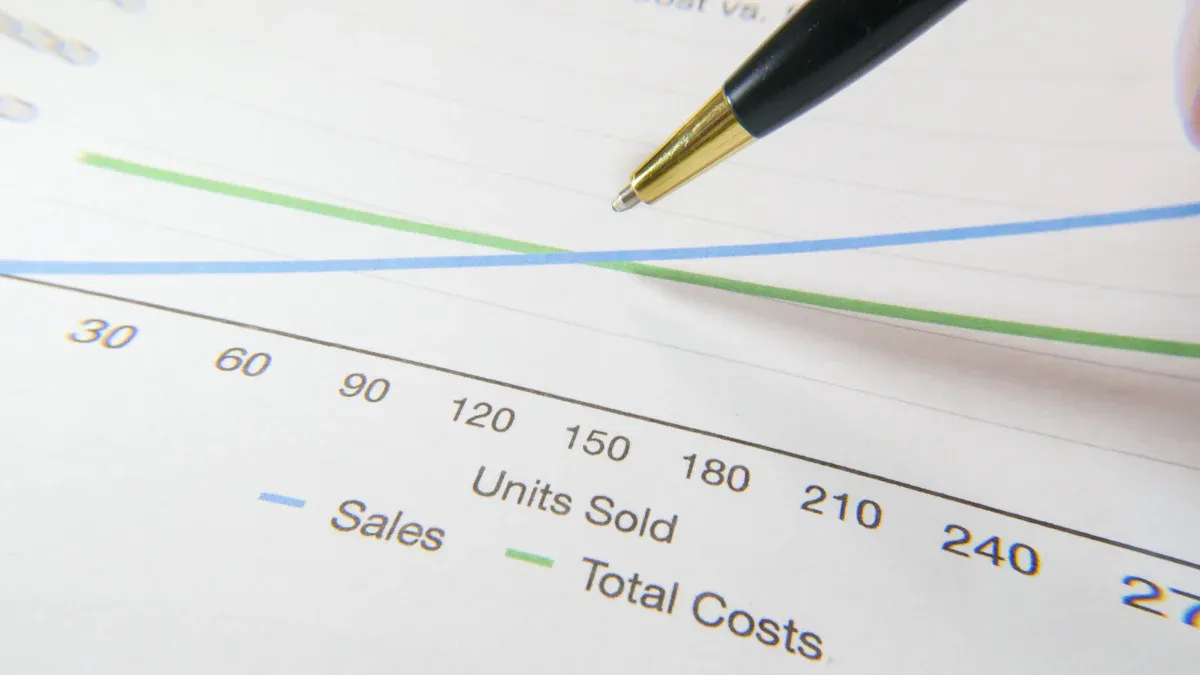
You face rising costs in data replay when data gravity, integration patterns, and state management complexities increase. Larger data volumes often make moving information between systems more expensive than computation, causing bottlenecks and slowing performance. Session replay tools and analytics integration help you monitor these challenges and find ways to improve efficiency. The table below shows how cost analysis supports your decisions by tracking IT spending and highlighting areas for improvement.
Evidence Type | Description |
|---|---|
Chargebacks | Allocate IT costs directly to departments, enhancing accountability and transparency. |
Showbacks | Provide insights into IT consumption, helping teams identify inefficiencies and adjust use. |
Decision Support | Insights from showbacks enable informed decisions, aligning resource needs with budgets. |
Key Takeaways
Monitor compute peaks to understand cost drivers. Collect data on memory use and replay frequency to identify areas for improvement.
Optimize time consumption by addressing connection latency and network bandwidth. Analyze replay durations to find and eliminate bottlenecks.
Utilize session replay tools to gain deeper insights into user behavior. These tools help identify usability issues that traditional analytics may miss.
Implement tiered storage strategies to reduce costs. Store frequently accessed data on fast SSDs and archive less critical data to save money.
Choose the right data replay method based on your needs. Batch processing is cost-effective for large jobs, while real-time replay is best for immediate feedback.
Cost Analysis: Main Drivers

Compute Peaks Overview
You often see compute peaks when replaying large sets of data. These peaks happen because you need to run multiple passes to collect different metrics. Saving and restoring memory during each pass adds extra work for your system. If your application is not deterministic, you may need to replay it several times to get accurate results. This increases resource use and can make your costs go up.
In kernel replay, you must collect metrics in several rounds. Hardware counters cannot gather all the data at once, so you save and restore memory often. This process uses more memory and slows down your system. When you replay an application, you run it many times to collect all the needed metrics. Each run adds to the compute load and raises your expenses.
You can see how these peaks affect your system in large-scale scenarios. The table below shows how power use and replay frequency change during replay events.
Measure | Value | Statistical Significance |
|---|---|---|
Significant during replay events | Cluster-based permutation test (t > 3.1, permutations = 5000) |
Measure | R Period | ITI Period | Statistical Significance |
|---|---|---|---|
Number of Replays | 5422 (SD = 1061) | 92 (SD = 149) | p < 0.001 |
Number of Rejected Bins | 3058 (SD = 1669) | 12,657 (SD = 2961) | p < 0.001 |
Decoded Epoch Length | Longer during R period | N/A | p < 0.001 |
Tip: You should define your goals before starting a cost analysis. Collect data on compute peaks and memory use to understand where your money goes.
Time Consumption Factors
Time consumption in data replay depends on several things. Connection latency and network bandwidth play a big role, especially in hardware-in-the-loop testing. If your network is slow, replaying data takes longer. Real-world scenarios can be complex, which means your system needs more time to process each replay.
Different industries have different needs. For example, automotive companies may need to replay huge amounts of sensor data. Long processing times can slow down their systems. Many current solutions do not address the special needs of large-scale sensor data replay. Some new methods use a concurrent buffer pool to make replay faster and more stable.
You should pay attention to these factors when you do a cost analysis. Collect data on how long each replay takes and look for bottlenecks. This helps you find ways to save time and money.
Connection latency and network bandwidth affect replay speed.
Complex scenarios increase time consumption.
Industry needs change how you plan and test data replay.
Long processing times can hurt system performance.
New buffer pool methods can improve efficiency.
Note: Always collect relevant cost data before making changes. This helps you track improvements and avoid surprises.
Data Replay Explained
What Is Data Replay?
You use data replay to capture and reproduce user interactions or system events. This process lets you see exactly what happened during a session. Data replay tools record actions like mouse movements, clicks, and scrolls on websites, products, or mobile apps. You can play back these sessions to understand user behavior or system performance.
Data replay captures every detail of a session.
You can use it to review how users interact with your product.
It helps you spot problems or unusual patterns.
Many teams rely on data replay for different reasons. You might use it to improve user experience, support product management, or help customer success teams. Sales teams also use replay data to understand customer journeys and boost results.
Enhancing user experience (UX) research
Aiding product management
Supporting customer success teams
Improving sales processes
Tip: Data replay gives you a clear view of real actions, not just numbers or charts.
Why Data Replay Matters
You gain many benefits from using data replay in your workflow. It helps you test systems, analyze performance, and meet compliance needs. When you replay real-world data, you can validate and refine detection models without risking live operations. This process uncovers false positives and improves how you use resources.
Historical simulation validates detection models with real data.
Replay helps you find and fix false positives.
You can use production data safely to create realistic test scenarios.
Time-accurate replays show how your system handles real loads.
Replay metrics reveal performance bottlenecks.
You also use data replay to capture real customer behavior. This makes your tests more reliable and helps you meet compliance standards. You can improve detection accuracy and gather evidence for audits.
Note: Data replay supports better decisions by showing how your system works in real situations.
Compute Peaks: Influencing Factors
Data Volume and Throughput
You see compute peaks rise when data volume increases quickly. For example, an e-commerce company faced a 150% jump in data volume during Black Friday. More customers visited the site and made purchases, which created extra transaction logs. Teams ran 70% more ad hoc search queries to get real-time insights. The Splunk system handled the load, but it reached its peak capacity. Search responses slowed down because the system had to process more data at once. To avoid future problems, the company scaled its infrastructure by 200% and improved its search strategies. You can learn from this example. When you expect a surge in data, you should plan for higher throughput and make sure your systems can handle the extra work.
Tip: Monitor your data volume trends. Prepare your infrastructure before big events to keep performance steady.
Concurrency and Infrastructure
You must consider how many queries run at the same time. Different platforms support different levels of concurrency. The table below shows how popular data platforms handle concurrent queries:
Platform | Concurrent Queries Per Node/Warehouse | Designed For |
|---|---|---|
Redshift | 50 queries max (across all queues) | Internal analytics teams |
Snowflake | 8 queries per warehouse (default) | Internal analytics teams |
BigQuery | Depends on slot allocation | Internal analytics teams |
ClickHouse | 1,000+ queries per node | Internal analytics + user-facing apps |
You pay more when you need high concurrency. You often add resources to handle unpredictable workloads. Sometimes you overprovision, which means you pay for extra capacity even when it is not needed. Customer-facing applications can create thousands of queries every second. This pushes your compute costs higher.
High concurrency needs more resources and increases costs.
Overprovisioning leads to paying for idle capacity.
User-facing apps can drive up query rates and expenses.
ClickHouse stands out because it can process over 1,000 concurrent queries per node. Its design uses all CPU cores to run queries at the same time. When you add more nodes, throughput increases without causing delays or rejected queries. This helps you control costs and keep your system running smoothly.
Note: Choose your infrastructure based on your concurrency needs. Efficient platforms help you manage costs and avoid slowdowns.
Time Consumption: Key Elements

Replay Speed and System Limits
You want your data replay system to work fast and without errors. Speed matters most when you need to review or edit events quickly. Operators often need to watch or edit clips right away. If your system drops frames or lags, you lose important information. Modern replay systems now support high frame rates and can record more channels at once. This means you can capture more details and respond faster to what happens.
Operators need systems that keep up with live feeds and never drop frames.
High frame rate (HFR) support lets you record and replay more channels, giving you a better view of events.
Fast response times help you edit and review clips instantly.
You should always check your system’s limits. If your hardware cannot keep up, you will see delays. Make sure your system can handle the speed you need.
Tip: Test your replay system under real conditions. This helps you find out if it meets your speed needs.
Data Complexity and Bottlenecks
Complex data can slow down your replay process. You may notice that some sessions take longer to replay than others. This often happens when you deal with large event histories or big data payloads. Slow data converters and complex workflows also add to the delay. If your system’s cache gets full, it may need to reload data, which takes more time. Worker nodes with high CPU or memory use can also slow things down.
Cause of Increased Time Consumption | Description |
|---|---|
Large Event Histories | Longer histories require more time to replay as all events must be processed. |
Data Converter performance | Slow converters, especially those that encrypt or interact with external services, can slow down replay. |
Large payloads | Activities or Signals with large payloads can hinder the replay process. |
Complex Workflow logic | Workflows with complex logic or intensive operations can increase replay latency. |
Frequent cache evictions | Evicting Workflow Executions from cache leads to more replays and higher latency. |
Worker resource constraints | High CPU or memory pressure on Worker nodes can slow down the replay. |
You can reduce bottlenecks by keeping your workflows simple and making sure your hardware has enough resources. Watch for slowdowns and fix them early to keep your replay system running smoothly.
Note: Simple workflows and strong hardware help you avoid replay delays.
Session Replay Tools and Analytics Integration
Enhancing Insights and Reducing Time
You can use session replay tools to see exactly how users interact with your website or app. These tools show you more than just numbers. They let you watch real user actions, like clicks and scrolls. This helps you find problems that regular analytics might miss.
Session replay tools give you the story behind user behavior.
You can spot usability issues and fix them faster.
Teams can see technical problems as they happen.
When you connect analytics with session replay, you make your workflow smoother. You get quick access to the sessions that matter most. You can find patterns in user behavior and solve issues without wasting time. Automatic data capture means you do not have to wait for engineers to set up tracking. Product managers and support teams can get answers right away.
Tip: Use session replay with analytics to save time and get deeper insights into user journeys.
Impact on Cost and Performance
Session replay tools and analytics integration can change how you manage costs and system performance. You get detailed performance metrics for each session, including Core Web Vitals. This helps you track and improve your site’s speed and reliability.
Aspect | Evidence |
|---|---|
Performance Tracking | Session replay tools provide detailed performance metrics for each session, including Core Web Vitals measurements. |
Cost Considerations | Automatic data capture reduces setup burden on development teams, allowing immediate insights without extensive setup. |
User Experience Impact | Performance issues identified through session replay tools can lead to improved user satisfaction by addressing slow-loading resources and bottlenecks. |
You can also use integrated analytics to find conversion problems quickly. This means you spend less time searching for issues and more time fixing them. Automatic data capture lets you gather insights without extra setup.
However, you should know that client-side recording scripts can slow down your site. On mobile devices, page load times can increase by 50 to 100 milliseconds. This may affect user experience, especially if your site already loads slowly. You need to balance the benefits of deep insights with the possible impact on performance.
Cost Analysis helps you decide if the benefits of session replay tools outweigh the extra resource use. Always test your setup to make sure you get the best results for your users.
Storage Strategies and Cost Impact
Low-Cost Storage Solutions
You can lower your data replay costs by choosing smart storage strategies. Many organizations use tiered storage to save money. You keep hot data, which you access often, on fast SSDs. You move cold data, which you rarely use, to cheaper storage like archival drives. This method helps you balance speed and cost. You may see savings between 50% and 80% when you use this approach.
You can also set up lifecycle policies. These rules delete data you no longer need. For example, you might remove old logs after a few months. This frees up space and cuts costs. Some teams use AWS S3 One Zone-IA for data that they can easily regenerate. This option costs less than regular storage.
Here are some practical steps you can take:
Store recent data on high-speed SSDs for quick access.
Archive older data to low-cost storage tiers.
Use lifecycle policies to delete unnecessary files.
Choose storage options like AWS S3 One Zone-IA for data that is not critical.
Tip: Separating hot and cold data helps you get the best performance without overspending.
Data Retention and Transformation
Your data retention policy decides how long you keep information. If you keep logs and traces for a long time, your storage costs go up. You should identify which data is important and set rules for how long to keep it. This helps you manage costs and avoid paying for storage you do not need.
You can use tiered storage to keep important data in fast storage and move less critical data to cheaper options. Data lifecycle management automates archiving and deletion. This reduces manual work and saves money.
Transforming data before storage also helps. You can compress files or remove unnecessary details. This lowers the amount of data you store and makes replay faster.
Set clear retention rules for each type of data.
Use lifecycle management to automate archiving and deletion.
Transform data to reduce storage size and processing time.
Strategy | Cost Impact | Benefit |
|---|---|---|
Tiered Storage | 50–80% savings | Balances cost and speed |
Lifecycle Management | Reduces expenses | Frees up storage |
Data Transformation | Lowers overhead | Speeds up replay |
Note: Smart retention and transformation choices help you control costs and keep your data replay system efficient.
Comparative Methods for Data Replay
Batch vs. Real-Time Replay
You can choose between batch and real-time replay methods. Batch processing works by handling large sets of data at scheduled times. Real-time replay processes data as soon as it arrives. Batch replay uses resources more efficiently and costs less. You find it easier to manage and scale. Real-time replay needs advanced hardware and constant monitoring, which raises costs.
Processing Type | Scalability | Resource Utilization |
|---|---|---|
Batch Processing | Vertical and horizontal scaling | More resource-efficient |
Real-Time | Horizontal scaling | Higher costs, advanced hardware needed |
Batch replay is simple and saves money.
Real-time replay gives instant results but costs more.
A mobile game company used real-time replay to catch rare crashes. They fixed a memory leak that improved stability. An e-commerce site used batch replay to find checkout errors. They solved a timing issue that increased sales.
Cloud vs. On-Premises
You can run data replay in the cloud or on your own servers. Cloud solutions scale quickly and handle millions of records. You pay less over time because you reuse assets and avoid heavy IT work. On-premises systems need careful planning. You must make sure you have enough resources as your needs grow.
Aspect | Cloud-Based Solutions | On-Premises Solutions |
|---|---|---|
Total Cost of Ownership | Higher due to reprocessing and migration | |
Scalability | Scales to billions of records | Needs careful planning for growth |
Cloud lets you add resources fast.
On-premises needs more work to avoid limits.
Open Source vs. Commercial Tools
You can pick open-source or commercial data replay tools. Open-source tools give you full control and transparency. You need technical skills to set them up. Commercial tools offer easy interfaces and support, but you may face vendor lock-in and data limits.
Advantages of Open-Source Tools | Disadvantages of Open-Source Tools |
|---|---|
Customizable solution | Technical expertise required |
Full transparency | No dedicated support |
Community-driven development | Integration challenges |
No predefined limits | Feature gaps |
Advantages of Commercial Tools | Disadvantages of Commercial Tools |
|---|---|
User-friendly interfaces | Vendor lock-in |
Dedicated support | Data privacy concerns |
Regular updates | Limits on data processing |
Tip: Choose the method that matches your team’s skills and your project’s needs.
Cost Optimization Strategies
Resource Scaling and Scheduling
You can save money by scaling resources and scheduling tasks wisely. Smart scheduling helps you avoid paying for idle servers. Some teams use advanced methods, like deep reinforcement learning, to plan when and how to run data replay jobs. This approach uses two ant colonies to search for the best way to reduce both time and cost. Another strategy uses machine learning to predict workloads. By combining LSTM forecasting with multi-agent reinforcement learning, you can improve service level agreement (SLA) compliance by 6.5% compared to older methods.
Strategy Description | Optimization Focus | Key Findings |
|---|---|---|
Resource scheduling method based on deep reinforcement learning | Execution time and cost | Uses two ant colonies to optimize execution time and cost, showing better results for large-scale workflows. |
Scalable machine learning strategy for resource allocation | SLA compliance | Combines LSTM-based forecasting with MARL, achieving higher SLA compliance than traditional methods. |
Tip: Use smart scheduling and forecasting to match resources to your workload. This keeps costs low and performance high.
Monitoring and Tuning
You need to monitor your system to spot problems early. Good monitoring helps you tune your setup and avoid compute peaks. You can specify log indices in your queries to make searches faster. Organize your dashboards and pause auto-refresh to stop extra queries from running. Upgrading your compute size lets you handle more queries at once. Adaptive prediction techniques help you adjust settings based on errors. Dynamic exponential smoothing picks the best predictor as your system runs.
Practice | Description |
|---|---|
Log Index Specification | Directly specify log indices in queries to boost efficiency. |
Dashboard Management | Organize widgets and pause auto-refresh to cut down on unnecessary queries. |
Compute Size Upgrade | Increase compute size to support more concurrent queries. |
Adaptive Prediction Techniques | Adjust parameters based on observed errors for better accuracy. |
Dynamic Exponential Smoothing | Use a sliding window and adaptive smoothing to select the best predictor at runtime. |
Note: Regular tuning and dashboard optimization help you avoid slowdowns and keep costs under control.
Choosing the Right Method
You should pick a data replay method that fits your needs. Batch processing works well for large jobs that do not need instant results. Real-time replay is best when you need quick feedback. Cloud solutions scale fast and reduce IT work. On-premises systems give you more control but need careful planning. Open-source tools offer flexibility, while commercial tools provide support and easy interfaces. Cost Analysis helps you compare these options and choose the best one for your team.
Remember: The right method depends on your workload, budget, and technical skills. Test different approaches to find what works best.
You have seen that compute peaks, time consumption, and storage choices drive most data replay costs. To lower expenses and boost efficiency, use bulk costing, automation, and scenario analysis. Ongoing monitoring and analytics integration help you spot issues early and plan for growth. Try these strategies:
Use real-time monitoring and alerts for quick fixes.
Share cost feedback across teams for better decisions.
Automate cost analysis to save time.
Checklist for Optimization | Description |
|---|---|
Turn user actions into automated tests. | |
Integrate with CI/CD Pipelines | Run tests with every code change. |
Manage Test Data | Keep test data organized and accurate. |
Keep reviewing your data replay setup to avoid common mistakes and improve results.
FAQ
What causes compute peaks during data replay?
You see compute peaks when you replay large data sets or run many queries at once. High concurrency and big data volumes push your system to work harder, which increases costs.
How can you reduce time consumption in data replay?
You can speed up replay by using faster hardware, simple workflows, and efficient data converters. Monitor your system for bottlenecks and fix slowdowns early.
Which storage strategy saves the most money?
Strategy | Savings Potential |
|---|---|
Tiered Storage | High |
Lifecycle Rules | Medium |
Data Compression | Medium |
Tiered storage gives you the best savings by moving old data to cheaper options.
Do session replay tools slow down your website?
Session replay tools may add a small delay, especially on mobile devices. You should test your site to make sure the benefits outweigh any slowdown.
See Also
Effective Strategies for Analyzing Large Data Sets
Retail Data Teams: Mastering Basket Analysis Methods
Explore User Behavior Using SQL and BI Techniques