Who Really Needs a Zero-Operations Cloud Warehouse?

You have problems if your business has data that is not connected, slow answers, or not enough IT help. Many medium and big companies deal with these problems every day.
82% of big companies say data silos mess up important work.
40% of groups keep having trouble with data silos.
When data is not connected, it causes slow work, mistakes, and missed chances. If you want quick answers, less manual work, or have old systems, a Zero-Operations Cloud Warehouse might help you.
Key Takeaways
A Zero-Operations Cloud Warehouse means you do not need to manage servers. Teams can spend more time looking at data. They do not have to worry about fixing or keeping up the system.
Automation helps stop people from making mistakes. It also keeps data fresh and correct. This helps people make choices faster and better.
This system can grow with your business. It gives you more options without costing a lot at the start. Old data warehouses cost more money right away.
Real-time data lets you act fast when things change. This helps businesses keep up with others. It also helps them make smart choices.
Companies with small IT teams can get a lot of help from this. The system is easy to run and does not need much work. It also works well with tools you already use.
Zero-Operations Cloud Warehouse Features
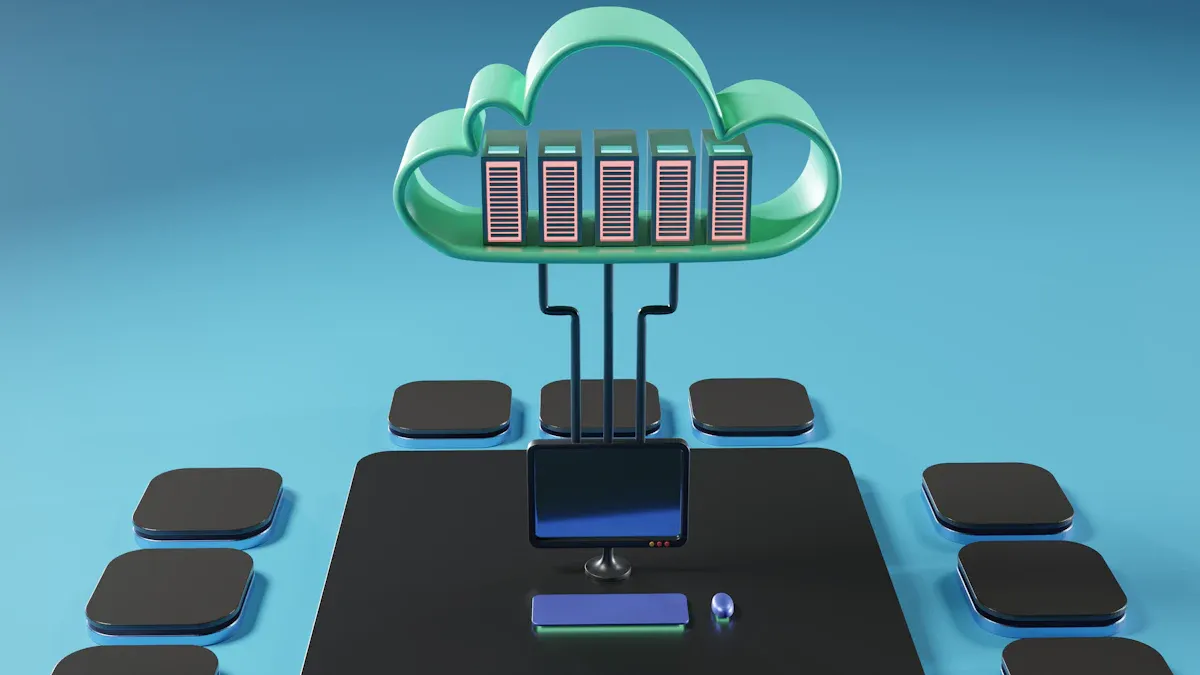
A Zero-Operations Cloud Warehouse is special because you do not need to manage servers or updates. You also do not have to worry about making it bigger when you need more space. The system works quietly in the background. Your team can use data without fixing or taking care of it. This saves time and helps you avoid mistakes from doing things by hand.
Feature | Traditional Data Warehouse | Zero-Operations Cloud Warehouse |
|---|---|---|
Maintenance Overhead | Needs experts to keep it running | Uses automatic tools, needs little help |
Performance Bottlenecks | Queries are slower | Queries are fast, uses extra resources |
Concurrency Limitations | Hard for many people to use at once | Many people can use it at the same time |
Server Management | Needs someone to look after servers | No servers to manage, works by itself |
Elastic Scaling | Hard to make bigger or smaller | Gets bigger or smaller on its own |
Cost Efficiency | Costs a lot at first | Pay only for what you use, saves money |
Security | Needs extra work to keep safe | Cloud providers keep it safe with strong tools |
Fast Developer Experience
Your team wants to work quickly. With a Zero-Operations Cloud Warehouse, developers can start building and testing right away. They do not have to wait for IT to set up servers. The platform grows when you need it, so your data never slows down. Real-time scaling keeps queries fast, even when lots of people use it. You get service all the time, so updates do not stop your work.
Tip: When scaling is easy and many people can use it, your team can do more projects at once without waiting.
Minimal Human Intervention
You do not need to spend lots of time fixing problems or updating systems. Automation does the boring jobs for you. This means fewer mistakes. AI helps keep your data correct by updating it right away. This makes reports clear and stops confusion. When you do not have to do things by hand, your team works faster and makes fewer errors. You also save money because you need fewer people to run the warehouse.
Automation helps stop mistakes.
Updates happen right away, so data stays correct.
Less manual work lets your team find answers instead of fixing things.
A Zero-Operations Cloud Warehouse gives you speed, accuracy, and less worry. The system grows with you and keeps your data safe and ready.
Who Needs a Zero-Operations Cloud Warehouse?
Midsized and Large Companies
You often face big challenges when your company grows. Data sits in different places, and teams cannot get the answers they need. You may spend too much money on hardware and software. You might also struggle to guess how much storage or power you need. This can lead to wasted resources or slow systems. When your business changes fast, your old warehouse cannot keep up. Different teams may use the system at the same time, causing slowdowns or even crashes. Managing all this takes a lot of work and special skills.
Here is a table that shows the most common problems you might face:
Challenge | Description |
|---|---|
Upfront Cost | You need to spend a lot at the start for hardware and software. This can slow down projects and hurt cash flow. |
Sizing | It is hard to guess how much you need. You may buy too much or too little, wasting money or slowing down work. |
Agility and Elasticity | Your system cannot change quickly when your business grows or changes. |
Clash of Workloads | Different jobs can slow each other down or even break the system. |
Management Overhead | You need many experts to keep things running, which adds cost and slows down value. |
A Zero-Operations Cloud Warehouse solves these problems. You do not need to buy hardware or guess how much you need. The system grows with you. It handles many users and jobs at once. You save time and money because you do not need a big IT team to manage it.
Teams with Limited IT Resources
If your team is small or does not have many IT experts, you may feel overwhelmed by traditional data warehouses. You need to keep systems running, update software, and fix problems. This takes time away from finding insights in your data.
With a Zero-Operations Cloud Warehouse, you get these benefits:
You do not need to manage hardware or software.
The system grows as your data grows, with no big upfront costs.
Updates happen automatically, so you always have the latest features.
You can work from anywhere and share data easily.
You can also enjoy:
Scalability that matches your needs, so you never run out of space.
Less maintenance, because the provider takes care of it.
Pay-as-you-go pricing, so you only pay for what you use.
This means you can focus on your work, not on fixing or managing systems.
Fast-Growing Organizations
When your business grows quickly, your data needs change fast. You need a system that can keep up. A Zero-Operations Cloud Warehouse gives you the tools to handle more data and more users without slowing down.
You can use automation to set up new projects fast. The system uses the same setup everywhere, so you do not waste time fixing mistakes. You can track how much you use and scale up or down as needed.
Key Points | Description |
|---|---|
Automation | You save time and avoid mistakes by letting the system set up and manage itself. |
Standardization | You use the same setup everywhere, making it easy to fix problems. |
Capacity Planning | You see how much you use and can grow or shrink as needed. |
You also get fewer bottlenecks. Your team spends less time on maintenance and more time on insights. Queries run faster, and developers can build solutions quickly.
Benefit | Description |
|---|---|
You need fewer people to manage data, so your team can focus on results. | |
Faster Query Times | You get answers quickly, so you can make decisions faster. |
Improved Developer Experience | Your team can build and test new ideas without waiting. |
Data-Driven Businesses
If your business depends on data, you need fast and accurate answers. A Zero-Operations Cloud Warehouse uses AI to process data in real time. You get instant insights and can spot trends as they happen. The system finds patterns and helps you make better choices.
You also get:
Real-time data processing, so you can react to changes right away.
Pattern detection, which helps you find problems and save money.
Predictive analytics, which gives you smart suggestions for your next move.
The system keeps your queries fast and your costs low. You do not need to move or copy data, which saves time and money. You get direct access to live data, so you always work with the latest information.
Feature/Benefit | Description |
|---|---|
You can ask questions and get answers right away. | |
Direct access to live data sources | You do not need to move data, so you save time. |
Reduced storage duplication | You use less space and spend less money. |
Removal of pipeline bottlenecks | You get faster insights and better results. |
Tip: If you want to make decisions quickly and stay ahead of the competition, a Zero-Operations Cloud Warehouse gives you the speed and power you need.
Decision Checklist

Assess IT Resources
You should check if your team has the right tools and skills. Trusted frameworks can help you see if you are ready. These frameworks show where you might have problems with security, privacy, or cloud setup. Here is a table with some popular choices:
Framework/Checklist | Description |
|---|---|
NIST Cybersecurity Framework (CSF) | Matches cloud security with Identify, Protect, Detect, Respond, Recover. |
CIS Benchmarks | Gives setup rules for AWS, Azure, and Google Cloud. |
CSA Cloud Controls Matrix (CCM) | Big control framework for cloud environments. |
ISO 27017/27018 | Global standards for cloud security and privacy. |
Cloud Security Assessment Checklist | Checks for risks, mistakes, and rule gaps in cloud setups. |
Tip: Look at these frameworks to find weak spots in your IT setup.
Evaluate Scalability Needs
Think about how quickly your data grows and how many people use it. Zero-Operations Cloud Warehouses let you grow or shrink without buying new hardware. They handle big jumps in data better than old systems. You can change storage and computing power when you need to. This helps you save money and keep things running fast.
Factor | Description |
|---|---|
Performance | Handles lots of data and runs queries in 1-3 seconds for easy tasks. |
Cost Efficiency | Lets you pay for what you use, so you spend less. |
Integration | Works well with your current tools and data sources. |
Security | Follows industry rules to keep your data safe. |
Ease of Use | Simple for both tech and non-tech users. |
Scalability | Grows or shrinks as you need. |
Consider Maintenance Overhead
You want to spend less time fixing and updating systems. Zero-Operations Cloud Warehouses use automation to lower your work. You do not need to manage servers or worry about updates. Here is a quick comparison:
Feature | MotherDuck | Snowflake | BigQuery | Redshift |
|---|---|---|---|---|
Idle Costs | Zero | Charges apply | Zero (on-demand) | 24/7 charges |
Management | Fully managed | Some setup | Minimal | Cluster needed |
You also get steady costs, high uptime, and help from experts. This lets your IT team focus on more important jobs.
Match Analytics to Team Skills
See if your team can use the new system easily. Many Zero-Operations Cloud Warehouses have simple interfaces for all skill levels. They work with popular BI tools and support advanced analytics. Here is a table to show what to look for:
Feature | Description |
|---|---|
User-friendly experience | Easy SQL-based tools for everyone. |
Zero management overhead | No need to manage servers or updates. |
Advanced Analytics | Works with machine learning and BI tool integration. |
You can find many training resources like AWS Training and Certification, AWS Skill Builder, and hands-on workshops. These help your team learn new skills and get used to the platform.
Note: Training your team helps you get the most from your Zero-Operations Cloud Warehouse.
You get the most from a Zero-Operations Cloud Warehouse if you run a midsized or big company, have few IT experts, or need quick answers from your data. Check the list to see if these benefits fit your needs. When your technology matches your business goals, you work better, save money, and earn more, as shown here:
Evidence Description | Key Benefit |
|---|---|
Matching technology spending with business goals helps you work better. | Better efficiency |
Cloud tools help you spend less and grow easily. | Lower costs and easy scaling |
Before you start, think about using more than one cloud, make clear rules for your team, and watch your spending. You can also use teams to help with changes and systems to track costs during your move.
FAQ
What is a Zero-Operations Cloud Warehouse?
A Zero-Operations Cloud Warehouse lets you keep and use data. You do not have to manage servers or updates. The system grows when you need more space. Queries are fast, and your data is safe. You do not need to be an IT expert.
How do you pay for a Zero-Operations Cloud Warehouse?
You only pay for what you use. Most companies let you pay as you go. You do not have to pay a lot at the start. You can see how much you spend and change your use anytime.
Tip: Look at your usage every month to keep costs low.
Can you connect your current tools to a Zero-Operations Cloud Warehouse?
Yes, you can connect BI tools and data sources. Most systems make it easy to link your favorite tools. You can keep using them and get answers faster.
Tool Type | Supported? |
|---|---|
BI Tools | ✅ |
Data Sources | ✅ |
SQL Queries | ✅ |
Is your data safe in a Zero-Operations Cloud Warehouse?
You get strong security to protect your data. Providers use encryption and access controls. They also update the system often. You can choose who can see your data.
Note: Always check your security settings before you share data.
See Also
Affordable Cloud Database Solutions For Managing Big Data
Grasping The Fundamentals Of Cloud Data Architecture
Navigating Data Management Challenges In Modern Businesses
Four Key Algorithms For Automating Large-Scale Replenishment

