
Fixing MySQL Analytics Performance Bottlenecks with Singdata Lakehouse and Analytics Platforms
Fix MySQL analytics bottlenecks with Singdata Lakehouse and Analytics Platforms for faster, scalable insights and efficient real-time data analysis.
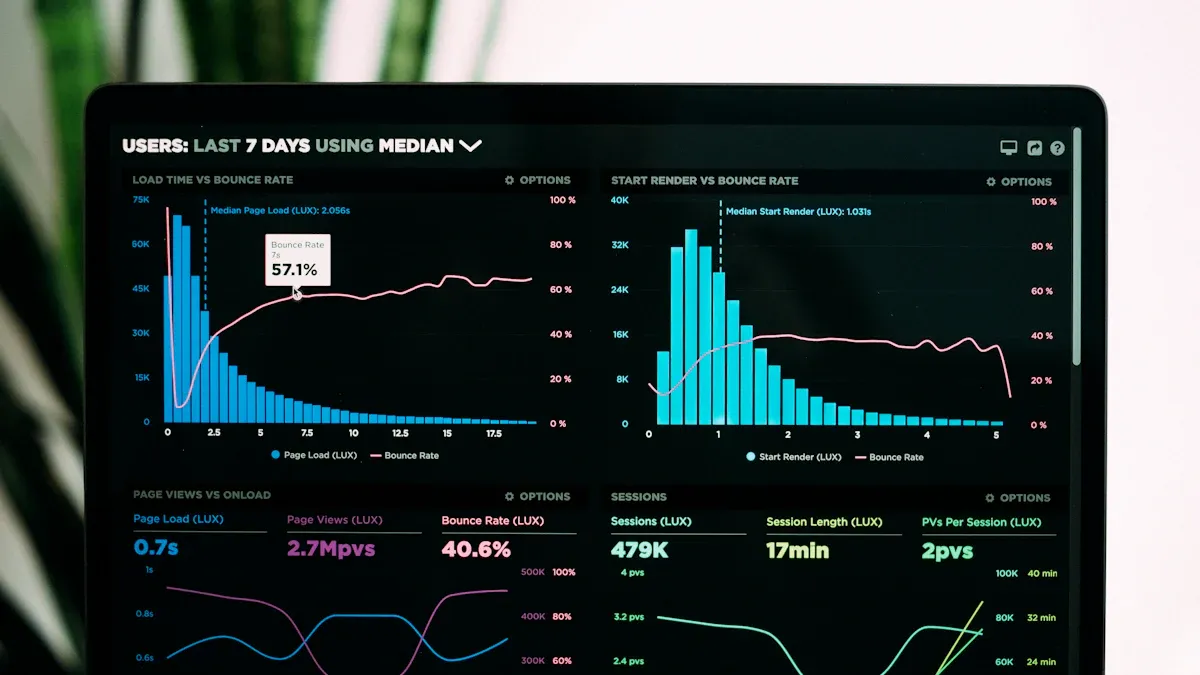
Analytics performance directly impacts your business success. When relying on MySQL for analytics, you might experience slow queries and excessive resource usage, making it difficult to scale your system. Companies that address analytics challenges often see real benefits:
Increased revenue
Reduced costs
Greater customer satisfaction
Faster product launches
Singdata Lakehouse and Analytics Platforms are designed to solve these problems. With Singdata Lakehouse and Analytics Platforms, you get faster insights and more reliable data. Leveraging advanced analytics, you can quickly restock popular items and improve customer happiness.
Key Takeaways
MySQL has trouble with analytics when data gets bigger. Moving to Singdata Lakehouse makes queries faster and helps performance.
Singdata Lakehouse uses one system for all data. This makes managing data easier. You get answers faster and fix problems less often.
Real-time analytics let businesses act fast when things change. This helps people make better choices and keeps customers happy.
Data virtualization lets you use data from many places without moving it. This saves time and space. Analytics work better and faster.
Using things like indexing and partitioning can make MySQL work better. These steps keep things quick even when there is more data.
MySQL Analytics Bottlenecks

When you use MySQL for analytics, things can slow down. This happens for many reasons. Sometimes, the requirements are not clear. Other times, the database design is not good. Weak ETL processes can also cause problems. Here are some main bottlenecks you might see.
Query Performance
MySQL is not made for heavy analytics. When your data gets bigger, queries take longer. You might notice slow joins or missing indexes. This puts stress on your CPU, memory, and disk. MySQL works fast with small datasets. But when data grows, queries get slower.
Dataset Size | |
|---|---|
Small (< 10GB) | Sub-second query responses |
Medium (100GB+) | Tens of seconds to minutes |
Large (1TB+) | Minutes to hours for complex analytics |
Caching can help speed up repeated queries. But caching does not fix every problem. Complex analytics can still be slow.
Resource Contention
If many users run queries at once, they fight for resources. This can make things slow and cause data problems.
When many people use MySQL at the same time, it can slow down. This can make analytics slower, cause delays, and even create data mistakes. If lots of users try to use the same data, it leads to conflicts. These conflicts make queries take longer and use more CPU.
Scalability
It is hard to make MySQL bigger for analytics. You may need to buy more hardware or split data across servers. This is called sharding. Sharding is tricky and can cause more issues.
Limitation Type | Description |
|---|---|
Limited Scalability | MySQL is hard to scale up when data grows fast. Distributed systems can scale out better. |
Performance Bottlenecks | It is tough to keep good speed with more data. Newer tools are built to handle big queries faster. |
Data Volume
When your data gets large, MySQL has trouble keeping up. It cannot run big queries at the same time. Performance drops when data is more than a few gigabytes.
Limitation | Impact on Performance |
|---|---|
Single-threaded query execution | Makes it hard to run big queries well |
Slows things down as data grows | |
Inability to scale across multiple CPU cores | Makes queries slower and less efficient |
Performance issues at large datasets | Happens when queries are bigger than a few gigabytes |
You may need to try new tools like Singdata Lakehouse or Analytics Platforms to solve these problems.
Singdata Lakehouse

Unified Architecture
You want your data system to be easy and strong. Singdata Lakehouse puts all your data in one place. You can work with real-time and batch data together. This makes it faster to find answers and makes your job simpler.
Singdata Lakehouse uses open-source streaming and fast analytics. You do not have to move data between systems. This saves time on data work. You get answers in less than a minute. The system uses AutoMQ, which works like Kafka. This gives you fast and smooth messaging. Your analytics are quick and dependable.
Tip: With a unified architecture, you fix fewer problems and find answers faster.
High-Performance Storage
You need storage that grows with your data. Singdata Lakehouse uses Apache Iceberg and Parquet formats. These help you handle lots of data easily. You can change your data schema without stopping work. This is called schema evolution. You can also see old data versions. This is called time travel.
Here is how these tools help you:
Feature | Description |
|---|---|
ACID Semantics | You get safe and reliable data changes. |
Schema Evolution | You can add or remove columns without changing everything. |
Time Travel | You can look at old data for checks or fixes. |
Performance Optimization | Your queries are faster in a lakehouse. |
You can update your schema using Kafka message versions. You can write data all the time without stopping. You can also change your schema without breaking reports.
Real-Time Capabilities
You want answers right away. Singdata Lakehouse gives you real-time analytics. You can look at data as soon as it comes in. This helps you act fast when things change.
When you use Singdata Lakehouse with Atlas and AutoMQ, you see big gains. For example, you get results for 700 million records in under 10 seconds. You can process data windows in just 3 minutes. The system lets you pay only for what you use. You do not have to take care of servers because it is serverless.
Metric | Result |
|---|---|
Query response time | Data comes back in 10 seconds for 700 million records |
Window processing time | 3 minutes for 700 million records |
Cost efficiency | Pay-as-you-go and grows with your needs |
Maintenance | Serverless, so your team does less work |
You can trust Singdata Lakehouse and Analytics Platforms with big data jobs. Companies like Atlas and AutoMQ already use these tools. You will get faster answers, spend less money, and your team will have less work.
Analytics Platforms Integration
When you use analytics platforms with Singdata Lakehouse, you get faster data insights. A single SQL interface helps you see all your data together. This makes analytics work better and your job easier.
Data Virtualization
Data virtualization lets you see data from many places in real time. You do not have to move or copy data. You can ask for data from Singdata Lakehouse and other systems as if it is all in one place. This saves time and storage space. You get answers fast, so you can make good choices. Data virtualization helps you make quick decisions because you always see the newest data without waiting for slow ETL jobs.
Note: Data virtualization lets you look at lakehouse and outside data together. You do not need to worry about having the same data twice.
Query Layer
A single SQL query layer makes analytics faster. You can send one query and get answers from different places. The system uses smart routing and good execution plans. This means you get answers quickly and use less computer power.
Advantage | Description |
|---|---|
Efficient Query Processing | The system sends queries and uses Bloom filters for fast results. |
Optimized Execution Plans | It changes for each query to make things faster and use less power. |
Centralized Metadata Management | You keep all your data info in one spot. |
Interoperability | You can connect with other data sources easily. |
Business Logic Abstraction | Business users can make reports without needing deep tech skills. |
You also get help from smart query engines. These engines use materialized views and caching to give fast answers, even with big data sets.
BI Tools
Business Intelligence (BI) tools work better with Singdata Lakehouse. You get real-time analytics and faster dashboards. The platform works up to 10 times faster than older systems. You can save up to half your costs with AutoMQ. Your data pipeline is simple, so you spend less time fixing problems.
Feature/Benefit | Description |
|---|---|
Real-time analytics | |
Enjoy results that are 10× faster. | |
Cost reduction | Cut your messaging costs by half. |
Unified pipeline | No more hard workflows. |
Accelerated AI/ML feedback loops | Make quick choices with new data. |
Cloud-native solution | Use cloud resources well for high performance. |
Tip: With these tools, you can make better reports and dashboards. Your team can use insights right away.
Optimization Strategies
You can make analytics faster by using smart strategies. These steps help you use your data better. They work well when you use MySQL with Singdata Lakehouse and Analytics Platforms.
Data Offloading
Moving big analytics jobs from MySQL to Singdata Lakehouse makes queries faster. You get more choices for your data. Here are some easy ways to offload data and make analytics better:
Work with your data right on the data lake. This means MySQL does not get too busy.
Use a strong query engine for analytics. It works with big data and hard queries better than MySQL.
Connect data from different places in real time. You can look at all your data together without moving it.
Save your data in open formats like Parquet or ORC. These formats let you use many tools with your data.
Tip: Offloading data keeps MySQL quick for transactions. Singdata Lakehouse handles analytics jobs.
Partitioning
Partitioning helps you get fast queries and scale up easily. Pick columns with low or medium cardinality that you use in filters. This lets the system skip data you do not need. Queries run much faster. For time-series data, use columns like Year, Month, or Day for partitioning. Time-based queries finish quickly.
Do not use high-cardinality keys for partitioning. Too many small partitions slow things down and use more resources. If files are too small, queries can take minutes. Bigger files, between 105MB and 2GB, keep things running well and lower metadata work.
Note: Make sure your partitions are balanced. Keep files big enough so queries stay fast and resource use stays low.
Indexing
Indexing helps you find data fast. With big datasets in Singdata Lakehouse, pick the right columns to index. Good indexes give quick results without checking all data. Plan your indexes early. This keeps storage small and writing fast.
Keep indexes updated. Try invisible indexes to test changes safely. Check which columns need indexes as your data grows.
Indexing Tips | Benefit |
|---|---|
Pick columns used in filters | Queries finish faster |
Use composite indexes | Multi-column searches work better |
Test with invisible indexes | Change indexes safely |
Update indexes often | Keeps speed high |
Query Tuning
You can make queries faster with a few easy changes. Try these steps:
Do not use
SELECT *. Only get the columns you need.Run
EXPLAINto see how queries work and find slow spots.Use
LIMITor pagination to keep results small.Change subqueries to joins when you can for speed.
Normalize schemas and use partitioning for big tables.
Tune storage engines, like InnoDB, with good buffer settings.
Watch your system with tools like Performance Schema and slow-query logs. Teach your team about optimization and new MySQL features. Build your system to grow and use partitioning to keep things fast.
Remember: Tuning queries and watching your system keeps analytics smooth as data gets bigger.
Case Studies
Enterprise Transformation
Atlas changed how it worked by using Singdata Lakehouse. They fixed big problems and made their data system better. Here are the main things Atlas did: 1. Atlas stopped interface timeouts and broke up data silos. This helped the company work smoother. 2. Atlas used data to learn about customers and market trends. These insights help people make smarter choices. 3. Atlas built a platform for real-time data. This made AI projects possible and helped the team move fast. 4. Atlas focused on being open, growing bigger, and bringing systems together. These ideas made it easy to connect systems and handle more data. You can do what Atlas did to change your business too.
Cost Savings
AutoMQ saved lots of money after using Singdata Lakehouse. You can spend less by using a new data platform. Here are some ways AutoMQ saved money: - Messaging infrastructure costs went down by half. - Kafka costs dropped by almost all. You can use the money you save for new projects or to grow your team.
Decision-Making
Singdata Lakehouse helps you make better choices. You get quick and trusted insights. Your team can work faster and use advanced analytics. The table below shows how your business can get better:
Benefit | Description |
|---|---|
Faster, Trusted Insights | You get real-time reports and can make decisions quickly with reliable data. |
Operational Efficiency | You can simplify your data system and avoid doing the same work twice. |
Scalable Analytics & AI | You can use forecasting and machine learning to solve business problems. |
You can also use sales data and inventory levels to set prices right away. You can find security threats by linking log data with user actions in real time. Singdata Lakehouse gives you tools to act fast and stay ahead.
You can make MySQL analytics work better by using smart steps. Try things like indexing, partitioning, and making your queries faster. Change your server settings to help too. New data systems like Singdata Lakehouse give you quicker answers. They also help you spend less money and keep your data good.
Benefit | Description |
|---|---|
Spend less on storage and computer power. | |
Faster Insights | Get answers in just a few hours. |
Easy Machine Learning | Use both raw and ready data in one spot. |
Look at how your analytics works right now. You can start with a small test project. You can also ask experts like Orisdale or Lakehouse Partners for help with what to do next.
FAQ
What is a lakehouse and how does it help MySQL analytics?
A lakehouse mixes data warehouse and data lake ideas. You can keep lots of data in one place. It lets you run analytics quickly. This helps fix slow MySQL problems. You get answers faster and see your data better.
Can I use my current BI tools with Singdata Lakehouse?
Yes, most BI tools work with Singdata Lakehouse. You use a normal SQL interface to connect. This means you can make dashboards and reports as usual. You do not have to change how you work.
How does Singdata Lakehouse handle real-time data?
Singdata Lakehouse works with data right when it comes in. You see new updates without waiting. This helps you act fast and make choices quickly.
Do I need to move all my data from MySQL to Singdata Lakehouse?
You do not have to move everything. You can move only big or hard analytics jobs. MySQL can still do daily work. This keeps your system easy and fast.
What are the main benefits of using Singdata Lakehouse?
You get faster analytics and spend less money.
You can use both real-time and batch data together.
Your team does less maintenance and gets more insights.
See Also
Enhancing Dataset Freshness by Linking PowerBI with Singdata Lakehouse
The Impact of Iceberg and Parquet on Data Lake Efficiency
Addressing Performance Challenges in Business Intelligence Ad-Hoc Queries
A Comprehensive Guide to Securely Link Superset with Singdata Lakehouse
Leveraging SQL and BI Techniques to Analyze User Behavior Efficiently