
No-Code ETL Platform Buyer’s Guide
Compare top no-code ETL platform features, pricing, scalability, and security to choose the best solution for your team's data integration needs.

You want a No-Code ETL Platform to help your team. It helps your team work faster and stay safe. It also connects to many data sources. These platforms let you move and change data. You do not need to write code. Both technical and non-technical users can use them. Many companies save up to 90% of development time. They also see 66% more productivity. The table below shows more benefits:
Benefit Description | Metric |
|---|---|
Reduction in development time | Up to 90% |
Faster development | Up to 10x faster |
Productivity improvement | 66% productivity gains |
Faster process completion for business users | Significant time savings |
Annual time savings | Cost reductions and more innovation |
Key Takeaways
No-Code ETL Platforms help you save time. They also help you get more work done. Companies can cut development time by up to 90%. They can also boost productivity by 66%.
These platforms are easy to use. People who are not tech experts can use them. They can make data pipelines with drag-and-drop tools. This lets teams work on their own.
Scalability is very important. Pick a platform that can grow with your business. It should handle more data without slowing down.
Security is important too. Find platforms with strong security certifications. Look for things like SOC 2 and ISO 27001. These help keep your data safe.
Think about costs carefully. Look at the price and the time you save. Check what features you get. This helps you get the best value.
Key Benefits

Faster Integration
You want your data to move quickly between systems. A No-Code ETL Platform helps you do this with ease. You do not need to write code or wait for IT teams. You can use a simple drag-and-drop interface to set up your data flows. This means you can connect your data sources and start moving data in minutes, not days.
No-code ETL tools automate the process, so you do not need coding skills.
You get user-friendly screens that help you set up workflows fast.
Even small teams can build and manage data pipelines without help from developers.
You avoid bottlenecks because non-technical users can handle tasks on their own.
Simplicity for All Users
A No-Code ETL Platform makes data integration simple for everyone. You do not need to be a developer or data engineer. Marketers, analysts, and business users can all use the platform.
Tip: Drag-and-drop tools and pre-built connectors let you build data pipelines with just a few clicks.
You can focus on your work instead of learning how to code. This helps your team save time and avoid mistakes. Technical teams can also spend more time on important projects, not on routine data tasks.
Reduced Development Time
You can finish projects much faster with a No-Code ETL Platform. Many companies used to spend weeks or even months building data pipelines by hand. Now, you can do the same work in hours.
Organizations move away from hand coding and see big time savings.
A logistics company cut onboarding delays by using a no-code solution.
A law firm in Australia moved to the cloud faster and gained better insights.
Here are some real-world examples:
Company | Industry | Development Time | Initial Estimate | Savings |
|---|---|---|---|---|
Saga Healthcare | Healthcare | 6 months | 3 years | $15,666,500 |
Work4Labs | Logistics | Minutes | Days | N/A |
Medtronic | Healthcare | N/A | N/A | 50% IT expenses |
You can see that a No-Code ETL Platform helps you save time and money while making your data projects easier.
No-Code ETL Platform Features
Scalability
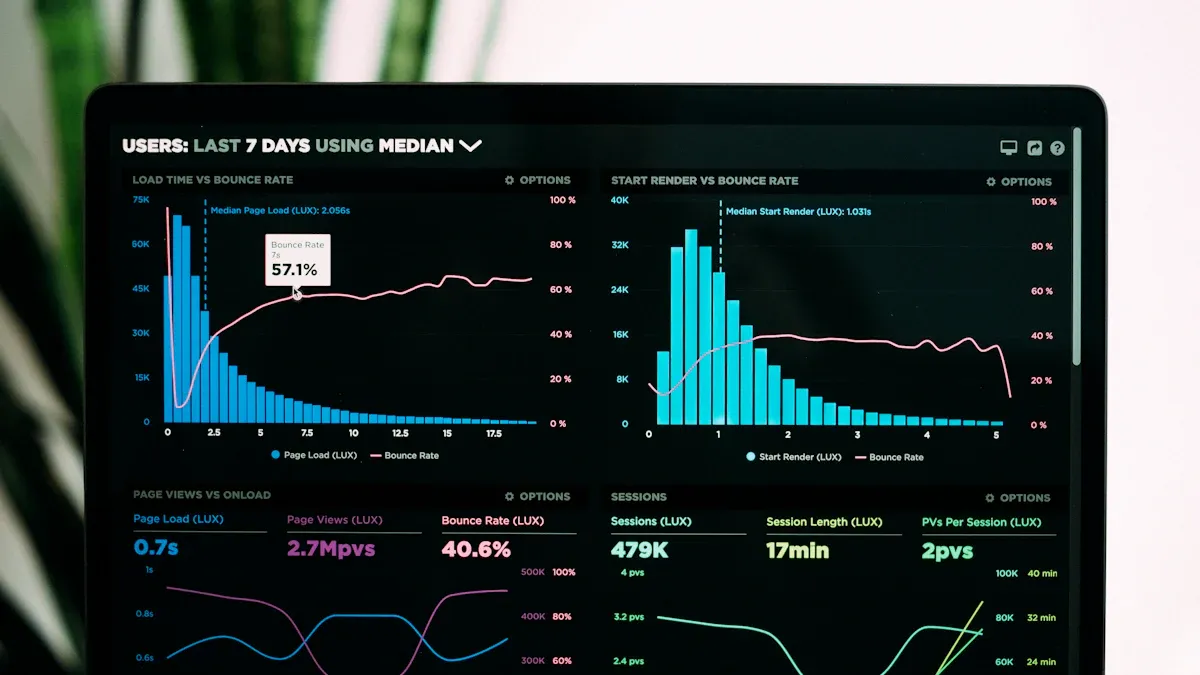
You want your data solution to grow with your business. A No-Code ETL Platform should handle more data as your needs increase. Top platforms let you process small or big data sets fast. You can run many jobs at the same time. Your team does not need to wait for one job to finish before starting another.
Here are some important benchmarks for scalability:
Metric | Description |
|---|---|
Shows how much data you can process in a set time. | |
End-to-End Latency | Tells how quickly data moves from start to end. |
Resource Utilization | Measures how well the platform uses memory and computing power. |
Parallelism | Lets you work with many data streams at once. |
Job Reliability | Checks if your data jobs finish well, even under stress. |
Tip: Pick a platform that does incremental loads and parallel processing. This helps keep your data fresh and your workflows smooth.
Security
You need to keep your data safe. A No-Code ETL Platform must protect sensitive information and follow strict rules. The best platforms meet standards like SOC 2 Type II and ISO 27001. These show the platform uses strong controls to keep your data secure. If you work in healthcare or finance, you may need HIPAA or GDPR compliance.
Many platforms, like Census, check their security policies often. They make sure they follow laws like GDPR and HIPAA. They keep logs and track where your data goes. This helps you follow the rules and avoid mistakes.
SOC 2 Type II and ISO 27001 mean strong security.
HIPAA and GDPR need special controls for health and personal data.
Platforms with many certifications make it easier for you to follow rules.
Cost-Effectiveness
You want to get the most for your money. A No-Code ETL Platform can save you money by cutting custom coding and long development times. You do not need to hire more developers or spend weeks building data pipelines. Many platforms let you pay only for what you use.
When you compare costs, look at more than just the price. Think about the time you save, the help you get, and the features included. Some platforms help you avoid hidden costs with clear pricing and no extra fees for connectors or data volume.
Note: Cost-effectiveness is not just about the lowest price. It is about finding a platform that fits your needs and helps your team work faster.
Connectors and Integrations
You need your No-Code ETL Platform to connect to many data sources. The best platforms have hundreds of pre-built connectors. This means you can link your databases, cloud apps, and analytics tools without writing code. For example, Fivetran has over 500 connectors, Airbyte has more than 600, and Hevo Data offers at least 150.
Platform | Pre-built Connectors |
|---|---|
Fivetran | 500+ |
Airbyte | 600+ |
Hevo Data | 150+ |
A lot of connectors makes your work easier. You can move data between systems quickly. You also get more choices to add new tools as your business grows.
Look for platforms with strong community support and third-party plugins.
Pick a platform that works for many jobs, like marketing or finance.
Make sure the platform is easy to use, even for people who are not technical.
Remember: Simple tools and lots of connectors are important. They help your team build and manage data flows with less effort.
Assessing Your Needs
Data Sources
You need to know where your data comes from and where it needs to go. Start by listing all your data sources, such as databases, cloud apps, and spreadsheets. Think about the systems your team uses every day.
Tip: Write down your business goals and match them with the data sources you need to connect. This helps you choose a platform with the right connectors.
Here is a simple way to assess your needs:
Define your data sources and destinations.
Map out the workflows you want to automate.
Transformation Requirements
You may need to change or clean your data before using it. No-code ETL platforms make this easy for everyone. You can set up data transformations without writing code.
You can use drag-and-drop tools to change data formats.
You can clean up messy data with simple steps.
You can build workflows that fit your business needs.
These platforms help you work faster and adapt to new needs. You do not need to wait for IT support. Your team can handle complex tasks with a shallow learning curve.
Team Skills
You do not need a team of developers to use a no-code ETL platform. Most tools have user-friendly interfaces.
Teams can automate data tasks and spend more time on important projects.
Pre-built connectors make onboarding new data sources easy.
Your team can focus on higher-value work. You can train new users in less time.
Budget
You want to get the best value for your money. Start by setting a budget for your data integration project.
Factor | What to Consider |
|---|---|
Platform Cost | Monthly or yearly fees |
Time Savings | Less time spent on coding |
Support | Help and training options |
Scalability | Costs as your data grows |
Look for platforms with clear pricing. Avoid hidden fees for extra connectors or data volume. Choose a solution that fits your needs and helps your team work faster.
Choosing a No-Code ETL Platform
Feature Mapping
You need to pick a platform that fits your needs. First, write down the features you must have. Think about things like scalability, security, cost, and connectors. Make a table to compare your favorite platforms:
Feature | Platform A | Platform B | Platform C |
|---|---|---|---|
✔ | ✔ | ✖ | |
Security | ✔ | ✔ | ✔ |
Cost-Effectiveness | ✔ | ✖ | ✔ |
Connectors | 500+ | 600+ | 150+ |
Ease of Use | ✔ | ✔ | ✖ |
Tip: Match your business goals and data sources with the features in each platform. This helps you choose the best one for your team.
Demos and Trials
You should test a platform before you buy it. Most companies let you try a demo or free trial. Use this time to see if the tool is easy to use. Check if the design makes sense. Try moving your data and see if the platform can grow with your needs. Look at how well it works during the demo. Make sure there is good customer support and strong security.
Start your trial with simple data pipelines. This helps you see if the tool works for basic tasks. Write down your steps and settings. Use built-in security features like encryption. Watch logs and metrics to check if the tool is reliable. Ask the company for help with training and onboarding if you need it.
Test if the tool is easy to use
See if it can grow with your needs
Check how well it works in the demo
Make sure customer support and security are strong
Begin with simple pipelines
Write down your settings
Use security features
Watch logs and metrics
Ask for help from the company
Remember: Trying the platform yourself helps you know if it will work for your team.
Common Pitfalls
Hidden Costs
You may think a no-code ETL platform will save you money, but hidden costs can appear over time. Some platforms do not include important features like version control or easy debugging. You might spend extra time fixing problems or repeating work. Sometimes, you need to write code anyway as your needs grow. This can make your project more expensive and harder to manage.
Hidden Cost | Description |
|---|---|
Version control is an afterthought | Limited Git support makes collaboration and audits difficult. |
Reusability is limited | Teams redo the same logic, wasting time and increasing risk. |
Debugging is frustrating | Finding problems takes longer and wastes valuable time. |
Testing is nearly impossible | Hard to automate tests, so errors can go unnoticed. |
They eventually require code anyway | As needs grow, you may need to add code, making things more complex. |
Poor team collaboration | Lack of versioning and review slows down teamwork. |
Vendor lock-in is real | Moving away from the tool can mean rebuilding your data stack. |
Performance problems sneak up on you | Handling more data can lead to higher costs. |
Developers don’t want to touch them | Frustrating tools can drive away technical talent. |
Short-term ease, long-term pain | Fast setup can lead to rigid workflows and workarounds later. |
Tip: Always ask about extra fees, limits, and features before you choose a platform.
Ignoring Scalability
You need a platform that grows with your business. Some no-code ETL tools work well for small jobs but struggle when your data grows. If your platform cannot handle more users or bigger data, you may face slowdowns or even downtime. You also have less control over performance because the provider manages the infrastructure.
No-code tools may not meet enterprise needs as your business grows.
Limited flexibility can make it hard to adapt to new challenges.
Performance bottlenecks can slow down your work during busy times.
Tech debt can build up, making old projects hard to update.
Costs can rise quickly as you scale up.
Note: Choose a platform that supports your growth and can handle more data and users over time.
Overlooking Support
You need strong vendor support to get the most from your no-code ETL platform. Good support helps you learn the tool and solve problems fast. If you do not get enough training or help, your team may struggle to use the platform well. This can slow down your projects and lower your results.
Vendor support gives you training and resources to use the platform better.
A strong support system makes learning easier and improves your experience.
Lack of support can limit what your team can do with the tool.
Remember: Always check the quality of customer support before you decide. Good support can save you time and help your team succeed.
Next Steps
Shortlist Tools
You want to pick the best no-code ETL platform for your team. First, make a list of tools that fit your needs. Think about your data sources and how much data you have. Look at what changes you need to make to your data. Check if the platform connects to your systems. Make sure it is simple to use. Look at how much each tool costs. Read what other users say about the tools. Good vendor support is important, so see if you can get help when you need it. Try each tool with your own data before you decide.
Criteria | Description |
|---|---|
Data Integration Needs | List sources, targets, volume, changes, and speed. |
Key Features | Look for connections, easy use, growth, and safety. |
Pricing Models | Check prices and read what users think. |
Vendor Support | Think about vendor help before you choose. |
Testing | Test top tools with your own data, not just demos. |
Tip: Write down the features you must have. Compare each tool side by side. This helps you see which one fits your goals.
Pilot Projects
You need to try a pilot project to see how the platform works. Find tasks that take the most time for your team. Set clear goals for what you want to automate. Pick a tool that matches your skills, budget, and systems. Start with one small project and see what happens. Watch how the platform works and make changes if you need to.
Find and rank tasks that take the most time.
Pick tools based on team skills and budget.
Begin with a small pilot project.
Watch results and make changes as you go.
Note: A pilot project helps you learn fast and avoid mistakes before you grow.
Final Decision
You want to make a smart final choice. Look at how each platform handles growth, trust, and flexibility. Make sure the tool works with different data sources and places. Check if it fits your budget and uses smart features like AI and automation.
Criteria | Description |
|---|---|
Scalability | Handles more data as your group grows. |
Reliability | Keeps data right and lowers downtime. |
Flexibility | Works with many data sources and places. |
Cost-effectiveness | Fits your budget and team. |
AI & Automation | Uses smart features for faster data work. |
Remember: Pick a platform that helps your team now and later. A good choice leads to better data and easier work.
You can make smarter choices by using clear steps when picking a no-code ETL platform. This helps you see what you need and check vendors early. You can also find problems before they get big. Many groups do well because these tools are simple, save money, grow with your needs, and work fast. Get your team and business users to help from the start. This makes your projects go smoother.
Next steps:
Let business analysts use visual tools to build data pipelines.
Plan how you will move your data and fix old workflows.
Use AI features to keep your data correct.
Metric Type | Description |
|---|---|
Performance Metrics | Check how quickly your data moves and how well resources work. |
Data Quality | Make sure your data is right and helpful. |
Integration Capabilities | See if the platform connects to all your systems. |
User Experience | Make sure everyone can use the tool easily. |
Scalability | Check if the tool can handle more data as you grow. |
Data Governance and Monitoring | Watch your pipelines with alerts and dashboards that update in real time. |
Picking the right platform helps you get answers faster and lets your team work better.
FAQ
What is a no-code ETL platform?
You use a no-code ETL platform to move and change data without writing code. You build data pipelines with drag-and-drop tools. These platforms help you connect different systems and automate data tasks.
How do I know if a no-code ETL platform fits my team?
You check your team’s skills and needs. If your team wants to work faster and does not want to code, a no-code ETL platform helps. You test the platform with a free trial to see if it works for you.
Can I connect to cloud apps and databases?
You can connect to many cloud apps and databases. Most platforms offer hundreds of pre-built connectors. You choose the sources you need and link them with a few clicks.
Is my data safe with a no-code ETL platform?
You keep your data safe by choosing a platform with strong security. Look for certifications like SOC 2 or ISO 27001. Good platforms use encryption and follow rules like GDPR.
What should I watch out for when picking a platform?
Tip: Watch for hidden costs, limited scalability, and weak support. You read reviews and ask vendors about pricing, features, and help options before you decide.
See Also
Understanding ETL Tools: Key Insights You Should Have
Choosing The Best Tool For Effective Data Migration
A Beginner's Guide To Using Spark For ETL