
Table Rendering
Feature Overview
The Table Rendering feature allows users to describe table styles using natural language. The Data Analytics Agent (DataGPT) will automatically generate data tables with complex layouts such as grouping, aggregation, color marking, fixed headers, and dual-layer headers. No manual formatting is needed — just describe the table style you want as if chatting.
Usage
In the AI dialog box, describe the table content and style you need, and the Agent will automatically generate the corresponding table.
Example
"Help me analyze the sales performance of different brands. Group by brand, differentiate between B-end and C-end, include full-year summary data and monthly information, and add commentary. Numeric columns should support sorting, with sorting limited to within each brand only."

Output Report:
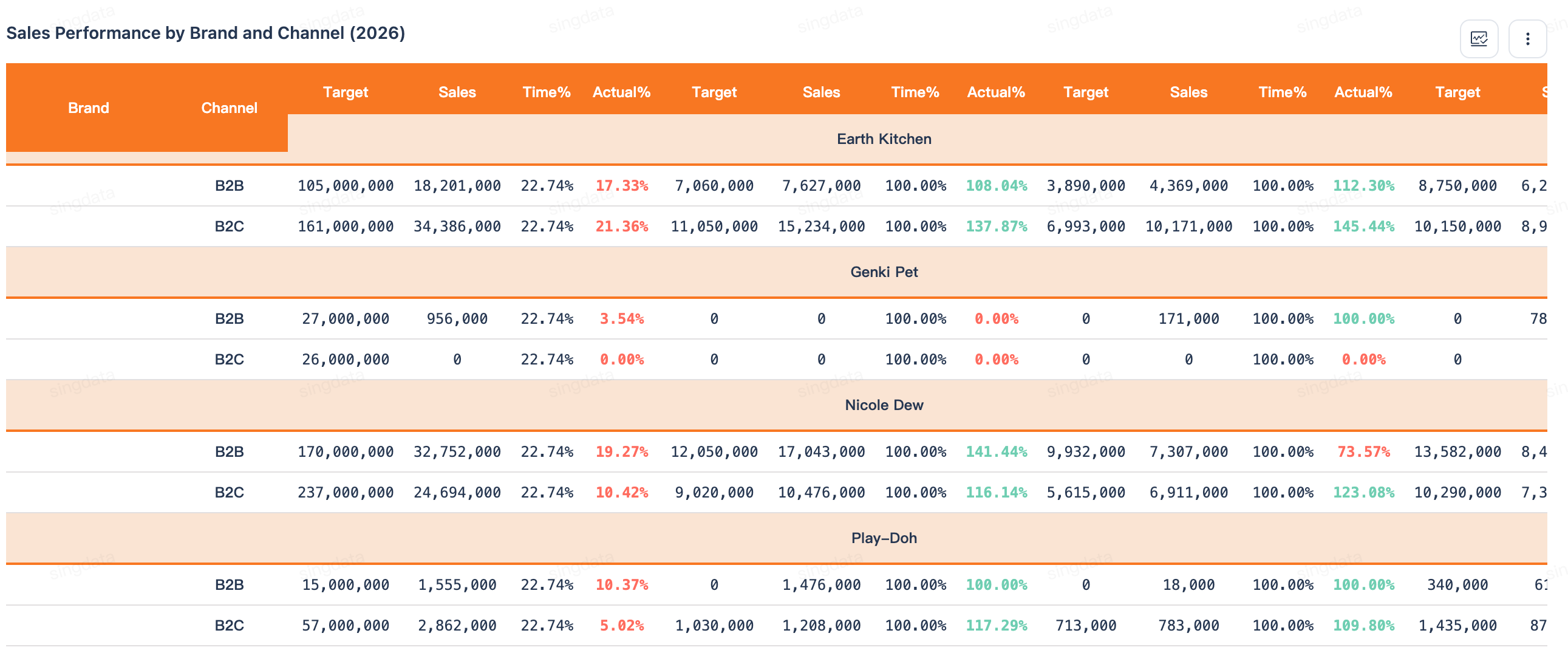
You can optimize table details by continuing the conversation, for example:
- Use a compact table style with minimum row height, reduced padding, no text wrapping, and a tight layout similar to Excel.
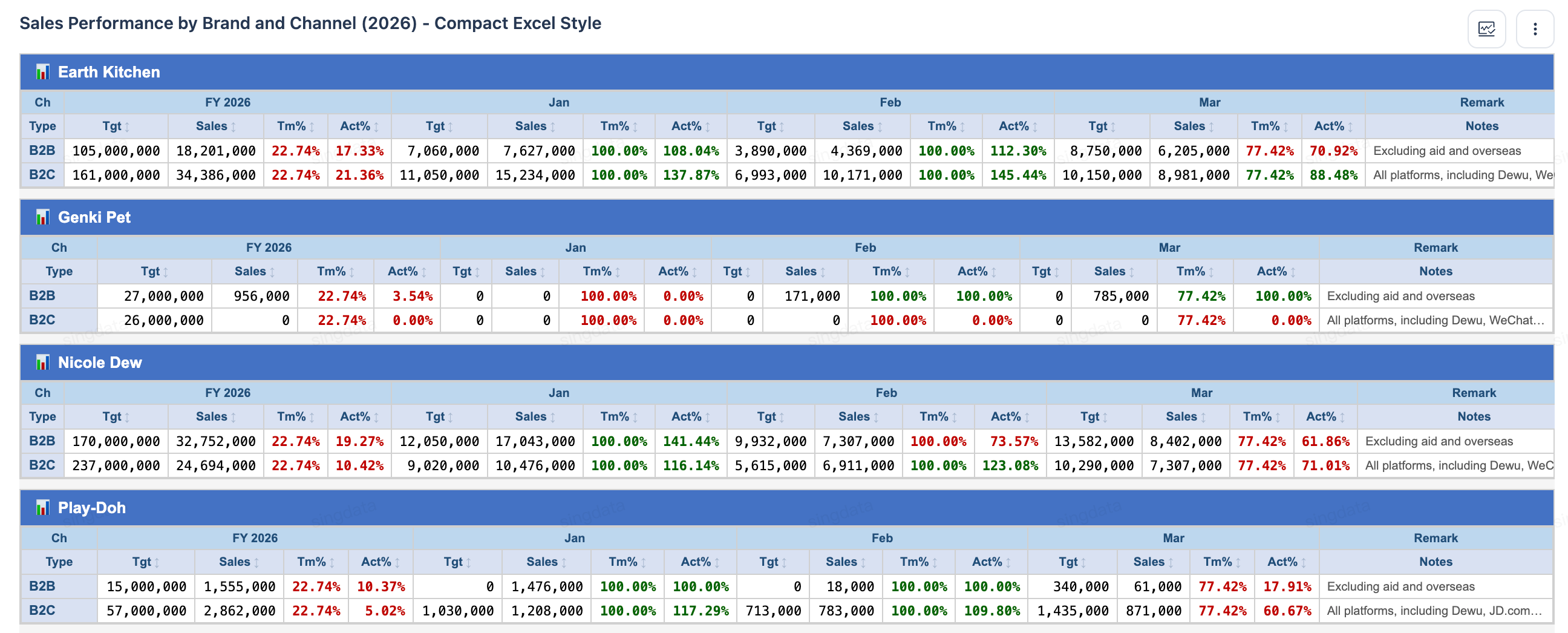
Notes
1. The table style is automatically generated by the Agent based on natural language descriptions. The more specific the description, the better the generated result matches expectations.
2. For complex layout requirements, it is recommended to fully describe all style requirements (grouping method, aggregation dimensions, color rules, etc.) in a single query.
3. To adjust a generated table style, you can modify it by appending a follow-up description (e.g., "Change the background color to blue").
Related Documentation
- Chart Auto-Refresh Configuration — Set up auto-refresh for generated charts
- Dashboard Version Management — Manage dashboard versions across multiple revisions
- Conversational Data Analytics (Analytics Agent) — Return to the feature overview