Data Governance & Answer Builder & Analysis Domain
As a data-based Q&A system, answer accuracy is especially important. The system provides the following means to ensure accuracy:
1. Data Governance
- Data Profiling (Analytics Agent Profile): The system provides data profiling to help you understand the data status of underlying dataset tables. Through Left Navigation -> Data -> Data Tables, on the table details page under the Statistical Analysis tab, you can view data status to assist with data governance. Establishing data profiles also helps find the right target data through natural language.
-
Table/Column Descriptions and Column Alias Configuration: Add accurate descriptions and alias information for tables and columns, which helps the system precisely match questions with data. In Left Navigation -> Data -> Data Tables, you can configure table-level descriptions, column aliases (Alias), and column descriptions (Description). When data tables and columns have clear and accurate aliases and descriptions, with minimal ambiguity in names and descriptions across different tables and columns, answer accuracy is higher.
-
Column Type and Purpose: Fill in the column type (ColumnType) and intended use (Intended For) based on the actual meaning of the column. This option affects whether the system selects this column as a data source.
2. Defining Analysis Domains
Splitting business domains (or analysis domains) helps the system focus more on specific data.
- Pre-define analysis domains to reduce the scope of data tables and knowledge involved in each domain.
- Asking questions within a domain is more focused, and domains can be bound to users, achieving table-level data isolation.
3. Creating Metrics and Answer Builders
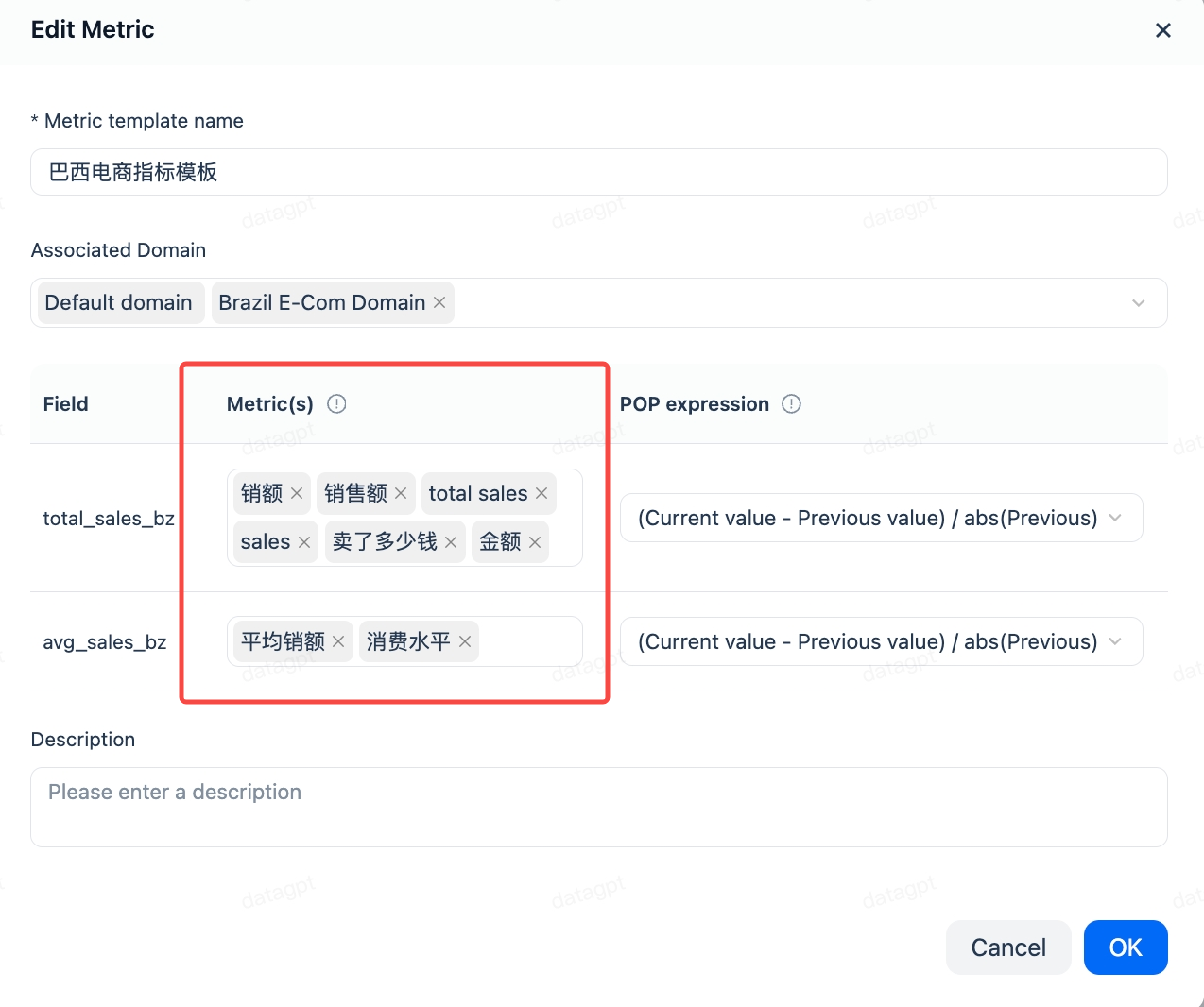
Metrics are aggregate functions or calculations based on aggregate functions, and answer builders are SQL-based template definitions. Both are pre-defined objects. Answering based on metrics and answer builders significantly improves accuracy. If strict answer accuracy is required, it is recommended to pre-define them. Metrics support aliases for matching more expression patterns. Refer to Metrics and Answer Builder
4. Using Input Hints
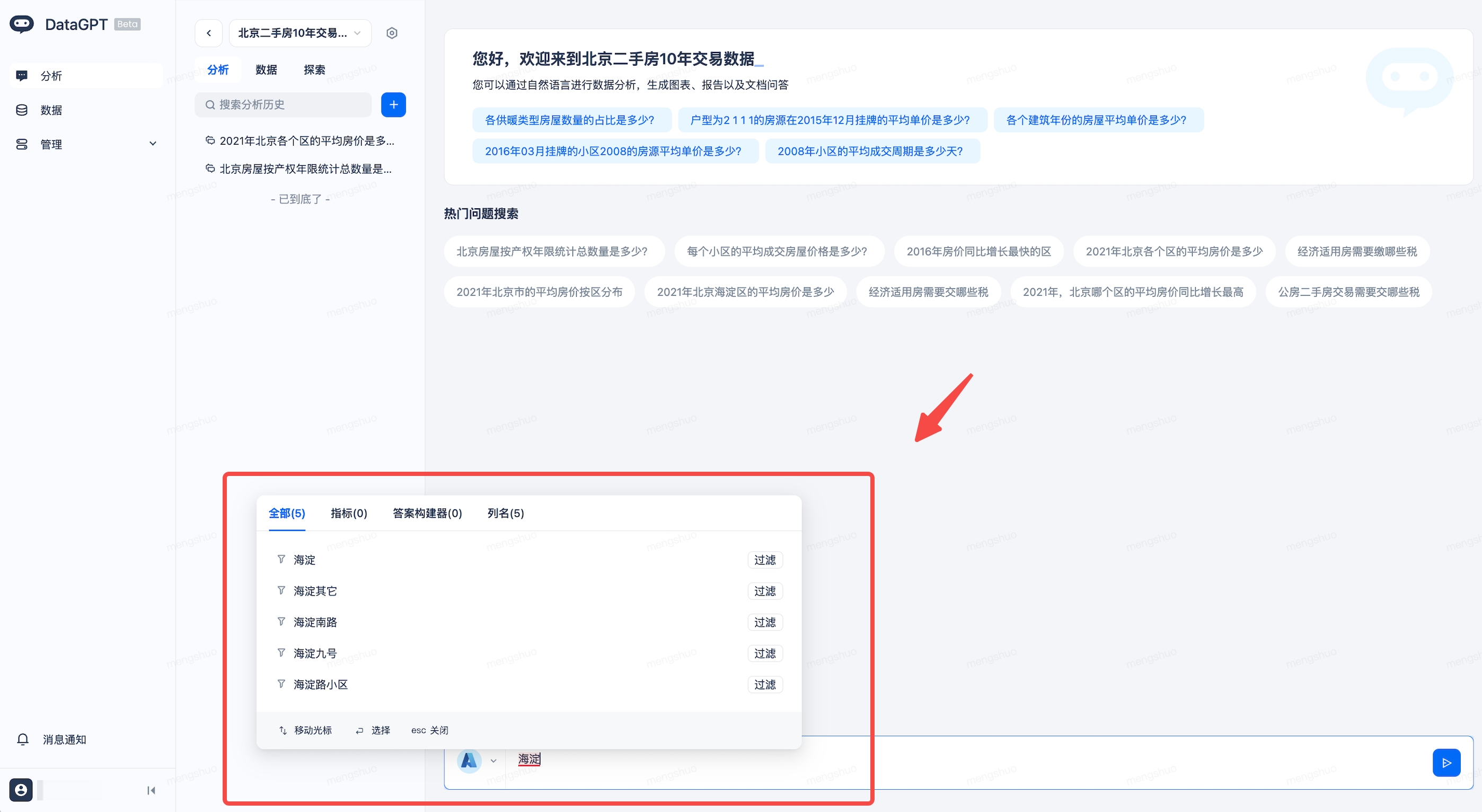
Column Value Intelligent Matching: After enabling the column value index feature, the system will provide real-time data value hints as you type, ensuring the accuracy and relevance of query results.