Lakehouse implements the MySQL client-server communication protocol, so you can use a MySQL driver to connect to Lakehouse. However, Lakehouse does not implement MySQL syntax and data types. You can connect to Lakehouse via a MySQL client, but the SQL statements you execute should use Lakehouse syntax, not MySQL syntax. For example, the
mysqldumpPrerequisites
-
Currently, you need to reset your password, even for newly created accounts. This is because MySQL 5.x uses the
authentication plugin, while Lakehouse needs to store the MySQL encryption algorithm. Currently, Lakehouse only saves the MySQL key encryption algorithm when the password is changed. You can reset the password to the same value as before to avoid affecting other task connections.mysql_native_password -
Set a compute cluster for the user. Since the MySQL protocol does not provide a way to pass the cluster setting, users can use SQL commands to assign a default compute cluster to a user. This way, the designated cluster will be used when connecting via MySQL. Note that BI scenarios often have analysis performance requirements. It is recommended to select an appropriately sized analytical compute cluster for the BI tool connection user to provide optimal query performance.
-
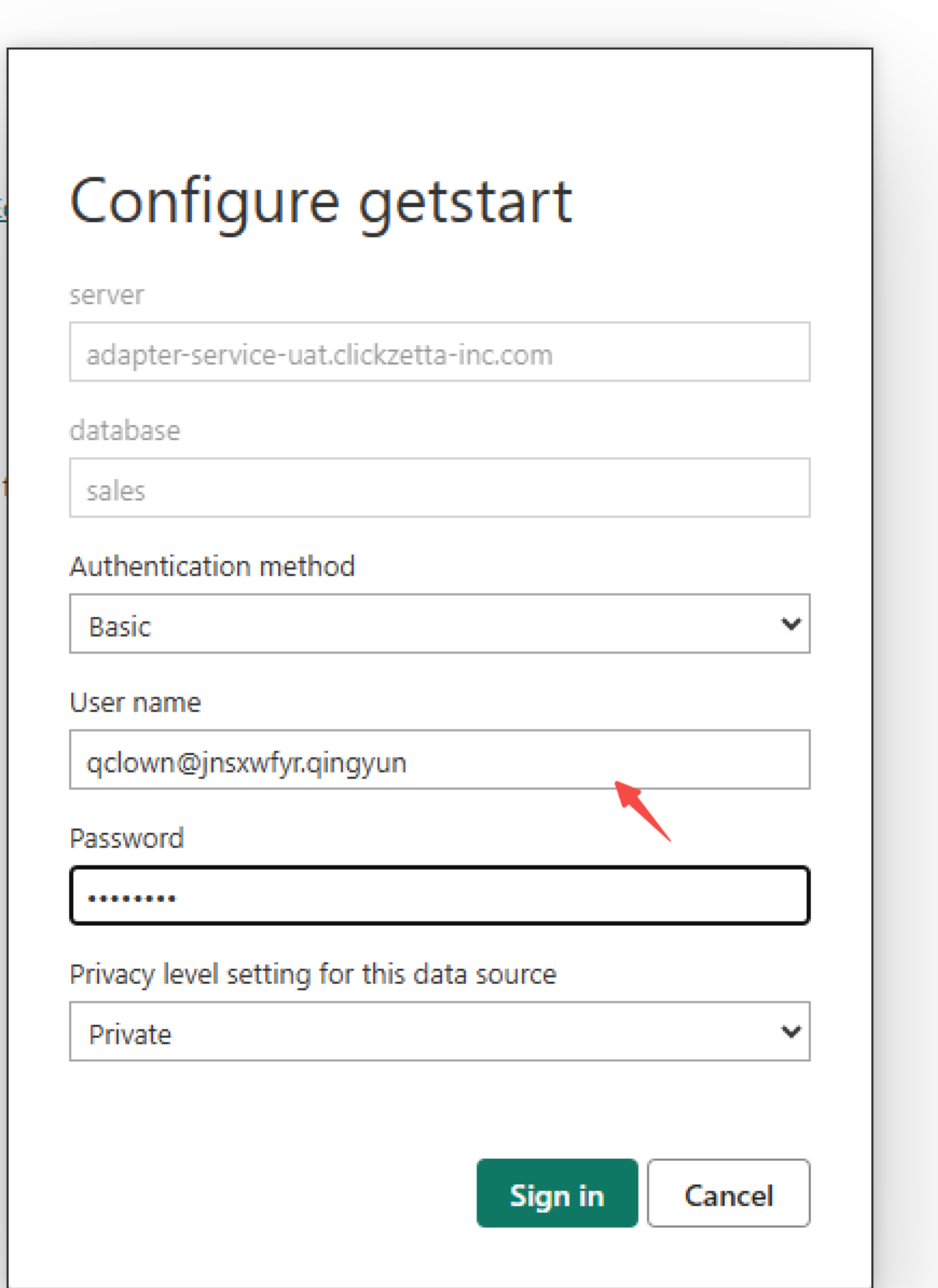
Prepare the username. The MySQL protocol connection address can only accept a single URL and cannot concatenate the Lakehouse instance name and workspace name. Therefore, you need to concatenate the instance name and workspace name into the username.
-
The username format is as follows:
-
-
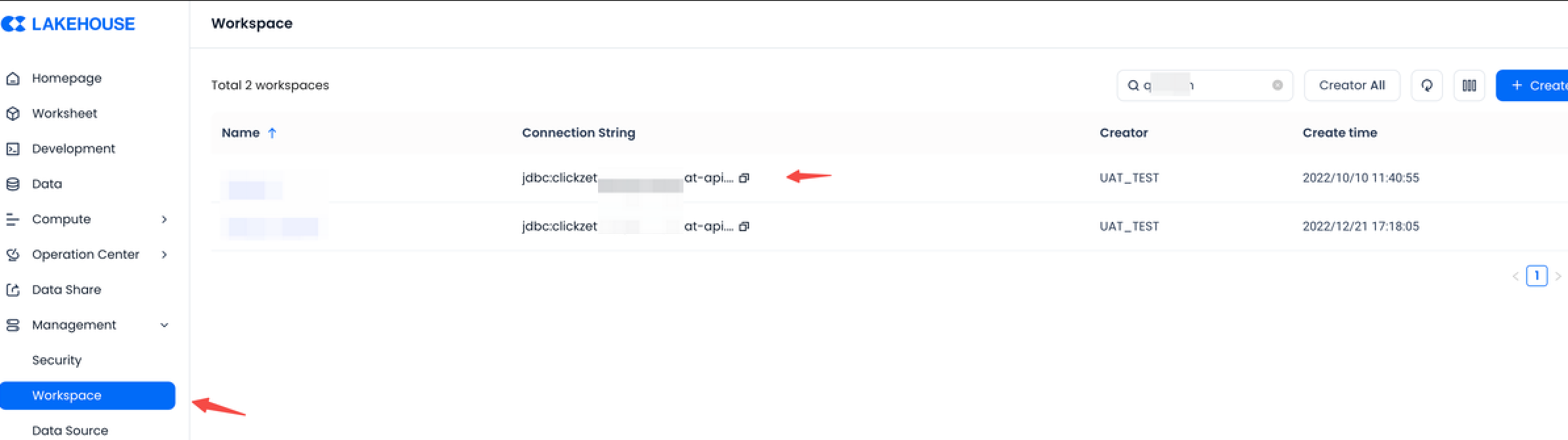
Obtain instance_name: Get the JDBC connection string from the workspace page. For example, in
,jdbc:clickzetta://``jnsxwfyr.api.singdata.com/quick_start?virtualCluster=default
is the instance_name.jnsxwfyr -
Obtain workspace_name: The name of the workspace.
-
-
Create a schema and table in Lakehouse, and upload data.
Connecting PowerBI
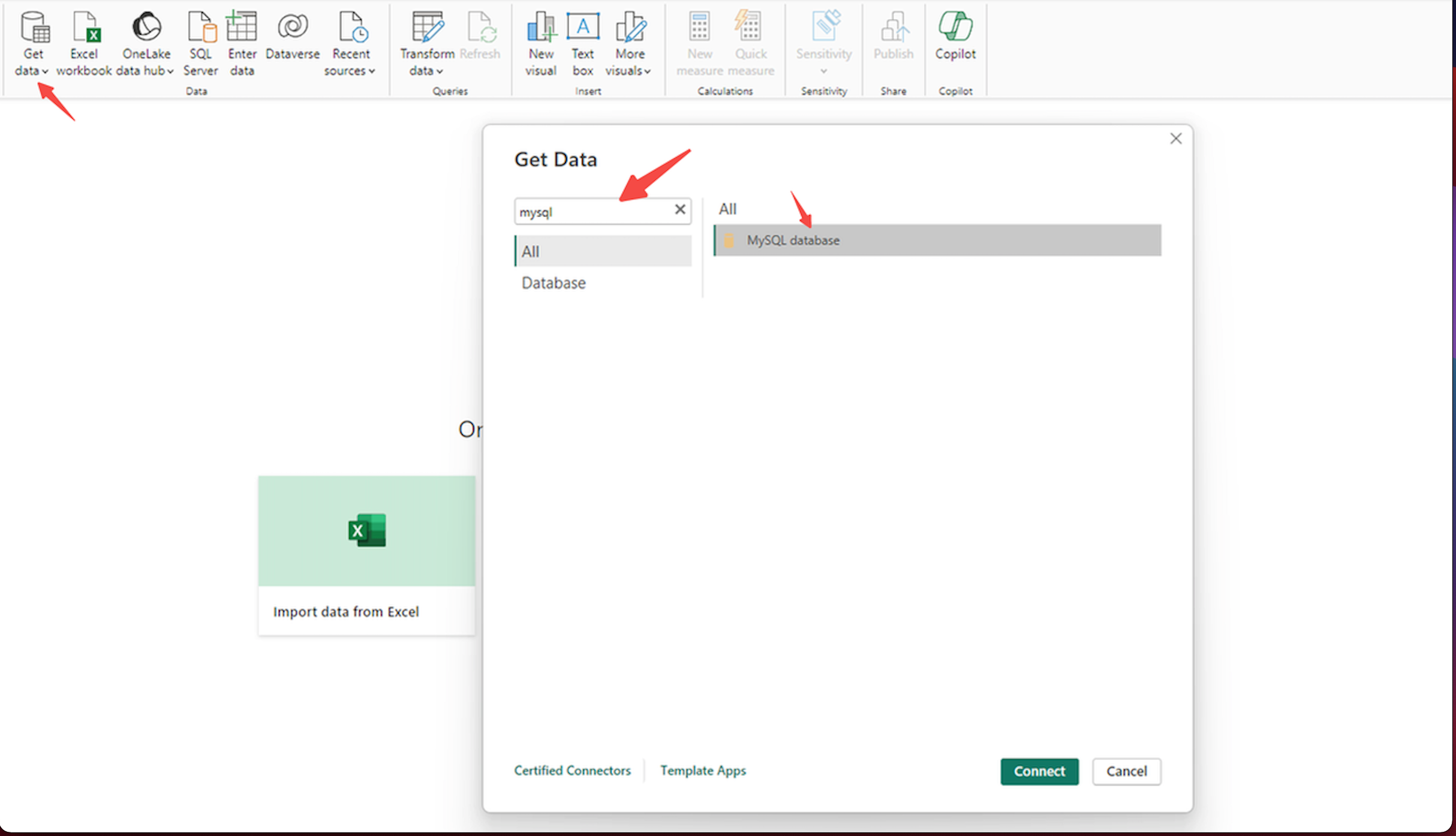
- Click Get Data Source, search for MySQL
-
Enter the Lakehouse MySQL connection address and schema name. The schema in this example is public.
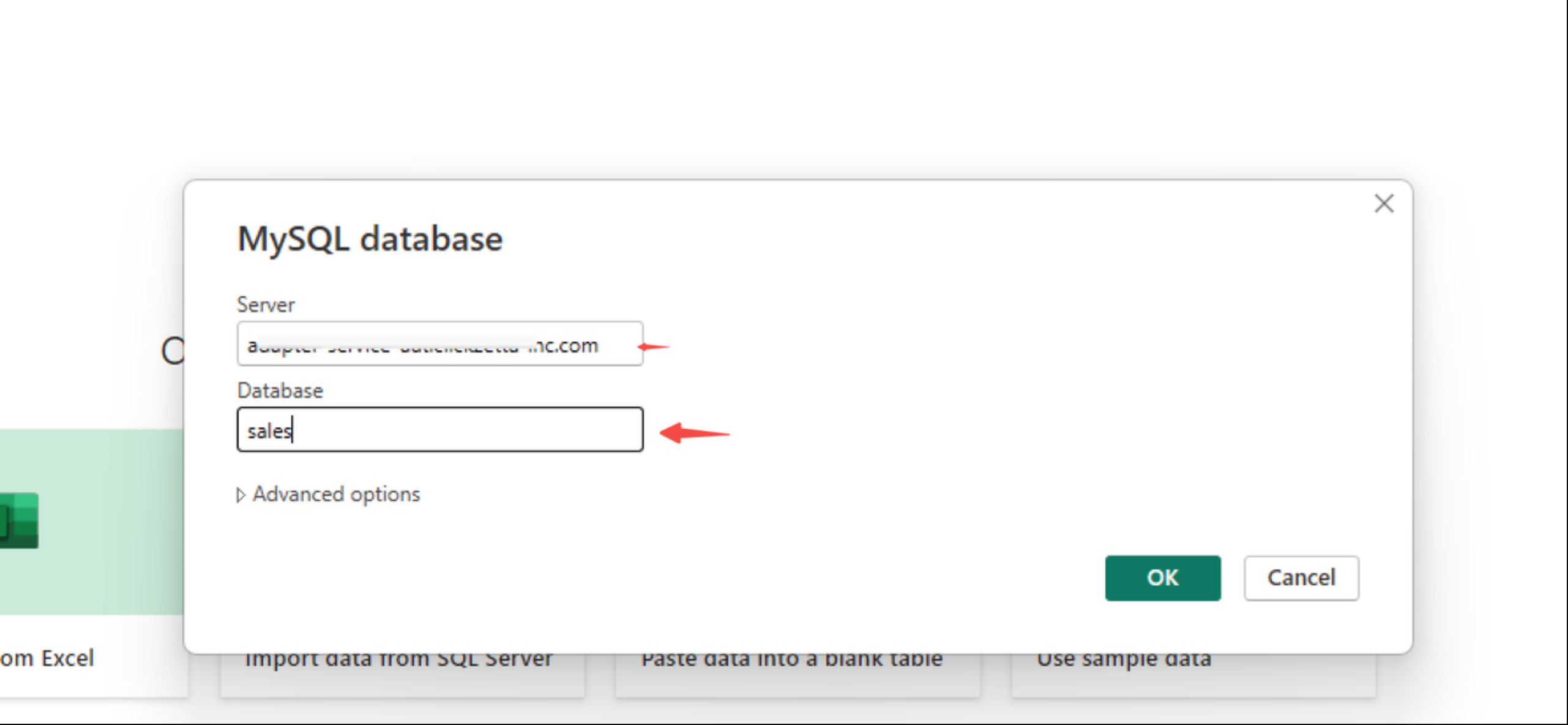
Connection addresses for each region
| Cloud Provider | Region | Connection Address |
|---|---|---|
| Alibaba Cloud | Shanghai | cn-shanghai-alicloud-mysql.api.singdata.com |
| Tencent Cloud | Shanghai | ap-shanghai-tencentcloud-mysql.api.singdata.com |
| Beijing | ap-beijing-tencentcloud-mysql.api.singdata.com | |
| Guangzhou | ap-guangzhou-tencentcloud-mysql.api.singdata.com | |
| AWS | Beijing | cn-north-1-aws-mysql.api.singdata.com |
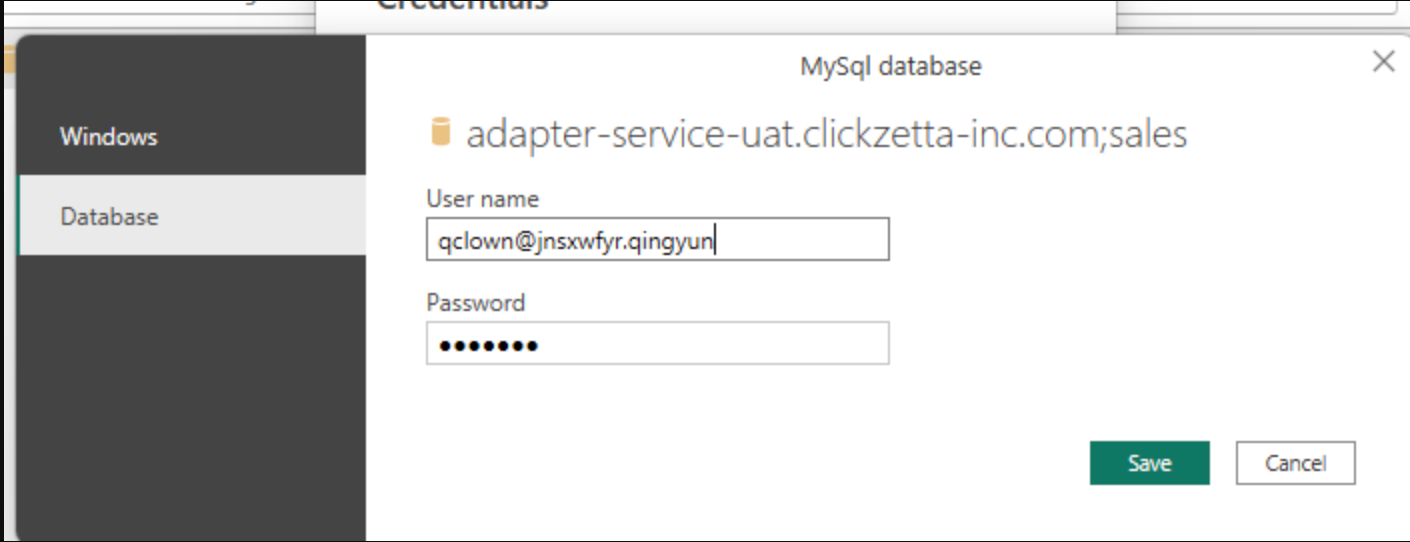
- Configure username and password. The MySQL protocol connection address can only accept a single URL and cannot concatenate the Lakehouse instance name and workspace name. Therefore, you need to concatenate the instance name and workspace name into the username. The username format is as follows:
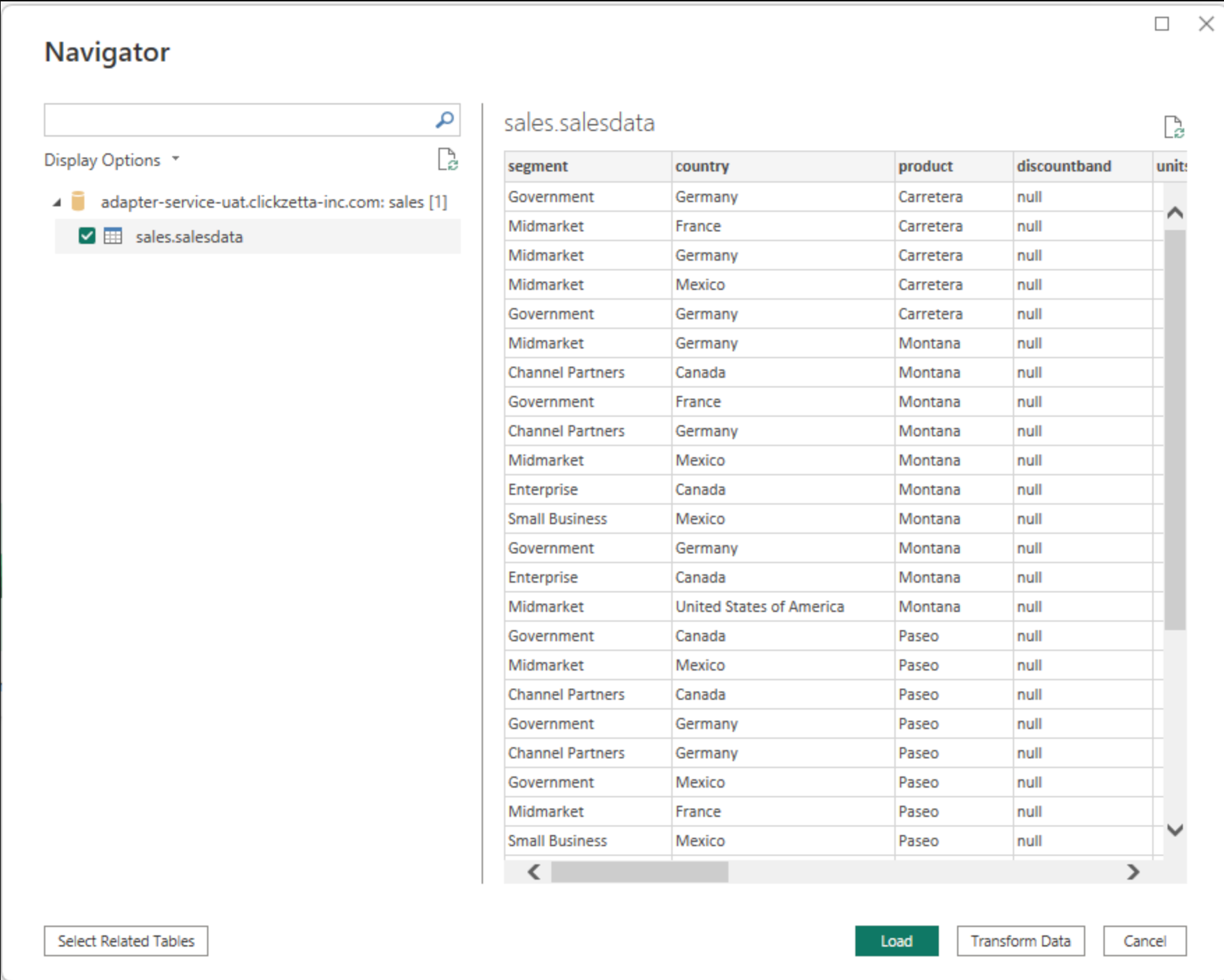
- Get Lakehouse tables
- Configure the dashboard
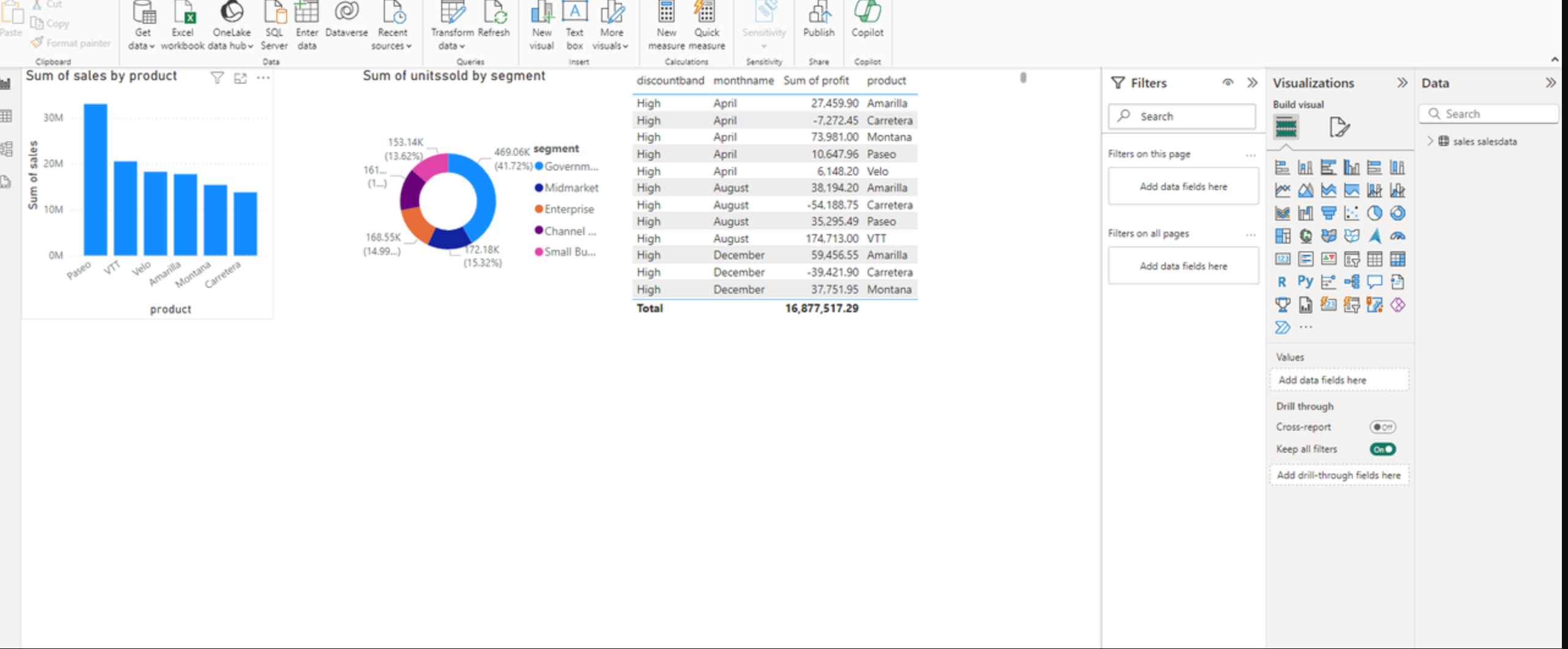
-
Publish the dashboard to Power Service
-
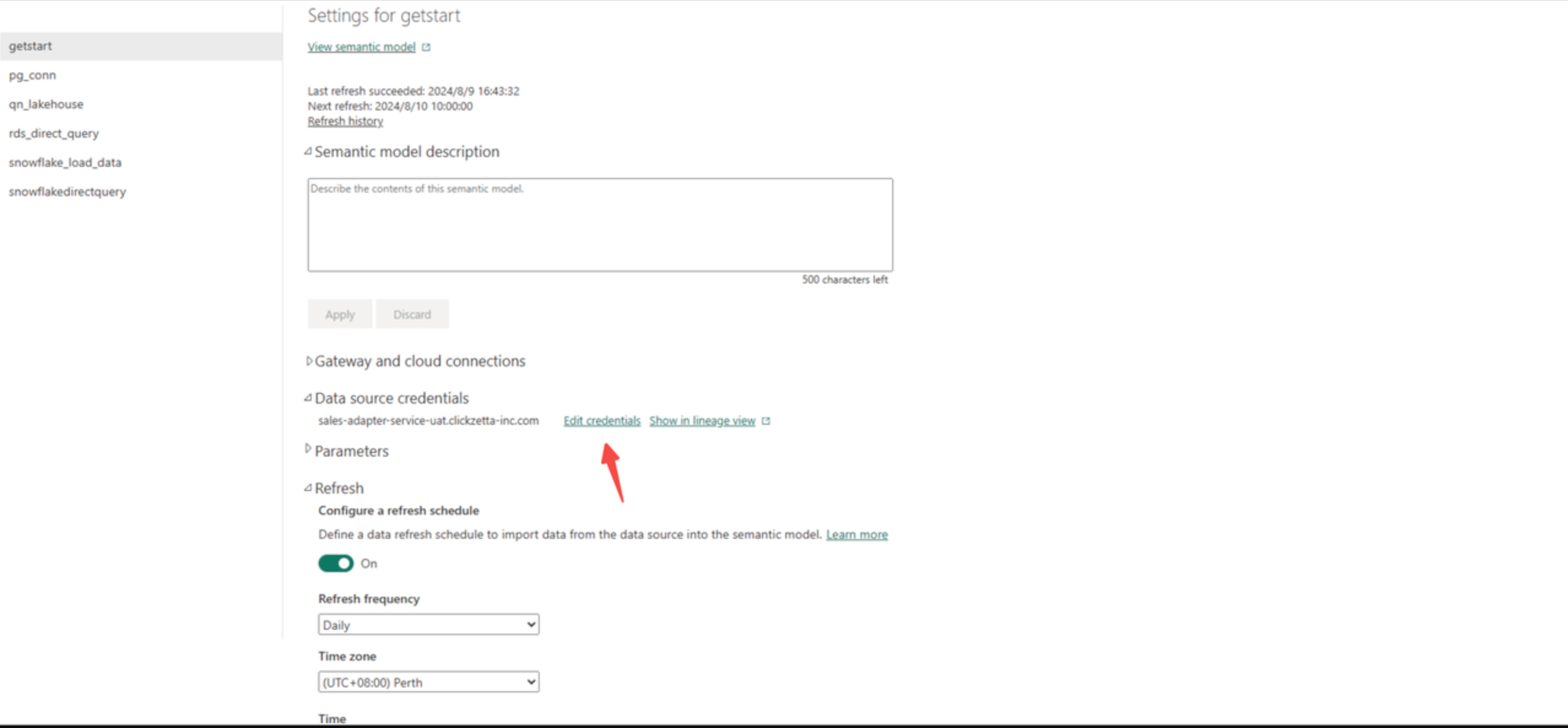
Find the published dashboard in Power Service, and configure scheduling and password authentication.
-
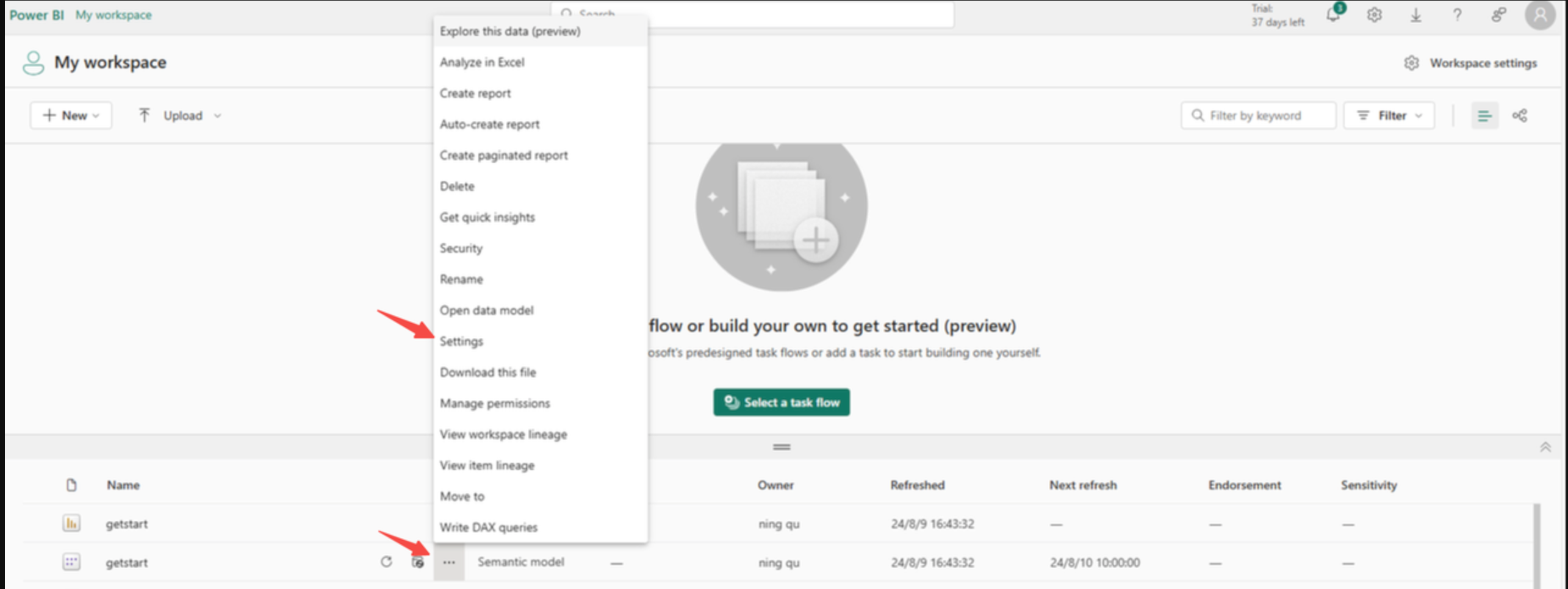
-
Edit username and password
-
Edit scheduling
-
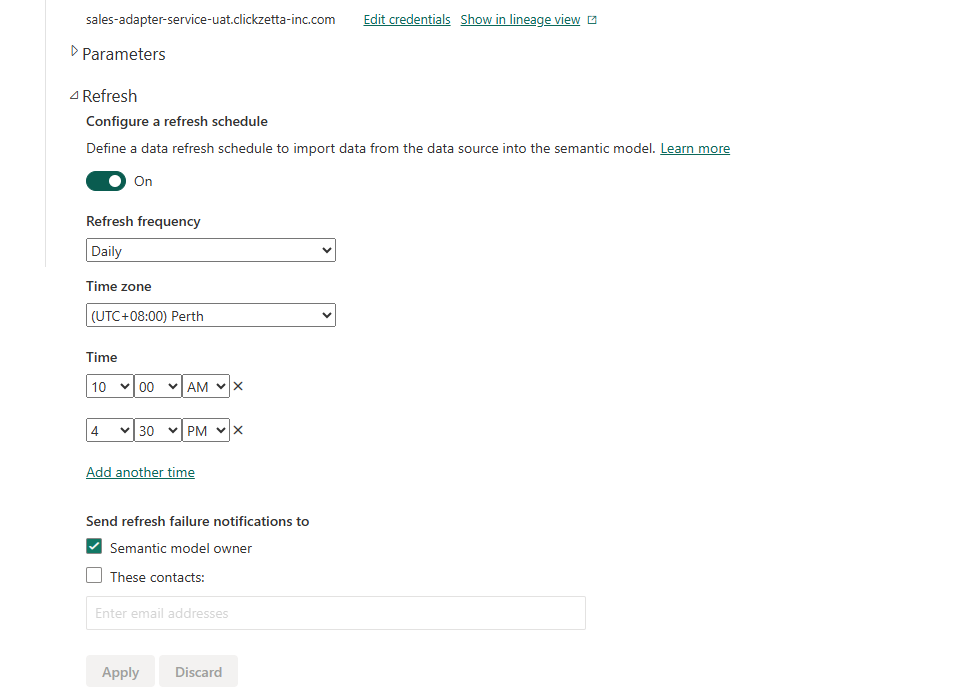
-
-
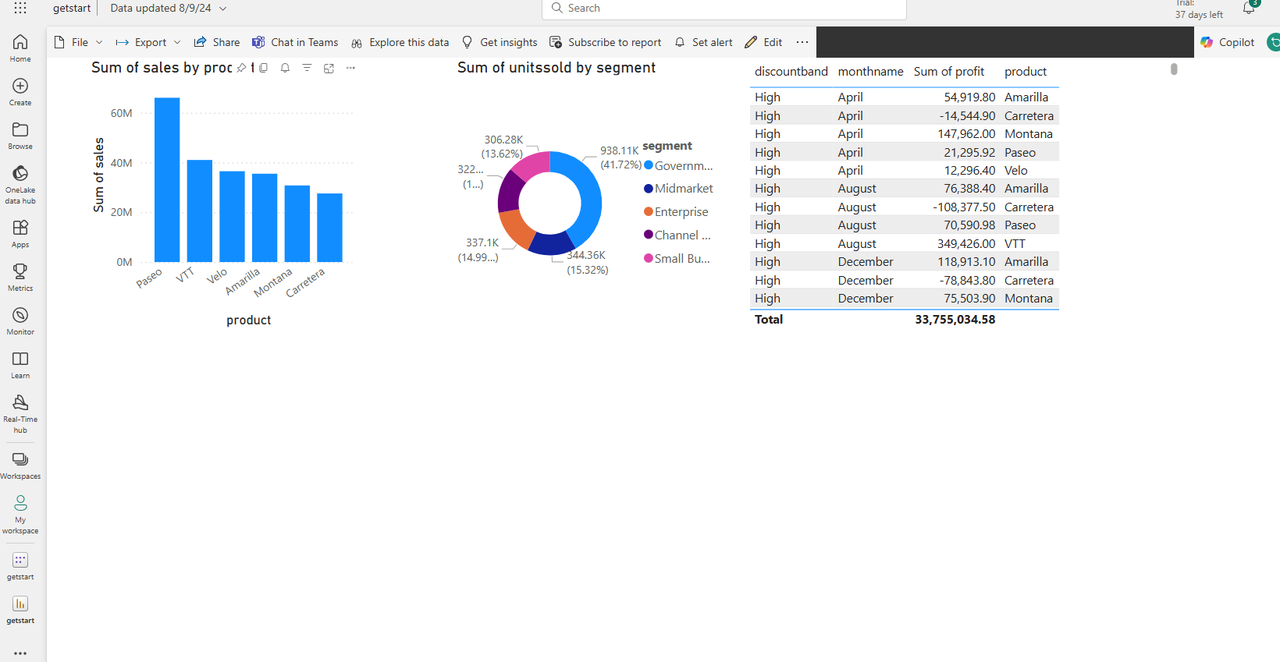
View the dashboard in Power Service