FineBI Connection Guide
FineBI is a Business Intelligence product launched by FanRuan Software Co., Ltd. FineBI is a new-generation big data analytics BI tool designed to help business personnel fully understand and utilize their data. This article describes how to use the MySQL protocol to connect to Lakehouse.
Prerequisites
-
Please refer to the FineBI official website. If already installed, skip this step.
-
Use the MySQL protocol to connect. Currently, you need to reset your password, even for newly created accounts. This is because MySQL 5.x uses the
mysql_native_passwordauthentication plugin, while Lakehouse needs to store the MySQL encryption algorithm. Currently, Lakehouse only saves the MySQL key encryption algorithm when the password is changed. You can reset the password to the same value as before to avoid affecting other task connections. -
Set a compute cluster for the user. Since the MySQL protocol does not provide a way to pass the cluster setting, users can use SQL commands to assign a default compute cluster to a user. This way, the designated cluster will be used when connecting via MySQL.
-
-
Prepare the username. The MySQL protocol connection address can only accept a single URL and cannot concatenate the Lakehouse instance name and workspace name. Therefore, you need to concatenate the instance name and workspace name into the username.
-
The username format is as follows:
-
-
Obtain instance_name: Get the JDBC connection string from the workspace page. For example, in
jdbc:clickzetta://``jnsxwfyr.api.singdata.com/quick_start?virtualCluster=default,jnsxwfyris the instance_name. -
Obtain workspace_name: The name of the workspace.
-
Configuring FineBI to Connect to Lakehouse
- Navigate to Data Connection -> Data Connection Management -> New Data Connection -> Select MySQL
- Fill in the configuration information, as shown in the following example
| Field Name | Description |
|---|---|
| Data Connection Name | Custom connection name, e.g.: clickzetta_lakehouse_mysql |
| Driver | Use the default value: com.mysql.jdbc.Driver |
| Database Name | Lakehouse schema name, e.g.: public |
| Host | Connection address for each region. See Connect using MySQL protocol for details |
| Port | Optional. Default: 3306 |
| Username | login_account_name@instance_name.workspace_name |
| Password | Password for the login account |
| Encoding | Default value |
| Data Connection URL | FineBI will automatically generate the URL based on the above connection information. You need to edit the URL and append ?useSSL=false at the end. This parameter is required for connectivity. Example: jdbc:mysql://``cn-shanghai-alicloud-mysql.api.singdata.com/dws_clys?useSSL=false. After adding this parameter, the database name will also have ?useSSL=false appended, e.g.: public?useSSL=false. This is normal. |
Verifying the Connection
Creating a Server Dataset
Navigate to Data Connection -> Server Dataset, and create a new SQL dataset.
Dataset Name: Singdata Lakehouse-TPCH-Q01
SQL Statement:
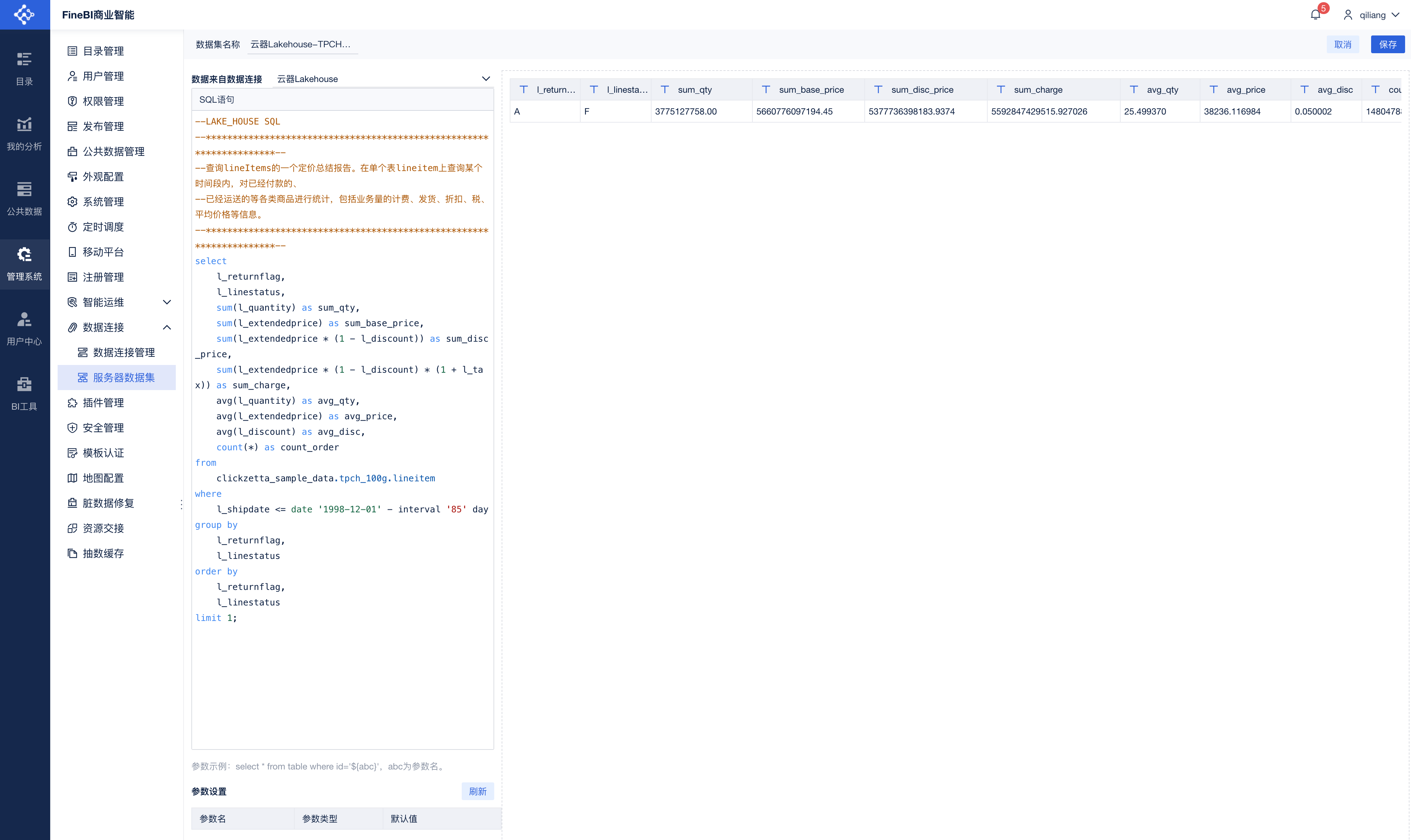
Creating a Dataset
Select New Dataset -> SQL Dataset:
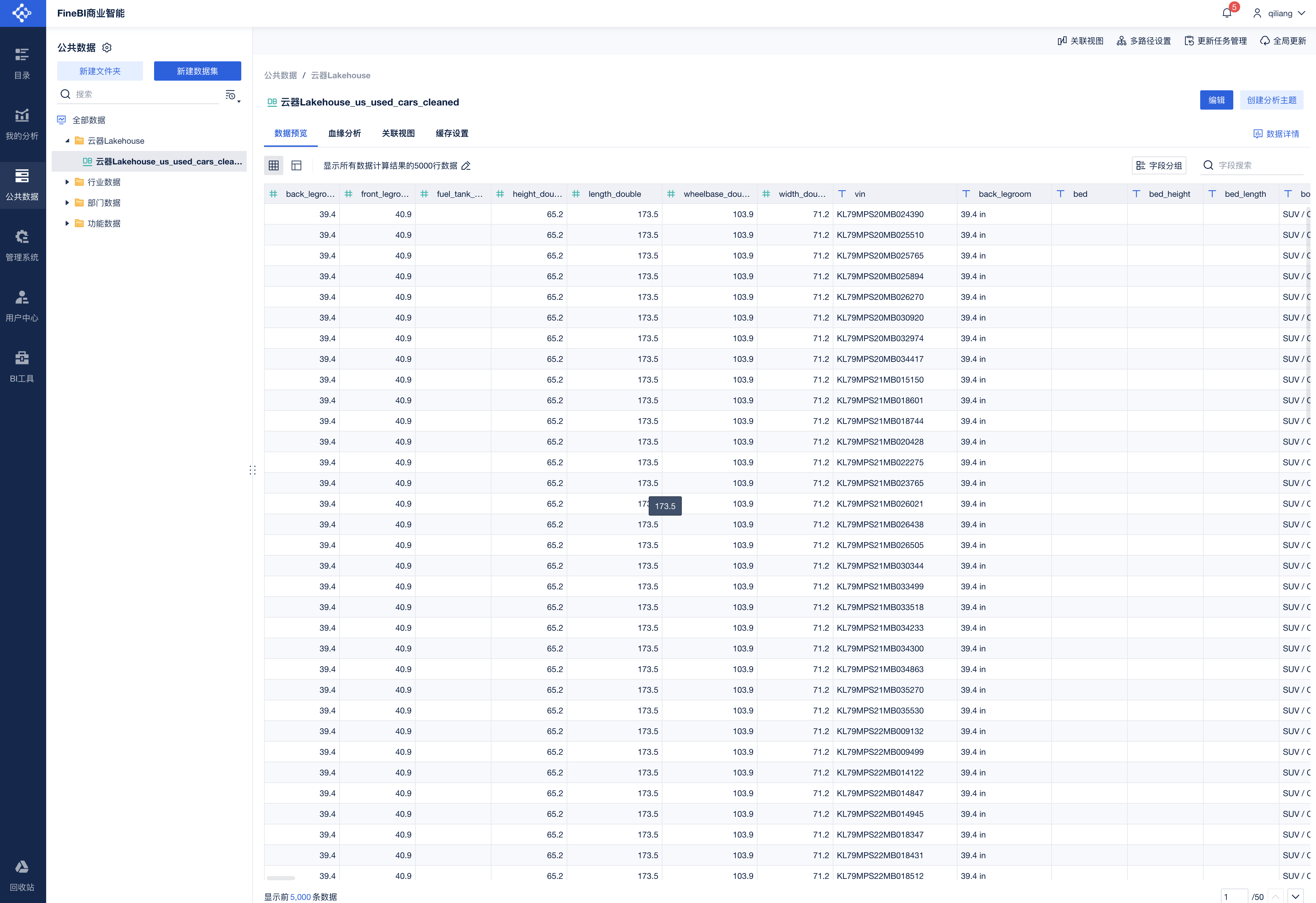
This shows that tables in Singdata Lakehouse are available to FineBI's "Public Data".
Using Lakehouse data in an analysis topic:
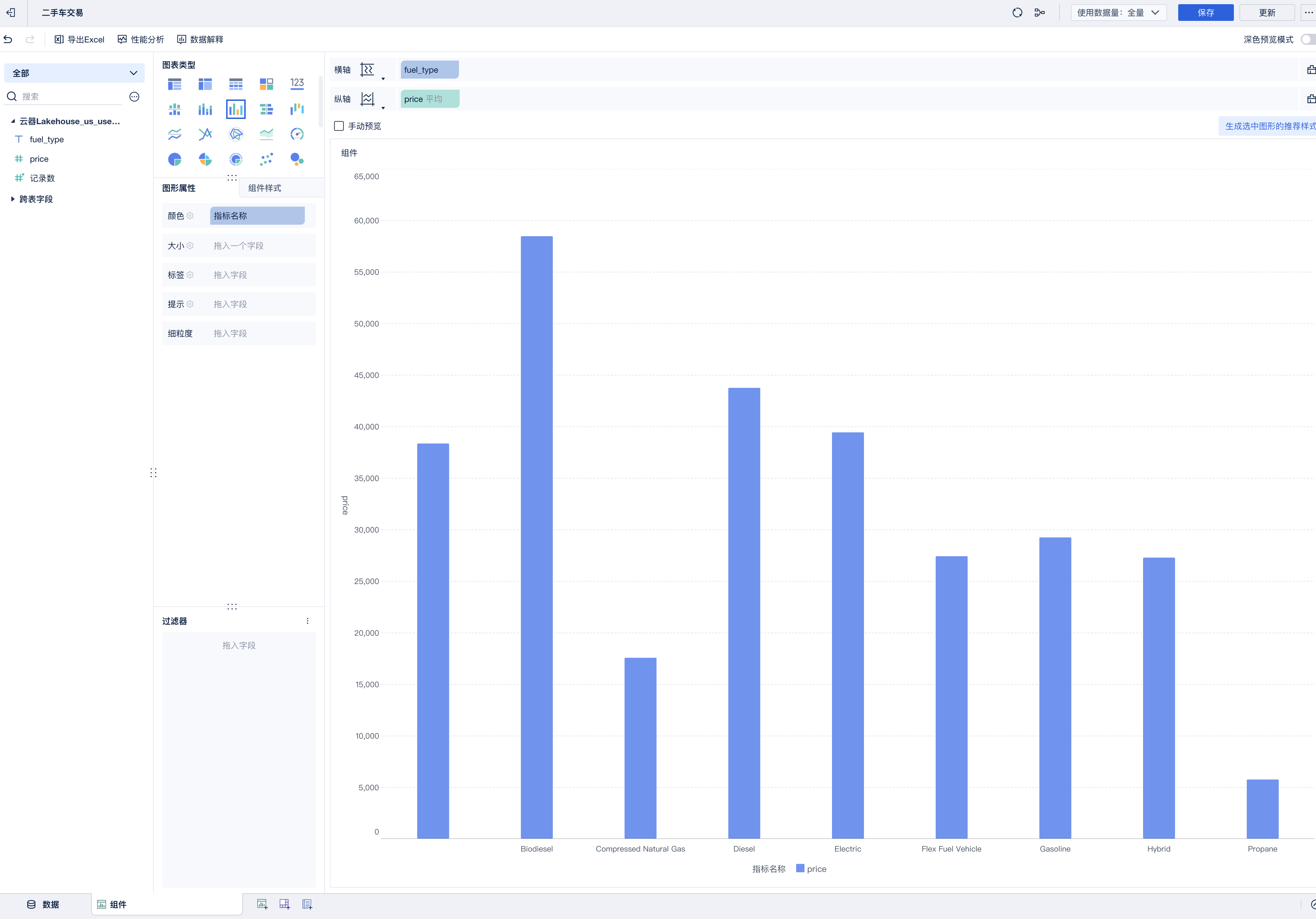
Analysis View
Generate new data views via drag and drop:
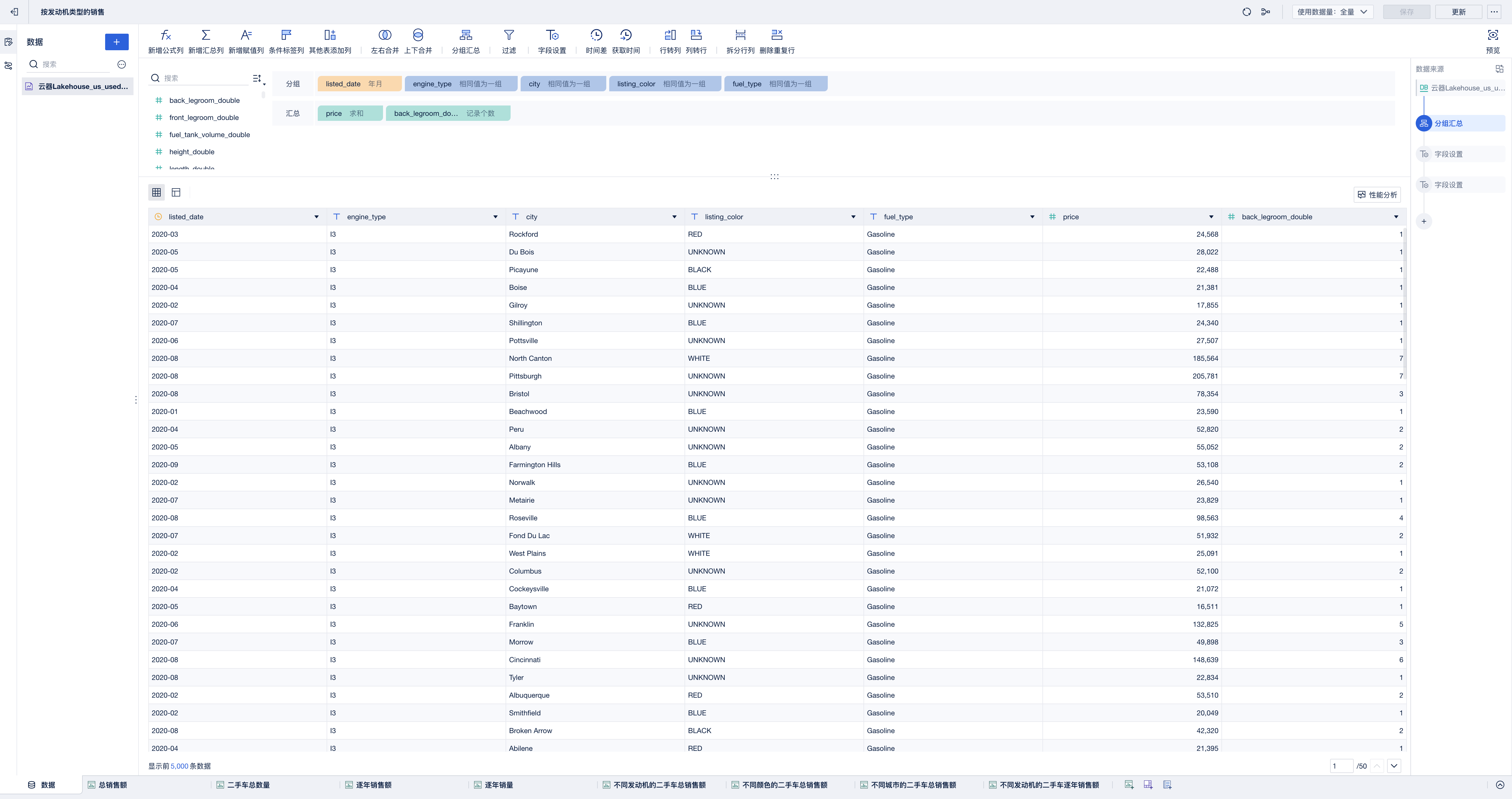
Visualization component based on data view - Pie chart: analyzing used car sales revenue by engine type
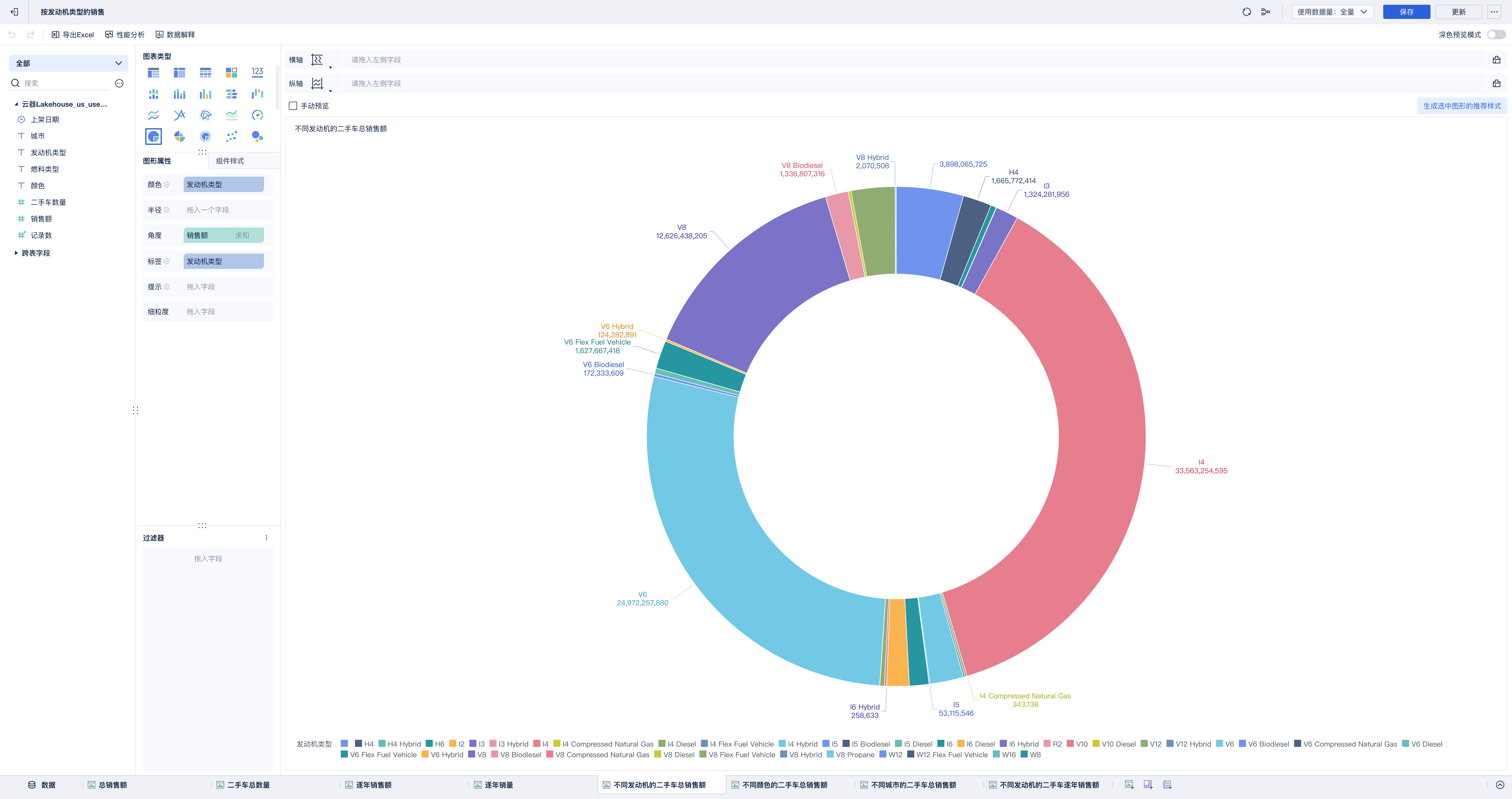
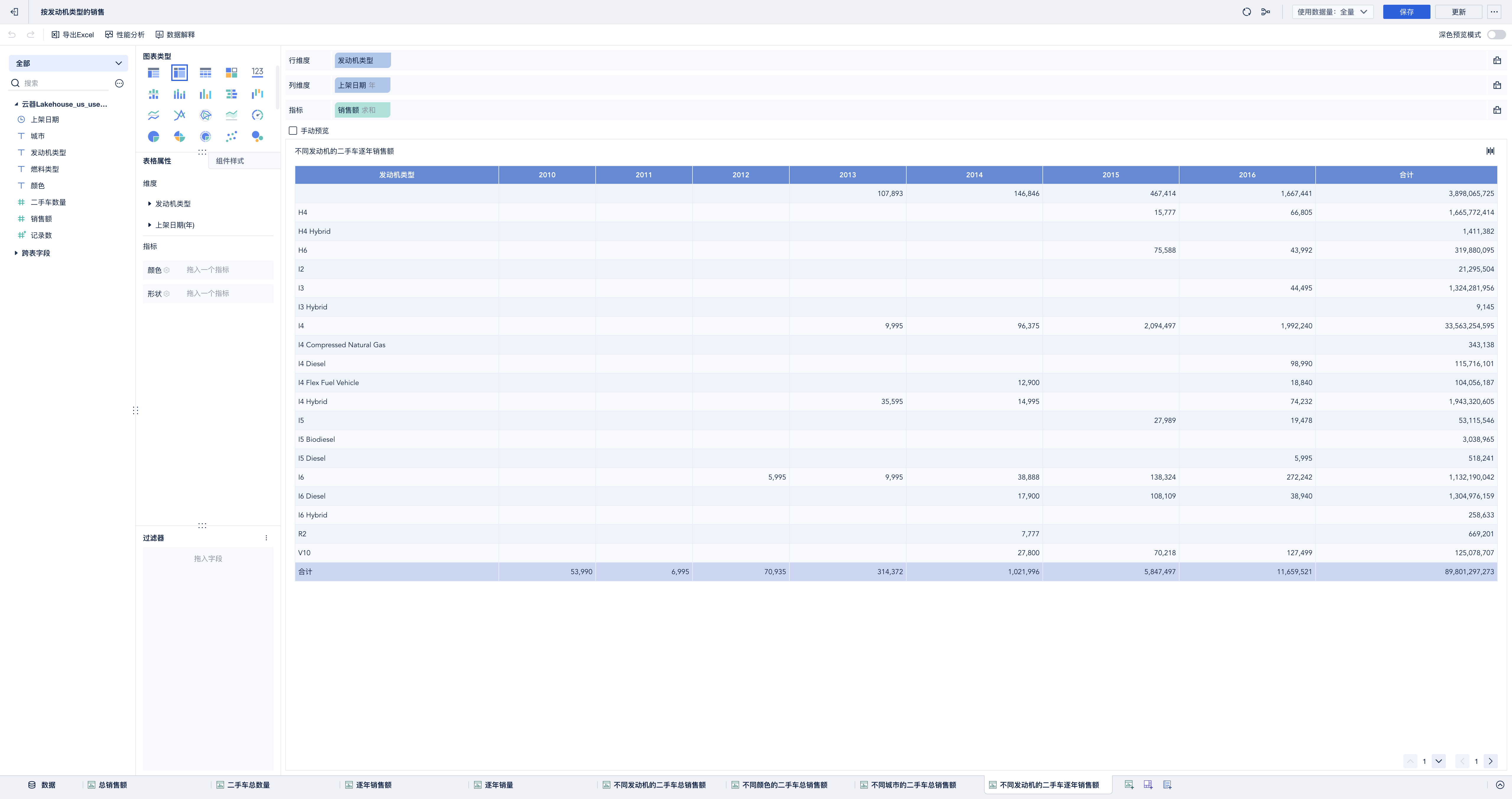
Visualization component based on data view - Cross table: analyzing used car yearly sales revenue by engine type