
Dynamic Tables Incremental Processing: A Production Guide
How declarative incremental refresh works in Snowflake dynamic tables and Databricks materialized views, how to detect silent full refreshes, and a pre-production acceptance checklist.
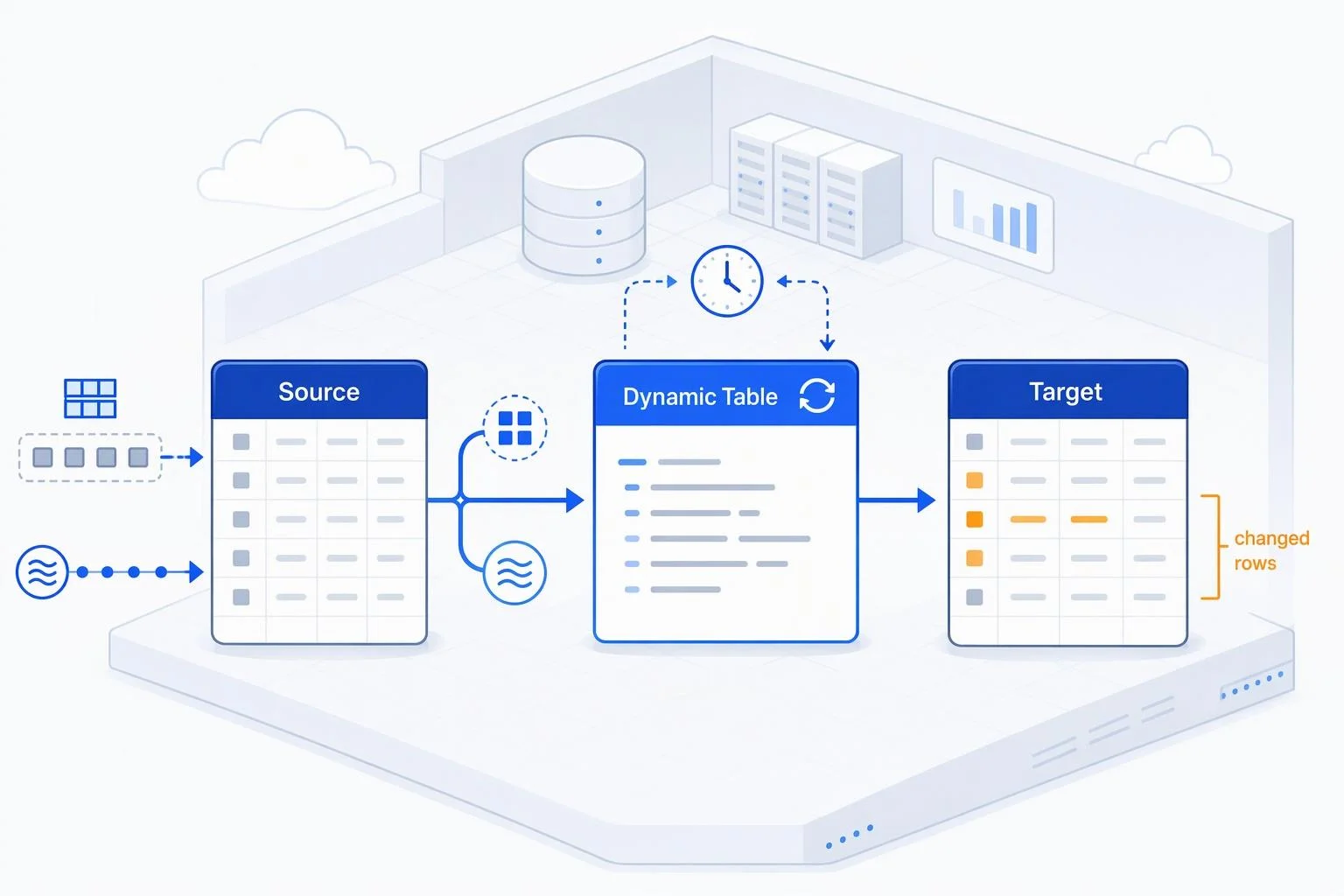
Declarative incremental refresh is easy to demonstrate and hard to operate. A dynamic table that processes only changed rows on day one can quietly begin recomputing its full result set months later, with no failed job and no alert — just a slower pipeline and a larger bill. This guide is written for data engineers and architects who already understand batch and streaming pipelines and now need declarative refresh to hold up in production.
The distinction the guide returns to throughout is between incremental processing as a property of a table definition and CDC-plus-orchestration as a procedural pattern. In the first, you write a query and a freshness target and the platform decides what to recompute. In the second, your team captures changes, schedules jobs, and writes merge logic explicitly. Most production incidents come from assuming the first behaves like the second, or from migrating between them without accounting for what each owns.
Two documented references anchor the detail: Snowflake dynamic tables and Databricks materialized views. Their behavior differs in ways that matter for design, so each claim below is attributed to the platform that documents it. Vendor performance figures are vendor-reported claims; validate them against your own workload before they enter a capacity plan.
The sections follow the order in which a pipeline is built and then defended: what the declarative contract actually commits to, how to choose among the available mechanisms, how incremental processing degrades and how to detect it, how to write SQL that stays incrementalizable, how to control cost and govern change, and finally a pre-production acceptance checklist.
What Incremental Processing Means for a Declarative Table
A declarative table materializes the result of a query and keeps it current. Snowflake describes a dynamic table as materializing the results of a SELECT query and keeping them up to date, with the platform tracking dependencies and refreshing on schedule; the statement defines what the table contains, how fresh the data must be, and how the platform refreshes it. Incremental refresh means only changed rows or partitions are processed rather than the full result set. The team does not write change capture, scheduling, or merge logic — those become platform responsibilities, and the definition becomes the artifact you review.
The Declarative Contract: Definition, Freshness Target, Refresh Mode
Snowflake's CREATE DYNAMIC TABLE syntax makes the three parts explicit: a query after AS, a TARGET_LAG value, and an optional REFRESH_MODE.
TARGET_LAG is a freshness goal, not a fixed interval. The documentation sets a 60-second minimum, and when a dynamic table depends on another, the minimum target lag must account for that dependency. Setting TARGET_LAG = DOWNSTREAM is a scheduling parameter meaning the table does not refresh on its own schedule; it defers to the consumers that need it, so intermediate tables carry no independent freshness commitment while the terminal table carries the real one. Target lag is measured relative to the base tables at the root of the pipeline, not the direct upstream table — a detail that changes how you reason about a deep chain.
The documented caveat deserves a place in your design review: applications should not assume data is always within the target lag. Warehouse size, data volume, query complexity, and pipeline depth can constrain throughput, so actual lag must be monitored and handled.
How Declarative Incremental Differs from CDC Plus Orchestration
The comparison is clearest in terms of ownership. Snowflake's streams-and-tasks migration mapping assigns each procedural element a declarative equivalent: the stream on a base table becomes built-in change tracking you no longer create; the task body (INSERT INTO ... SELECT ...) becomes the definition, with no DML statements allowed; the task schedule becomes TARGET_LAG, a freshness goal rather than a fixed interval; the task DAG becomes a pipeline of dynamic tables, with intermediate tables using TARGET_LAG = DOWNSTREAM and the terminal table carrying the goal; and the SYSTEM$STREAM_HAS_DATA() check disappears because the platform skips refreshes when base tables have not changed.
Merge semantics move too. A MERGE ... WHEN MATCHED UPDATE becomes QUALIFY ROW_NUMBER() OVER (...) = 1 — latest state per key expressed as a window function rather than DML.
The procedural model remains necessary where the declarative one has documented gaps: loops, cursors and multi-statement procedural blocks; explicit DELETE, TRUNCATE, or delete-before-insert patterns; side effects and external API calls; multi-table writes in a single transaction; and sub-minute latency, since tasks support one-second schedules while the dynamic table floor is one minute.
Choosing Between Dynamic Tables, Streams and Tasks, Materialized Views, and Managed Frameworks
Selection is easier when applied per pipeline stage rather than per platform. A single pipeline often contains one stage that is a pure join and aggregation, another that needs a stored procedure, and a third that is a single-table lookup — and each has a different best answer. The criteria below come from vendor decision guides; the judgment layer about team skills and existing investment is ordinary engineering reasoning, not a documented rule.
A Criteria-Based Selection Framework
Snowflake's decision guide answers each question directly. For a SQL-based pipeline with joins or aggregations, and for a multi-step bronze/silver/gold pipeline, dynamic tables are marked preferred. For procedural logic, MERGE or complex upserts, external function calls, and custom scheduling with strict orchestration control, streams and tasks are preferred — dynamic tables support manual trigger only, with no CRON or cascade. For always-current data with no lag, materialized views are preferred, since the minimum TARGET_LAG is one minute. Pipelines using UDFs, UDTFs, or Snowpark lean toward streams and tasks, though scalar UDFs and UDTFs with explicit column lists are possible in dynamic tables.
Check the documented ceilings rather than treating them as headline facts: a single account can hold a maximum of 50,000 dynamic tables.
Where Materialized Views Fit and Where They Do Not
Materialized views accelerate repeated queries against a single base table, and the query optimizer automatically rewrites queries to use the precomputed result — the decision guide marks transparent query acceleration as a materialized-view scenario and rules them out for multi-step pipelines and joins across tables.
The term does not travel cleanly between platforms. In Databricks, a materialized view is a pipeline dataset, and its refresh semantics differ from Snowflake's: incremental refresh is available only on serverless pipelines, and on classic compute a materialized view is always fully recomputed. Databricks describes materialized views as making a best-effort attempt to incrementally refresh results for supported operations, with some source changes requiring a full refresh. Before choosing, map the term to the platform's documented behavior rather than to the name.
Managed Frameworks and When They Beat Native Declarative Tables
Transformation frameworks such as dbt-style incremental models place the incremental logic in your repository: you write the filter and the merge, and the framework schedules it. Snowflake's engineering blog describes the dbt pattern featuring an is_incremental() filter — a global high-watermark that filters incoming rows against the current maximum stored in the target, then merges on a unique key — as an architecture now implementable natively through custom incrementalization.
The practical question is where logic lives and who debugs it at 2 a.m. A framework keeps transformation logic in version control and portable across engines; native declarative tables keep scheduling, retries, and dependency tracking inside the platform. Neither wins universally.
Degradation Conditions and Detecting an Unnoticed Full Refresh
The failure mode that matters most in production is not a failed refresh. It is a pipeline that silently stops processing incrementally and starts recomputing everything, inflating cost and latency while continuing to report success. Because nothing errors, the transition is usually discovered on an invoice. The subsections below cover the documented causes, the surfaces that prove what actually ran, and how to alert on the change.
Documented Causes of Full Refresh and Reinitialization
Snowflake's supported-queries matrix lists constructs that cannot refresh incrementally: subqueries outside FROM clauses (for example WHERE EXISTS), LIMIT/FETCH/TOP, MINUS/EXCEPT/INTERSECT, UNPIVOT, sequences, outer joins with non-equality predicates, LATERAL joins other than FLATTEN, window functions such as RANK with sliding frames, and UDTFs, which always force full refresh regardless of volatility.
AUTO is the default refresh mode and resolves once at creation. It does not re-evaluate on subsequent refreshes, so if an upstream view is later modified such that incremental refresh is no longer supported, the table does not quietly adapt — the documented behavior is that refreshes fail. Separately, reinitialization triggers include CREATE OR REPLACE on an upstream base table, dynamic table, view, or UDF even when the recreated object keeps the same name and columns; dropping and re-adding a referenced column; adding or removing a row access or masking policy on a base table; and refresh-mode transitions across structural boundaries. ADAPTIVE may also choose to reinitialize when a large upstream change, such as INSERT OVERWRITE, makes incremental processing more expensive. Vendor guidance is to set the mode explicitly before production rather than relying on AUTO.
Reading Refresh History to Prove What Actually Ran
Verify the refresh action rather than inferring it. SHOW DYNAMIC TABLES returns a current snapshot including REFRESH_MODE and REFRESH_MODE_REASON. INFORMATION_SCHEMA.DYNAMIC_TABLE_REFRESH_HISTORY() gives per-refresh diagnostics with 7-day retention, while the Account Usage view keeps 365 days with latency of up to 3 hours.
The REFRESH_ACTION column takes the values NO_DATA, REINITIALIZE, FULL, INCREMENTAL, and CUSTOM_INCREMENTAL; REINIT_REASON explains a reinitialization. The STATISTICS object is the evidence that a refresh was genuinely incremental: numInsertedRows, numDeletedRows, numCopiedRows, numAddedPartitions, and numRemovedPartitions. The documentation's own example is instructive — an update touching 1 row in a 10-row partition reports 1 inserted, 1 deleted, and 9 copied.
On Databricks, incrementalization insights report a status of Incremental, Full recompute, or No change, and EXPLAIN CREATE MATERIALIZED VIEW tests a specific query for incrementalizability.
Alerting on Silent Mode Changes
Turn detection into monitoring. Query refresh history on a schedule and alert when REFRESH_ACTION leaves INCREMENTAL for a table expected to stay incremental, when REINIT_REASON is populated, and when the ratio of copied to changed rows climbs — a copied-rows signal rising against a flat inserted-rows count is the shape of degradation before it reaches the invoice.
Snowflake's monitoring documentation lists the surfaces and their trade-offs: SHOW DYNAMIC TABLES for quick status, DYNAMIC_TABLES() for fleet-level lag metrics, refresh history for per-refresh diagnostics, graph history for topology changes, event tables with alerts for automated notification, and pipeline spans for root-cause analysis. For event-table alerting, filter on snow.executable.type = 'DYNAMIC_TABLE'.
Baseline normal refresh durations so an anomalous full refresh is visible immediately, and treat a mode change as a change-management event requiring review rather than a routine fluctuation.
Designing SQL and Pipeline Stages to Stay Incremental
Eligibility is decided by the definition, and definitions drift as pipelines evolve. The goal is a query that remains incrementalizable after the next analyst adds a filter or a window function, structured so that any blocking operation sits in its own stage. Snowflake's refresh-optimization guide documents operator-level behavior; Databricks documents supported operations separately.
Writing Incrementalizable Definitions
The rules follow from the support matrix. Keep subqueries in FROM rather than WHERE EXISTS. Avoid LIMIT and set operations other than UNION/UNION ALL. Use equality predicates in outer joins. Use LATERAL FLATTEN rather than other lateral joins, and do not select the flatten SEQ column. Include PARTITION BY in every window function. Place QUALIFY with ROW_NUMBER/RANK/DENSE_RANK = 1 at the top-level projection and include all partition and order columns in the SELECT list. Avoid scalar aggregates in performance-critical tables — they fully recalculate when any input changes; grouping by a constant is the documented alternative. Use deterministic built-in functions and immutable UDFs.
The documented exceptions are narrow: approximate aggregates such as APPROX_COUNT_DISTINCT and volatile scalar UDFs are supported in the SELECT clause but not in filters. ORDER BY is accepted but has no effect, since dynamic tables have no guaranteed row order.
Structuring Pipeline Stages Around Blocking Operations
Split the pipeline so each dynamic table handles one operation that would otherwise block incrementalization. The documented advice is to move UNION and DISTINCT into their own dynamic tables and perform any outer operation such as a join downstream, and to make aggregates top-level by splitting tables where possible. Window functions and joins should likewise be separated between blocking operators.
The bronze/silver/gold framing in the decision guide maps onto this: intermediate tables use TARGET_LAG = DOWNSTREAM, and the terminal table carries the freshness goal. The trade-off is real — more tables mean more objects to monitor and more scheduling coordination — but each stage stays incrementalizable, and a change to one stage does not force a reinitialization of the whole chain.
Optimizing Input Data and Change Volume
Incremental refresh pays off only while change volume stays small relative to the base table. Snowflake's guidance is to keep changes to about five percent of the base table or less, because the cost of scanning added or removed micro-partitions scales with changed volume (refresh optimization). Cluster base tables by grouping, distinct, join, and partition keys so changed rows land in few micro-partitions.
Add a RELY primary key to base tables that are rewritten wholesale. It lets Snowflake diff an INSERT OVERWRITE instead of treating every row as new (input data optimization). Prefer INSERT OVERWRITE over TRUNCATE plus INSERT or CREATE OR REPLACE TABLE: the documented comparison credits it with preserving the primary key and change history, running atomically, and letting downstream tables process only changed rows, whereas CREATE OR REPLACE TABLE forces full reinitialization. When change-tracking overhead exceeds the cost of a full refresh, incremental processing stops paying off; the same page advises switching to REFRESH_MODE = FULL when average incremental refresh time approaches average full refresh time.
Cost Control, Observability, Lineage, and Governance
A declarative pipeline that refreshes correctly can still be expensive, opaque, or unsafe to change. The remaining disciplines are the ones that keep it trustworthy: predictable compute cost, monitoring that shows what actually ran, lineage that respects refresh boundaries, and privileges and change control that survive background refreshes running as the owner role.
Cost Control and Warehouse Sizing
The largest cost lever is the one set in the definition: an explicit refresh mode prevents silent full refreshes, which is why vendor guidance recommends locking in ADAPTIVE, FULL, or INCREMENTAL before production (refresh modes). TARGET_LAG is a cost-freshness dial, since a tighter goal means more frequent refreshes. Warehouse selection matters too, and INITIALIZATION_WAREHOUSE lets reinitializations run on separate compute from scheduled refreshes (CREATE DYNAMIC TABLE). Clustering is a cost that must earn its keep through fewer scanned partitions.
Expect smaller incremental gains on short queries: Snowflake notes that queries under ten seconds might show smaller gains from incremental refresh (refresh optimization). Treat any vendor-published performance figure as a vendor-reported claim and measure refresh duration and credit consumption on your own workload before relying on it.
Observability and Lineage
Snowflake documents a layered monitoring stack with different retention: SHOW DYNAMIC TABLES for a current snapshot, INFORMATION_SCHEMA.DYNAMIC_TABLES() for fleet-level lag metrics over 7 days, DYNAMIC_TABLE_REFRESH_HISTORY() for per-refresh diagnostics over 7 days, the Account Usage view for 365 days, DYNAMIC_TABLE_GRAPH_HISTORY() for topology changes over 7 days, and event tables plus pipeline spans for automated alerts and root-cause tracing (monitoring).
Lineage has to respect the refresh boundary. Within a pipeline, every refresh reads all inputs at one coordinated data timestamp and each refresh is atomic, so downstream tables never see partially refreshed upstream data. Across a boundary, that guarantee does not hold: wrapping an input in DYNAMIC_TABLE_REFRESH_BOUNDARY() decouples scheduling, but if you join a wrapped input with another input, the two sides may reflect different points in time (data consistency). Map downstream consumers to the boundary they read from, and do not join wrapped and unwrapped inputs where the result must be mutually consistent.
Governance: Privileges, Policies, and Change Management
The privilege model is narrow and worth granting deliberately: CREATE DYNAMIC TABLE on the schema, SELECT on base tables, OPERATE to suspend, resume, refresh, or change warehouse and target lag, MONITOR to view refresh history and scheduling state, and OWNERSHIP to drop, rename, or transfer (access control). Because background refreshes run as the owner role, that role must keep USAGE and SELECT on every referenced object at all times; a revoked grant breaks refreshes without any user action.
Change management follows from the reinitialization triggers. Changing the definition or adding or removing columns reinitializes the table, and so does CREATE OR REPLACE on an upstream base table, dynamic table, view, or UDF, even when the recreated object keeps the same name and columns (modify dynamic tables). Treat definition changes as deployments: build and validate a new version, test the rollback, and use CREATE OR ALTER deliberately, knowing it reinitializes on definition change.
Pre-Production Acceptance Checklist
The checkpoints below are synthesis and practical judgment, not vendor requirements. Each has a pass criterion you can evidence from the platform rather than assert in a review. Run them against a representative pipeline before promotion, and re-run the definition checks whenever a definition changes.
Definition and Eligibility Checks
Explicit refresh mode. Every table sets
ADAPTIVE,FULL, orINCREMENTAL; none relies onAUTO. Pass:SHOW DYNAMIC TABLESshows the intended mode and a null or understoodREFRESH_MODE_REASON.Incrementalizability verified. On Databricks,
EXPLAIN CREATE MATERIALIZED VIEWreports the query can be incrementalized; on Snowflake, the definition has been reviewed against the supported queries matrix. Pass: no unsupported construct, or each blocking construct isolated in its own stage.Window and ranking shape. Every window function carries
PARTITION BY, andQUALIFYranking sits at the top-level projection with all partition and order columns in theSELECTlist.Input hygiene. Base tables that are rewritten wholesale carry a
RELYprimary key, and clustering keys match grouping, distinct, join, and partition keys.
Runtime and Monitoring Checks
Refresh actions observed. Refresh history shows
INCREMENTAL(orCUSTOM_INCREMENTAL) across a representative period that includes at least one bulk load. Pass: no unexplainedFULLorREINITIALIZEentries.Reinitialization explained. Every
REINIT_REASONvalue is accounted for by a known change. Pass: none left unexplained.Lag tracked against target. Actual lag is compared with
TARGET_LAGand an alert fires on breach, since applications should not assume data is always within target lag (target lag).Duration baselined. Normal refresh duration is recorded so an anomalous full refresh is visible before the bill arrives.
Mode-change alert live. An alert fires when
REFRESH_ACTIONleavesINCREMENTALfor a table expected to stay incremental.Owner privileges verified. The owner role's
USAGEandSELECTgrants on referenced objects have been confirmed to survive background refreshes.
Operational Readiness Checks
Compute documented. The refresh warehouse and
INITIALIZATION_WAREHOUSEare sized, named, and recorded in the runbook.Cost per refresh estimated. Credit consumption per refresh is derived from refresh history rather than assumed.
Lineage mapped. Downstream consumers are listed with the refresh boundary they read from, and any join across a boundary is known to be non-consistent.
Change process covers reinitialization. Definition changes are reviewed for their reinitialization cost and scheduled accordingly.
Rollback tested. A failed deployment has been reversed in a non-production environment, and the recovery path is documented.
Frequently Asked Questions
These answers point to the documented behavior and to the section above that covers it in full.
Why Did My Table Switch to Full Refresh?
Check REFRESH_ACTION and REINIT_REASON in refresh history first. A FULL action usually means the definition contains a construct that is not incrementalizable, or that full refresh was cheaper; a REINITIALIZE action points to a base-table change, an upstream object recreated with CREATE OR REPLACE, or an ADAPTIVE table choosing to reinitialize after a large change (refresh history). Remember that AUTO resolves once at creation and does not re-evaluate when an upstream view changes.
Can I Force Incremental Refresh and Fail Instead of Falling Back?
On Databricks, REFRESH POLICY INCREMENTAL STRICT fails the refresh when incrementalization is not possible, returning the MATERIALIZED_VIEW_NOT_INCREMENTALIZABLE error with reason codes such as OPERATOR_NOT_SUPPORTED or EXPRESSION_NOT_DETERMINSTIC (refresh policy). On Snowflake, an explicit INCREMENTAL mode fails creation rather than silently falling back when the definition contains unsupported constructs; confirm current behavior for your platform version.
How Fresh Can the Data Be?
Snowflake's minimum TARGET_LAG is 60 seconds, and actual freshness depends on refresh duration and pipeline depth, so a one-minute goal is not a one-minute guarantee (target lag). Sub-minute requirements point to streams and tasks, which support one-second schedules, or to streaming tables on Databricks.
What Happens to Incremental Refresh After a Schema Change?
Most schema changes reinitialize the table: changing the definition, adding or removing columns, and CREATE OR REPLACE on an upstream object all trigger it (modify dynamic tables). Incremental refresh also relies on time-travel data, so a table suspended longer than its DATA_RETENTION_TIME_IN_DAYS setting cannot resume from history and must reinitialize.
When Should I Use Custom Incrementalization?
Use it when the logic needs merge semantics or per-row decisions to update, delete, or skip, which a SELECT definition cannot express (custom incrementalization). You write the MERGE or INSERT; the platform handles scheduling and retries. The trade-off is that the table no longer follows delayed-view semantics, which permits direct DML and schema evolution without reinitialization.
Further Reading and Platform References
Platform behavior and documented limits change, so treat this list as a starting point and check the current version of each page. This guide was refreshed on 13 November 2026. Validate any vendor-reported performance figure in your own environment before relying on it.
Snowflake dynamic tables:
CREATE DYNAMIC TABLE — full syntax, including
TARGET_LAG,REFRESH_MODE, andINITIALIZATION_WAREHOUSE.Set the target lag — freshness goals,
DOWNSTREAM, and the monitoring caveat.Optimize queries for incremental refresh — operator-level behavior and the five-percent guidance.
Refresh modes —
AUTO,ADAPTIVE,FULL, andINCREMENTALcompared.Supported queries — the incremental and full refresh support matrix.
Monitor dynamic tables — monitoring surfaces, retention, and event tables.
DYNAMIC_TABLE_REFRESH_HISTORY (Account Usage) — column reference for
REFRESH_ACTION,REINIT_REASON, andSTATISTICS.Data consistency and pipeline boundaries — snapshot isolation and
DYNAMIC_TABLE_REFRESH_BOUNDARY().Decision guide — dynamic tables versus streams and tasks versus materialized views.
Troubleshoot dynamic table refresh issues — symptom-driven diagnostics.
Custom incrementalization —
REFRESH USINGandCHANGES().Migrate from streams and tasks — the concept-by-concept mapping.
Databricks lakehouse pipelines:
How do pipelines refresh? — update types and serverless requirements.
Incremental refresh for materialized views — supported operations, incrementalization insights, and
EXPLAIN CREATE MATERIALIZED VIEW.REFRESH POLICY clause —
AUTO,INCREMENTAL,INCREMENTAL STRICT, andFULL.