
Databricks Alternatives with Transparent Pricing: A Buyer's Evaluation Framework
A practical framework for evaluating Databricks alternatives on transparent pricing: billable units, idle and egress behavior, commitment terms, bill simulation, and TCO including migration.
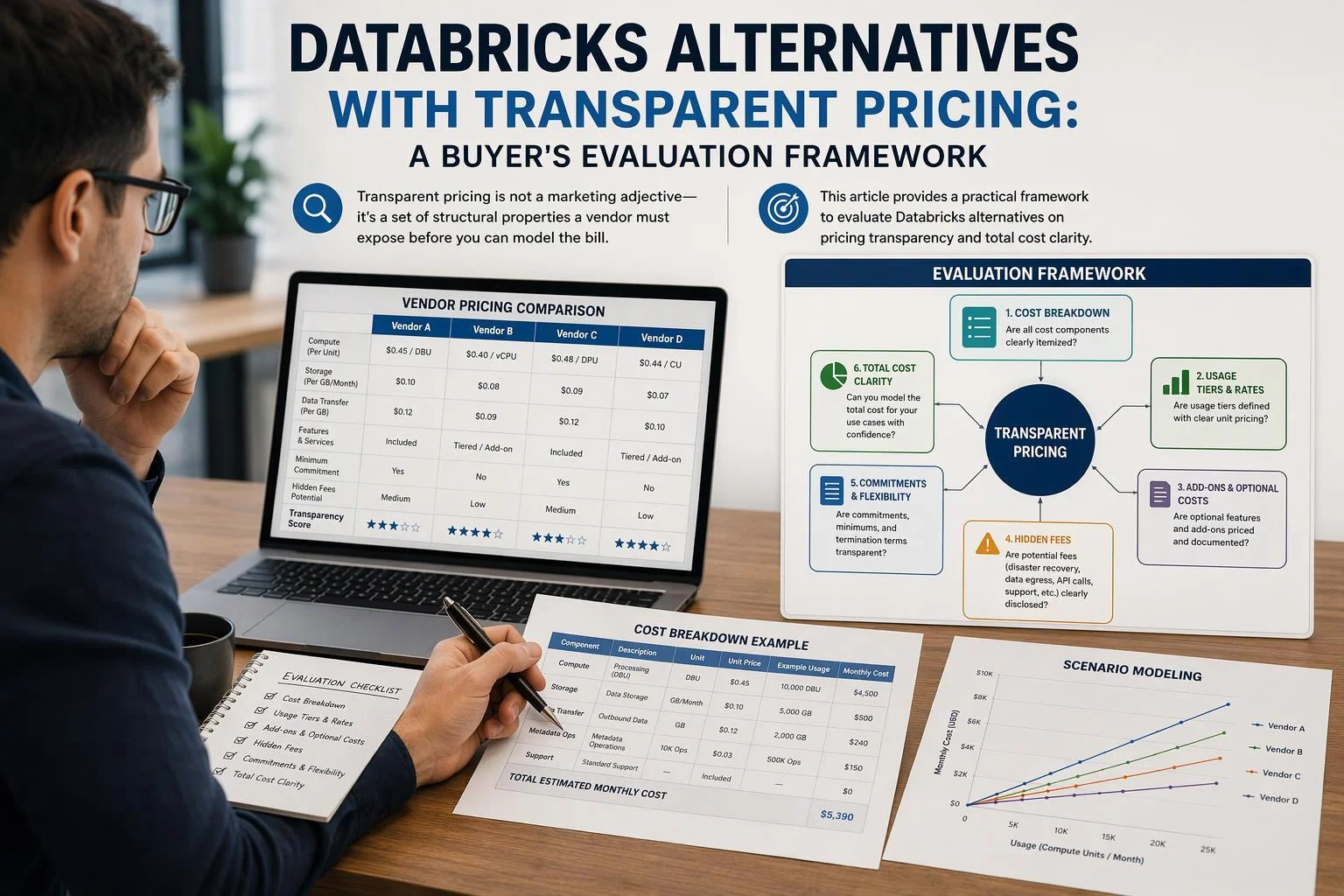
"Transparent pricing" is not an adjective a vendor can award itself. It is a set of structural properties a buyer can inspect before signing: a defined billable unit, published idle and minimum-billing behavior, stated transfer rates, and commitment terms with known expiry. Where those properties are missing, the bill cannot be modeled, and a rate you cannot model is not a price you can compare.
This guide is a method, not a ranking. It explains why Databricks' DBU-plus-infrastructure billing is hard to forecast, defines what transparency has to mean structurally, and turns that definition into criteria you can score every vendor against. It then walks through building a bill simulation from your own query history and treating the reconciliation against a trial bill as an acceptance test before commitment.
Every vendor figure cited here, including Singdata's, is a vendor-reported claim under stated conditions. Confirm the applicable rate for your cloud, region and edition, and validate performance and savings claims in your own environment.
Why DBU-Plus-Infrastructure Billing Makes Total Cost Hard to Forecast
Databricks does not publish a single price for a workload. On classic compute, Azure's pricing page states that Azure Databricks bills you for virtual machines provisioned in clusters and for Databricks Units (DBUs) based on the VM instance selected, and that a DBU is a unit of processing capability billed on a per-second basis whose consumption depends on the size and type of instance running the platform. The platform charge and the infrastructure charge therefore arrive on two bills, and the first depends on choices made in the second.
Microsoft's own illustrative billing example for Azure Databricks (Premium tier, East US 2, 10 × DS13v2 instances, 100 hours). The infrastructure line is identical across the three workload SKUs; the platform line is not. These are illustrative worked examples from the pricing page, not list prices or a quote, and they are not comparable to any other vendor's units.
That split is the root of the forecasting problem, and Databricks documents it rather than concealing it. Its own cost-visibility write-up states that understanding how to join cloud cost data with system tables to produce accurate cost KPIs "requires deep knowledge of cloud billing mechanics." The same post notes that shared all-purpose clusters appear as a single cloud usage row but can map to multiple jobs in system tables, so attribution itself needs care.
Three further mechanics push the total away from a simple rate-times-hours estimate.
SKU proliferation. The pricing page lists separate DBU rates for All-Purpose Compute, Jobs Compute, Jobs Light Compute, SQL Compute, SQL Pro Compute, Serverless SQL, Interactive Serverless Compute, Automated Serverless Compute, Model Serving, Model Training, Database Serverless Compute, and a Databricks Storage Unit (DSU), plus a per-GB rate for managed disaster recovery. Each is a different line, and several are edition- or region-dependent.
Idle and pool behavior. Databricks' cost-optimization guidance describes pools as sets of idle, ready-to-use instances that shorten cluster start times, and states that Databricks does not charge DBUs while instances sit idle in the pool — but that instance-provider billing does apply. Idle capacity is therefore cheap on one bill and not on the other.
Feature multipliers and add-ons. Photon is listed with a DBU emission rate of 2.9× versus non-Photon on Azure's page, so enabling it changes consumption rather than just speed. Cross-region data transfer is billed separately, and the Mission Critical add-on is a precondition for managed disaster recovery.
None of this is improper. It is a billing model whose inputs live in two systems, and the buyer's task is to reconstruct the join. The next section defines what a vendor has to expose for that reconstruction to be possible before signature.
What "Transparent Pricing" Has to Mean Structurally
Treat transparency as a degree, not a badge: pricing is transparent to the extent that the fields governing your bill are inspectable before you sign. That definition is operational — it tells you what document to request and what question to ask — and it applies identically to Databricks, Snowflake, BigQuery, Redshift, Fabric, ClickHouse, Firebolt, Singdata, or anything else in your shortlist.
Seven properties carry most of the weight. For each, the test is whether you can put a number in a spreadsheet without asking a salesperson.
The billable unit and its definition. What is metered — DBU, credit, slot-hour, RPU-hour, FBU, CRU-hour, capacity unit — and what does one unit correspond to in work performed? A unit whose conversion to instance type or query volume is undocumented cannot be sized.
Idle and minimum-billing behavior. Is billing per-second, and is there a minimum increment per start or per job? Does the compute suspend automatically, and after how long? Are idle instances charged, and by whom?
Egress and data-transfer rates and allowances. What is the per-GB rate for data leaving the region or the cloud, and how much is included? Cross-cloud and cross-region movement is the line quotes most often omit.
Minimum commitments and their flex and expiry terms. If you commit to a spend level, can the commitment be used across workloads, clouds or products, and what happens to unused balance at expiry?
Add-on and SKU inventory. Which capabilities are separate SKUs, and which of those gate functionality you assumed was included?
Included allowances and free tiers. Storage allowances, free bytes scanned, trial credits — and precisely what they do not cover.
Contract duration, renewal and cancellation mechanics. Term options, renewal pricing, and whether cancellation stops future charges only or also refunds issued invoices.
Use this as a checklist, not a scorecard. A vendor that publishes a rate but not the allowance it applies beyond has answered question one and left question six open; that is a specific gap to close in writing, not a pass or fail. The point of enumerating the properties is to make each gap nameable, so procurement can route it to the right document or the right clause.
How the Main Alternatives Differ by Pricing Structure
The table below compares billing structures, not total cost. No column is a verdict, and several cells are region- or edition-dependent; confirm the applicable rate for your cloud and region before putting any of them into a model.
Platform | Billable unit | Idle / minimum behavior | Main opacity risk |
|---|---|---|---|
Databricks (classic) | DBU per second, rate by workload SKU and instance type, plus cloud VM, disk and network | DBUs not charged on instances idle in a pool; provider billing still applies | Two-bill join; SKU count; Photon's 2.9× DBU emission rate |
Databricks (serverless) | DBU per second, infrastructure bundled into the platform rate | Managed by the platform | Storage still billed by the cloud provider; SKU selection |
Snowflake | Credits per second by warehouse size (X-Small 1 credit/hour to 6X-Large 512), 60-second minimum per start | Auto-resume by default; auto-suspend configurable | Warehouse sizing; cloud-services adjustment scope |
BigQuery | On-demand bytes scanned, or capacity in slot-hours | No idle charge on on-demand; reservations are committed capacity | Bytes scanned vary with query and table design |
Redshift | Provisioned node-hours, or Serverless RPU-hours with 60-second minimum; Spectrum bytes scanned | Pause/resume suspends on-demand billing; Serverless shuts down when inactive | Concurrency scaling and Spectrum inclusion differ by mode |
Fabric | Capacity Units on F2–F8192 SKUs, pay-as-you-go or reservation; OneLake storage tiers | Capacity is provisioned; pausing affects storage billing | Capacity sizing; free Mirroring storage tied to SKU |
ClickHouse Cloud | Compute and storage, with compute-compute separation | Scales and idles per service configuration | Warehouse sizing and tier selection |
Firebolt | FBUs by node type and region, per-second while engines run | Compute cost only while an engine runs | Committed-use credit exhaustion and transition to PAYG |
EMR / Managed Service for Apache Spark | Per-second infrastructure plus a management fee, one-minute minimum | Cluster uptime drives the fee | Cluster sizing; add-on engines priced separately |
Snowflake Gen1 standard warehouse credit rate per hour by size. This is a credit rate, not a dollar price: dollar cost = credits × the price per credit, which varies by edition, cloud, region and agreement. The rate doubles at each size step, so a 6X-Large warehouse consumes 512× the credits of an X-Small one per hour of runtime.
A few structural differences deserve emphasis because they change how you model.
Snowflake's compute-cost documentation states that credits are billed per-second with a 60-second minimum, and that cloud-services usage is adjusted against compute: the adjustment is the lesser of 10% of compute credits or the cloud-services credits consumed. Serverless features and Snowpark Container Services compute sit outside that adjustment, so a workload that leans on them does not behave like a warehouse-only workload.
BigQuery offers two genuinely different models. On-demand charges bytes processed, with a 300 TiB per-month free tier on the bytes-read component that does not extend to outbound data transfer; capacity pricing charges slot-hours, with autoscaling or purchased commitments. Paid connectors are billed in slot-hours, and cross-cloud transfer from AWS North Virginia to Google Cloud North America is listed at $0.09 per gibibyte. A bytes-scanned estimate and a slot-hour estimate are not interchangeable, and neither is comparable to a credit without a workload profile.
Redshift's two modes differ in what is included. AWS's pricing page states that Serverless includes concurrency scaling and Redshift Spectrum, whereas provisioned clusters bill Spectrum by bytes scanned and managed storage at a fixed GB-month rate. Firebolt bills FBUs per second only while engines run, and committed-use credits revert to pay-as-you-go once consumed. EMR adds a per-second management fee with a one-minute minimum on top of EC2 and EBS; Google's Managed Service for Apache Spark prices clusters as a flat management fee plus VMs and disks, with a formula of $0.010 × vCPUs × hourly duration for clusters on GKE and a one-minute minimum per VM instance.
The rows that most often change the answer are infrastructure inclusion, idle behavior and data transfer — the three lines a quote is most likely to leave out.
Needs Assessment: Define Your Workload Before You Compare Vendors
A headline rate is meaningless without a workload to apply it to, because each billing model responds to a different property of that workload. Bytes-scanned pricing responds to how much data your queries read; credit pricing responds to how long a warehouse of a given size runs; DBU pricing responds to instance type and SKU; capacity pricing responds to provisioned ceiling rather than actual use. The same workload can look cheap under one model and expensive under another without any vendor mispricing anything.
Produce a written workload profile before you open a single pricing page. It needs to answer these questions with numbers, not adjectives:
Concurrency and burstiness. Peak simultaneous queries and jobs, the ratio of peak to median, and how long peaks last. This drives warehouse sizing and autoscaling headroom.
Idle periods. The gaps between workloads across a working day and a working week. A platform that bills per second with fast suspend rewards spiky usage; a provisioned capacity model does not.
Data volume and growth. Current bytes under management, monthly growth, and how much of it is hot versus cold. Storage tiers and long-term storage rates apply differently.
Egress and sharing patterns. How much data leaves the region or cloud, and whether you share datasets with partners or other business units. This is where transfer rates and sharing egress enter the bill.
Interactive versus scheduled mix. Analyst-facing queries and scheduled pipelines are priced as different SKUs on several platforms, sometimes by a wide margin.
Table-format dependencies. Whether you need Delta, Iceberg or Hudi, and whether multiple engines must read the same tables.
Governance and catalog requirements. Whether you need a specific catalog, fine-grained access control, or lineage, and whether those are included or add-on.
The output is one normalized profile — a table of workloads with volume, duration, data read, concurrency and idle gaps — that you apply to every vendor. Without it, you are comparing list rates, and list rates are not comparable.
Evaluation Criteria Explained
Each transparency property becomes a criterion you can score, and each criterion has three parts: the question to ask, the document to request, and the test that shows whether the answer holds. Score vendors on the same criteria with the same evidence standard.
Unit-rate normalization. Ask how the billable unit converts to work performed. Request the compute-cost documentation and the price list for your region and edition. Test it by mapping one representative workload onto each vendor's unit using published rates, then comparing the resulting cost per workload — not per unit. A credit, a DBU, an RPU-hour, an FBU, a CRU-hour and a slot-hour are not convertible to each other without this step.
Idle-cost modeling. Ask for the minimum billing increment per start or per job, the auto-suspend default and range, and whether idle instances are charged and by whom. Request the compute documentation and any pool or cluster policy guidance. Test it by modeling a workload with realistic gaps and checking whether the idle line is material.
Egress modeling. Ask for per-GB rates for internet egress, cross-region and cross-cloud transfer, plus any monthly allowance. Request the data-transfer pricing page. Test it against your measured outbound volume, including sharing and replication.
Commitment flexibility. Ask whether commitments flex across products, clouds and time, and what happens to unused balance at expiry. Request the contract terms, not the marketing page. Test it by modeling a year in which your usage falls 30% below plan.
Add-on inventory. Ask which capabilities are separate SKUs. Request the full price list and SKU-group definitions. Test it by confirming that every capability in your must-have list appears either in the base rate or as a line you have priced.
Serverless versus classic treatment. Ask whether infrastructure is bundled into the platform rate or billed separately, and whether storage remains on the cloud bill either way. Test it by building the same workload both ways.
Separate must-haves from nice-to-haves before you score. A must-have is a criterion whose absence makes the bill unmodelable — an undefined billable unit, an unpublished egress rate, a commitment with no expiry terms. A nice-to-have improves confidence without blocking the decision, such as a public calculator or a published sample invoice. The distinction matters at contract time because must-have gaps become conditions precedent or walk-away terms, while nice-to-have gaps become items to confirm during onboarding.
Red Flags and Deal-Breakers
Red flags are different from unmet criteria. A criterion you have not yet scored is an open question; a red flag is a signal that the pricing cannot be modeled at all, or that the contract shifts risk to you in ways the published rates do not reveal. Treat each as a question to resolve in writing, not an automatic disqualification — you decide which are deal-breakers for your context.
Rates published only as "contact us." A rate you cannot see is a rate you cannot model. Ask for a written quote at your expected commitment level and a written statement of what changes it.
A billable unit whose definition is undocumented. If the vendor cannot tell you what one unit corresponds to, no estimate is defensible.
A published rate with no stated allowance. Where a per-GB or per-GiB rate applies "beyond any included allowance," the threshold determines the bill. If the allowance size is not published, the starting point of the charge is unknowable from the pricing page alone.
Minimum commitments with no published flex or expiry terms. Committed spend that cannot move between workloads, or that expires silently, converts a discount into a liability.
Egress rates absent from the pricing page. Transfer is often the fastest-growing line in a multi-cloud estate.
Add-on SKUs that gate core functionality. If a capability you assumed was included appears only as a separately priced SKU, the base rate understates the cost of the platform you actually need.
Promotional discounts with unstated expiry. Compare effective rates to effective rates, and confirm the date on which a promotional rate reverts.
Trial terms that exclude infrastructure costs. Databricks' own pricing FAQ states that if you configure the platform to work with your own cloud account, you will still be charged by your cloud provider for resources used during the free trial. A trial that looks free can still generate an infrastructure bill.
"Cancel anytime" without the refund mechanics. Cancellation typically stops future charges; it does not automatically reverse invoices already issued. Confirm the refund position in the vendor's terms rather than the marketing copy.
For each flag, write down the question, the document that would answer it, and the date by which you need the answer. A flag that stays unresolved through two procurement cycles is a decision, whether or not you made it consciously.
Building a Bill Simulation from Your Own Query History
The simulation is the part of the evaluation that produces a number you own. It has five steps, and the last one is the acceptance test.
1. Extract a representative history. Pull query and job records covering at least a full business cycle: volume, concurrency, wall-clock duration, bytes read, and the idle gaps between workloads. Include the boring weeks, not just the peak. If your history is short, supplement it with a documented forecast and label the assumption.
2. Map each workload onto each vendor's billable unit. Apply the vendor's published rates to your measured quantities: DBU-hours by SKU and instance type, credit-hours by warehouse size, bytes scanned, RPU-hours, FBU-hours, CRU-hours, slot-hours. Where the conversion from your measurement to the vendor's unit is undocumented, record that as a gap rather than guessing.
3. Model idle, egress and add-on lines explicitly. These are the lines a quote omits. Compute idle cost from your measured gaps and the vendor's suspend behavior. Compute egress from your measured outbound volume and the vendor's per-GB rate. Price every add-on in your must-have list.
4. Run the simulation against the vendor's calculator or a trial account. Deploy a bounded pilot on representative data, not a synthetic benchmark, and run the same workload mix you modeled.
5. Reconcile the simulated bill against the actual trial bill. Line by line: compute, storage, transfer, add-ons, and infrastructure if it is billed separately. A material gap between simulated and actual is a finding to resolve before commitment, not a rounding error. Ask the vendor to explain the specific variance and to state in writing which of your assumptions was wrong.
The reconciliation is the acceptance test. If the vendor cannot explain a variance, you have learned something more useful than any published benchmark: that the bill is not yet modelable for your workload.
Folding Migration and Dual-Running Cost into the TCO Comparison
A normalized platform bill is only one side of the comparison. Migration and the transition period belong on both sides, and leaving them out systematically favors the incumbent, because staying put has no migration line.
Dual-running. During the transition window you pay for both platforms. Model the window explicitly: which workloads move in which wave, how long each wave runs in parallel, and what fraction of the old platform's cost persists until the last workload is cut over. A six-month dual run at 40% of steady-state cost on the legacy side is a real line item, not an overhead.
Data-format conversion and interoperability work. Delta Lake's Universal Format documentation is the factual anchor here, and it is more constrained than the marketing suggests. UniForm is read-only from an Iceberg and Hudi perspective, and the documentation warns that writing to a UniForm table through an Iceberg or Hudi writer can cause data loss, because that writer may perform data cleanup the Delta table does not expect. Enabling UniForm Iceberg requires the IcebergCompatV2 table feature, a write-protocol feature, so only clients that support it can write to enabled tables, and Delta Lake 3.1 or above is required. The docs also note that Iceberg and Hudi can have significantly higher write latencies than Delta Lake, and that tables with frequent commits may bundle multiple Delta commits into a single Iceberg or Hudi commit. Budget engineering time for these constraints rather than assuming format interop is free.
Catalog and metastore migration. Moving from one catalog to another — Unity Catalog, AWS Glue, Hive Metastore — involves re-registering tables, re-granting permissions, and re-validating lineage. Estimate it per table and per permission set, not as a lump sum.
Notebook and pipeline rewrites. Count the notebooks, jobs and pipelines that reference platform-specific APIs, and estimate rewrite effort per unit. This is usually the largest engineering line and the easiest to underestimate.
Retraining. Analysts and engineers need time to become productive on a new interface. Price it as lost productivity during the transition, not as a training-course fee.
Add these to both sides of the comparison: the cost of moving to a new platform and the cost of staying, including the cost of any remediation you have deferred.
Choosing a Migration Path That Limits Risk
There are three broad paths, and they differ in where the risk sits rather than in whether risk exists. Each maps back to the TCO line items above.
Format interoperability. Keep data in an open table format — Delta, Iceberg or Hudi — so multiple engines can read it, and move the compute layer first. This reduces data-movement risk and shortens the dual-running window, because the data does not have to be copied before the new engine can query it. The constraint is write access: UniForm is read-only from the Iceberg and Hudi side, and writing through a non-Delta writer to a UniForm table carries the data-loss risk the Delta documentation describes. If your target platform writes natively in Iceberg, confirm the write path rather than assuming read compatibility implies write compatibility. In TCO terms, this path trades a smaller dual-running line for a larger engineering line spent on format validation.
Catalog-first migration. Move the catalog and governance layer before the compute, so permissions and lineage are established on the new platform while workloads still run on the old one. This front-loads the catalog and metastore line and reduces the risk of a permissions gap at cutover. It suits organizations with heavy governance requirements and a long transition window.
Full rewrite. Rebuild notebooks and pipelines natively on the target platform. This reduces long-term lock-in most completely and usually produces the cleanest steady state, but it carries the highest transition cost: the full rewrite line, the longest dual-running window, and the largest retraining line. It is the right path when the existing pipelines are already due for redesign.
Choose by asking which line you can afford to carry. A format-interop path suits teams with a hard cutover deadline and limited engineering capacity; a full rewrite suits teams with a redesign already funded. In every case, confirm before committing volume that your data lands in open table formats you can read with other engines — that is the test of the lock-in-avoidance claim, and it is cheaper to run before migration than after.
Where Singdata Fits Against These Transparency Tests
Singdata is assessed here by the same criteria as every other vendor, using its first-party published material. Its performance and TCO figures are vendor-reported claims to validate in your own environment, not established results.
Published billable units. Singdata's Lakehouse pricing page lists compute at $1.24 per CRU-hour, storage at $0.025 per GiB-month, and data transmission at $0.12 per GB, with the region shown as Singapore. The AWS Marketplace listing states compute at $1.86 per CRU-hour for the Enterprise edition and $1.24 for Standard, storage at $0.025 per GiB per month beyond any included allowance, and data transfer at $0.12 per GiB with 30 GiB of outbound internet traffic included each month. Compute applies to all virtual clusters and ingestion jobs.
Idle and minimum behavior. The pricing page states billing is by the second with no minimum spend, and the Marketplace listing states no minimums and cancel anytime. That is a favorable idle profile on paper; confirm the suspend behavior of clusters in a trial.
Commitment options. Both editions support pay-as-you-go and annual commitment billing, with annual prepaid plans available and discounts quoted by sales. The Marketplace listing describes a 14-day free trial with basic features, a $1 first-month tier with $20 in usage credits, and a transition to pay-as-you-go after prepaid credits are consumed.
Bill separation. Singdata's pricing documentation states that bills are issued by product and resource type: Lakehouse by compute, storage and network transfer; AI Gateway by tokens with per-model unit prices; Analytics Agent as a subscription with token usage fees and an overage tier. Each product's bill is viewable separately in the Billing Center.
What the published material leaves open. The Marketplace listing does not state the size of the included storage allowance, so the point at which the $0.025 per GiB-month rate begins is not determinable from the listing alone. The listing's "Cost/month" column shows $1.00 against compute, storage and transfer alike — a display artifact, not a monthly cap; the per-unit rates in the description are the operative figures. Refund mechanics on cancellation and how negotiated terms are captured in the console are also not established by the listing. Confirm all three in writing before modeling.
Claims to validate. Singdata publishes a 6× faster-than-Spark figure on a TPC-DS 10 TB benchmark, a 50% TCO reduction, and a 4× faster-than-Snowflake comparison. Run the bill-simulation method against your own workload before treating any of them as a planning input.
How to Use the Criteria to Decide
The decision procedure runs in five stages, in this order, because each stage depends on the one before it.
Complete the needs assessment. Produce the normalized workload profile. Without it, every later comparison is a comparison of list rates.
Score each vendor against the must-have criteria. Use the same evidence standard for all: a written answer or a published document, not a verbal assurance. Record gaps explicitly.
Run the bill simulation and reconcile it against a trial bill. A material unexplained variance is a finding to resolve, not a rounding error.
Add migration and dual-running costs to both sides. Include the cost of staying, not only the cost of moving.
Compare on normalized total cost. Same workload, same scope, same commitment level, same region.
Weigh transparency itself as a risk factor. A vendor with a higher headline rate but a fully modelable bill may be the lower-risk choice, because the budget you can defend is worth more than a rate you cannot forecast. Conversely, a low rate attached to an unmodelable bill transfers budget risk to you, and that risk has a cost even when it does not appear on an invoice.
Acceptance checklist for procurement
Workload profile documented: query mix, data volume, concurrency, schedule, egress.
Billable unit defined and convertible to a per-workload cost.
Minimum billing increment and suspend behavior confirmed in writing.
Egress and cross-region/cross-cloud transfer rates and allowances published.
Commitment flex, expiry and overage terms in the contract, not the brochure.
Every must-have capability priced, whether included or as a named SKU.
Trial terms reviewed for excluded infrastructure costs.
Simulated bill reconciled against an actual trial bill, with variances explained.
Migration and dual-running costs added to both sides of the comparison.
Vendor performance and TCO claims scheduled for validation on representative data.
An item you cannot tick is a question for the vendor, not a reason to discard the vendor.
FAQ
Does transparent pricing mean cheaper pricing? No. It means modelable. A vendor can publish every rate and still be the more expensive option for your workload; a vendor with a higher headline rate but a fully inspectable bill may be the lower-risk choice, because you can forecast the number before you sign.
How do I compare a credit-based vendor against a bytes-scanned vendor? Convert both onto one basis: your own workload. Take a representative period of query and job history, apply each vendor's published unit rate to the same volume, concurrency and data scanned, and compare the resulting per-workload cost rather than the unit price. The normalization method in the evaluation criteria section is the procedure.
What if a vendor will not publish a rate? Ask for it in writing as part of the pricing documents listed in the criteria, and record the answer as a finding. A rate that exists only in a sales conversation is a modeling gap you carry into the contract; treat it as a question to resolve, not an automatic disqualification.
How much weight should vendor benchmarks get? Little until you reproduce them. Vendor figures, including Singdata's, are claims under stated conditions. Match data, query set, sizing, region and tuning, log every deviation, and treat the result as valid only for what you actually ran.
Is a trial account enough to validate a bill? Only if you reconcile it. Run the bill simulation against the trial, then compare the simulated bill with the actual one. A material gap is a finding to resolve before commitment, not a rounding error.
Next Steps
Three actions turn this framework into a decision. First, build the workload profile: query mix, concurrency, idle gaps, data volume and growth, egress patterns, and catalog requirements, expressed as low, expected and high cases. Second, request the pricing documents named in the evaluation criteria from each shortlisted vendor, and record which questions come back in writing and which do not. Third, run the bill simulation against a trial account and reconcile the simulated bill with the actual one; that reconciliation is your acceptance test.
Singdata's published pricing documentation and trial account are one input to that process, offered on the same terms as every other vendor in your shortlist: assess them against the same criteria, and validate the vendor-reported performance and TCO figures in your own environment before you rely on them. The number your decision rests on is the one you measured, not the one any vendor published.