
Sync gharchive Website Data to Object Storage Using Python Tasks
The Python node in Lakehouse Studio provides Python code development, test execution, and scheduling capabilities. With scheduling, a single piece of code can handle both full-data backfill tasks and periodic scheduled tasks. By setting task dependencies, you can orchestrate hybrid workflows that combine Python tasks with SQL tasks, Shell scripts, data integration, and other task types.
Writing Python Code
Alibaba Cloud OSS configuration. ak/sk are custom parameters. Modify ENDPOINT based on the actual OSS region.:
Get current UTC+8 time:
beijing_time = datetime.now().:
Get file time. Offset Beijing time by 9 hours (8 hours timezone + 1 hour delay for gharchive data file generation, 8+1):
Format the time:
Print the converted time:
Check if hour is in '0x' format, if so remove the leading zero:
Remove the leading '0':
Running Tests
Click Run to test the code and verify that the results meet expectations.
Schedule Configuration and Task Publishing
Since the gharchive website generates a new file every hour, set the scheduling interval to 1 hour.
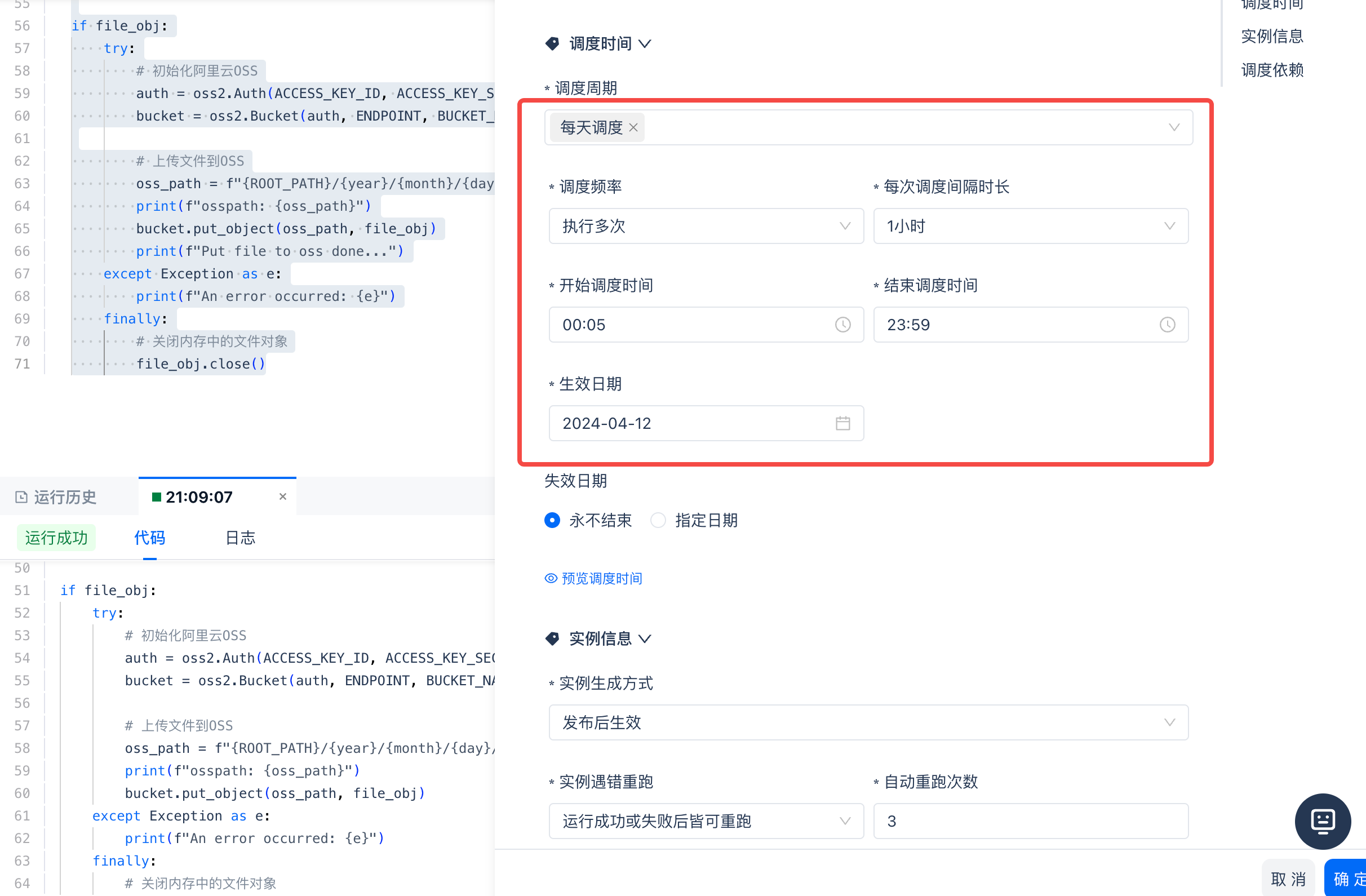
Then click Submit to complete the publishing. With this, the Python task will periodically sync gharchive files to cloud object storage OSS.
Full Sync via Backfill
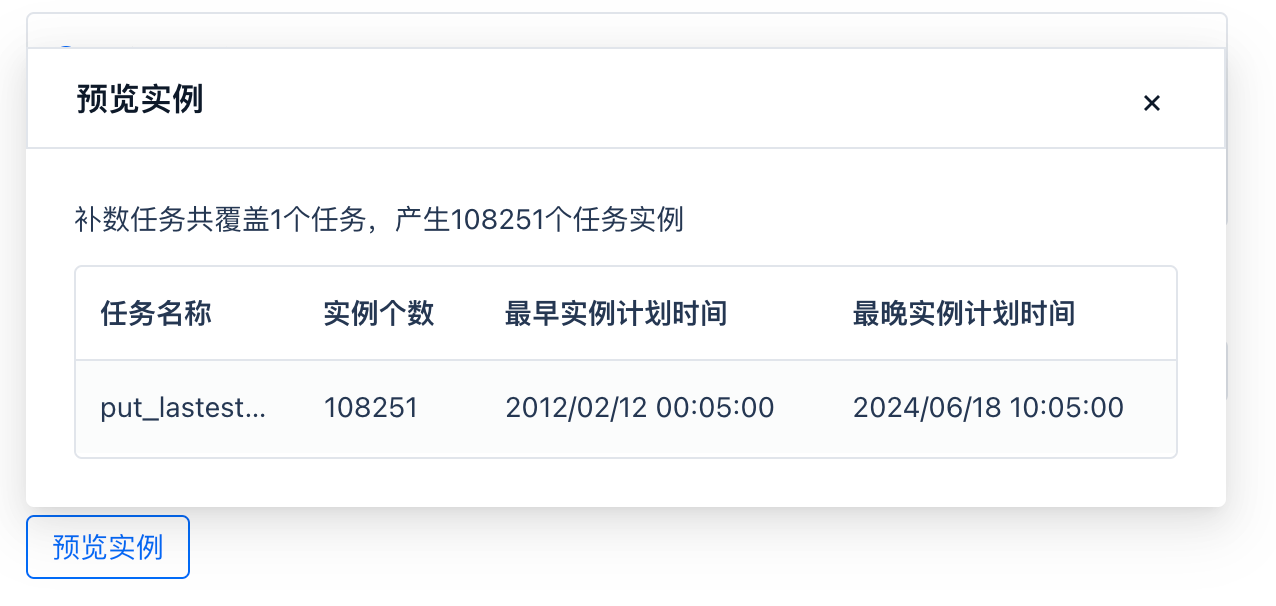
Scheduled tasks run periodically starting from the specified time to acquire data. To obtain full data before this time point, you can use the same code and task to perform a "backfill" operation, batch-syncing all data before the first scheduled cycle, thereby achieving a full sync. This approach is very convenient and ensures logical consistency through the same codebase. Click Operations, enter the scheduled task's operations page, then click Backfill. Files on gharchive started being generated on 2012-02-12, so set the backfill task start time to 2012-02-12 00:00:00. The periodic scheduling of this task starts at 11:00 on 2024-06-18, so set the backfill task end time to 2024-06-18 11:00:00.
Preview the instances generated by the backfill task. A total of 108,251 task instances will be created. This means there are 108,251 hours in the above time range, and the backfill operation will sync 108,251 files from the gharchive website to cloud object storage.
Task Orchestration
In subsequent task development, you can set this task as a dependency to implement workflow orchestration.