
Creating an AWS PrivateLink VPC Endpoint
When you need to access the Lakehouse service privately within your AWS VPC, you must create a VPC endpoint that connects to the Lakehouse PrivateLink endpoint service. After the endpoint is created, replace the JDBC connection URL or API domain for accessing Lakehouse with your newly created endpoint domain.
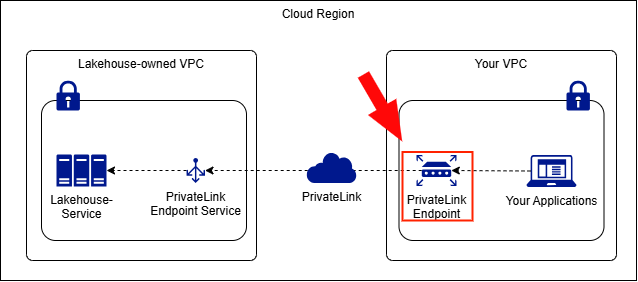
Steps
1. Add Your AWS Account to the Allowlist
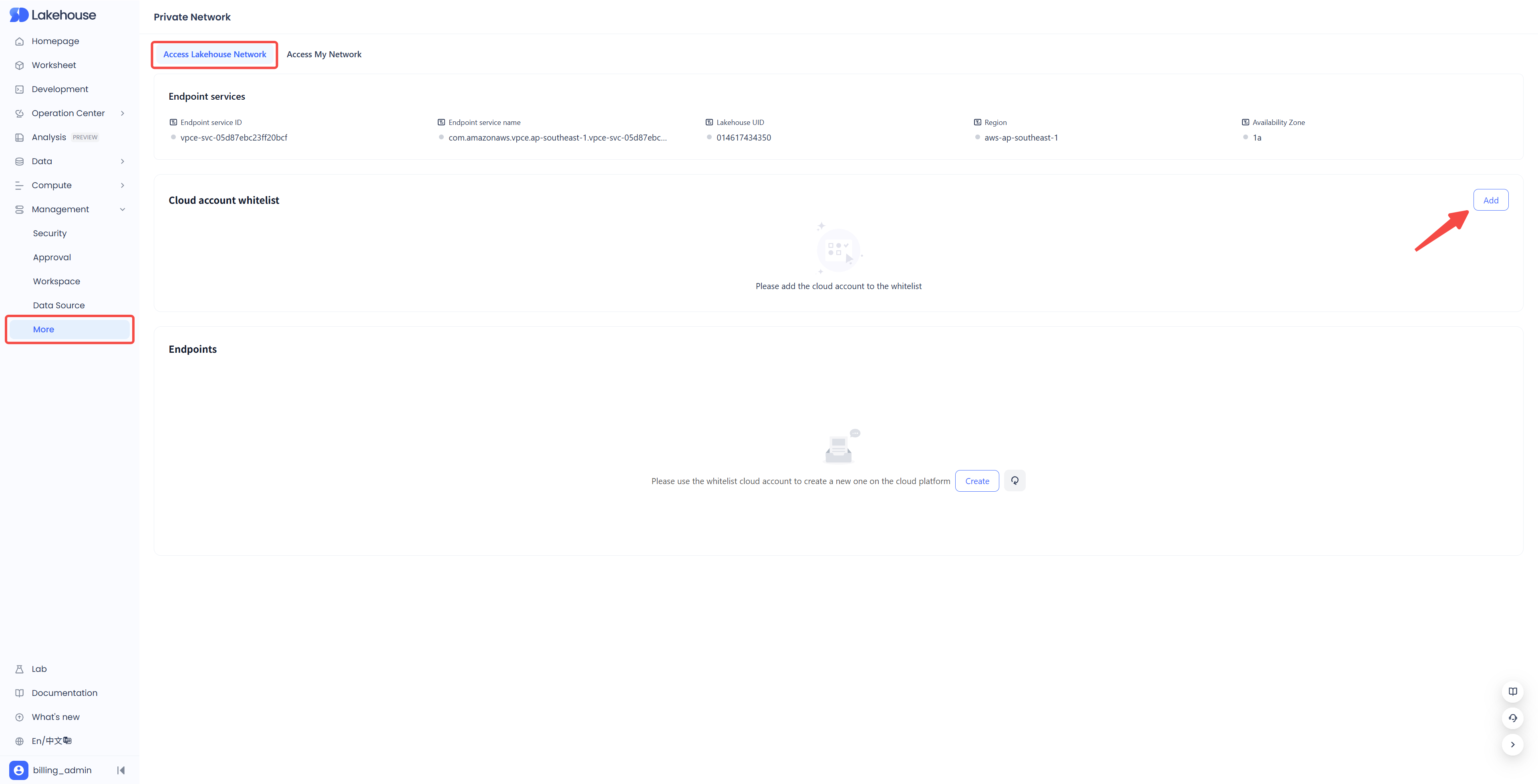
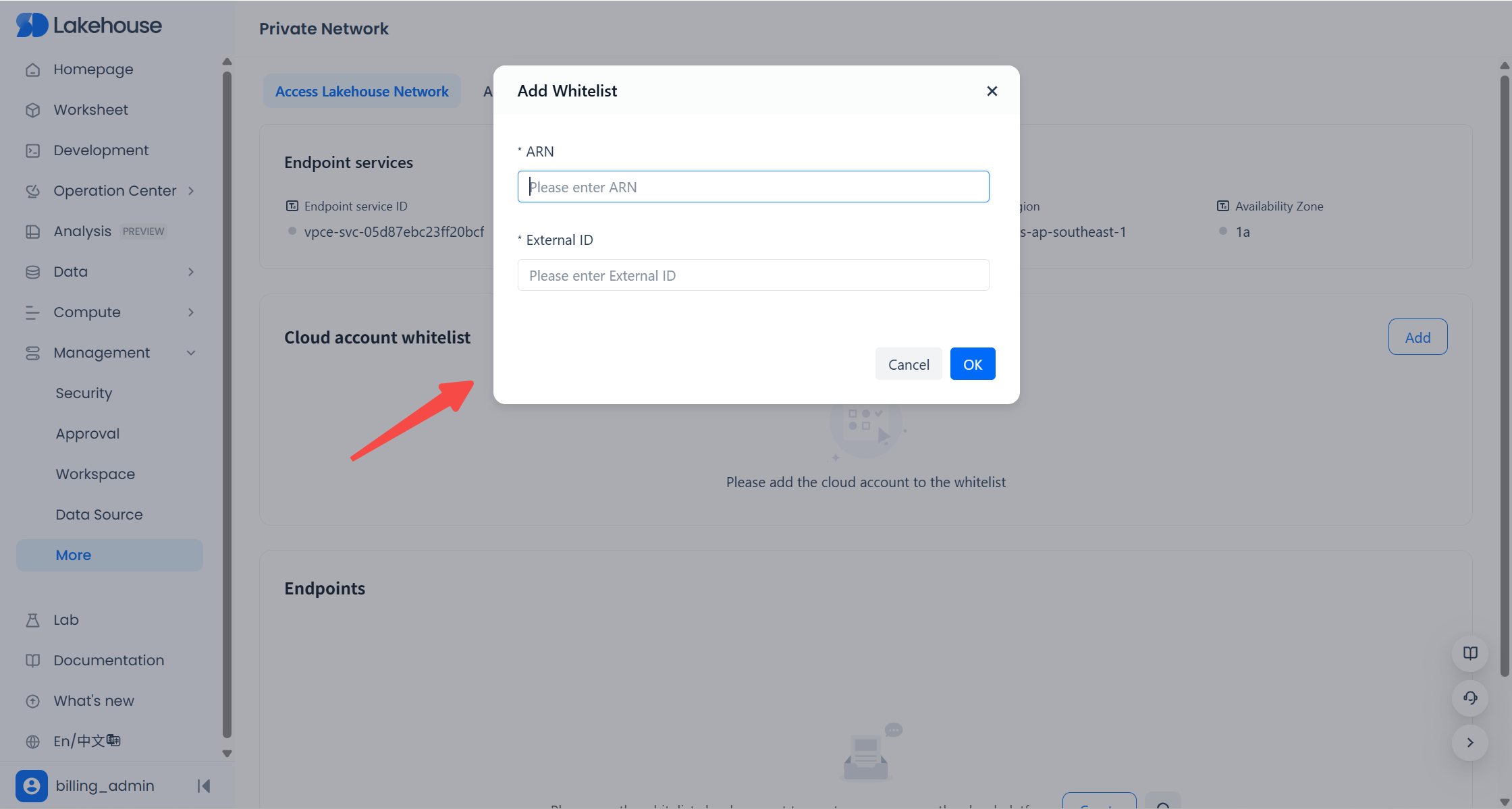
First, add your cloud platform account (role) to the allowlist for Singdata Lakehouse Private Network Access, as shown below:
:-: 
To ensure that Lakehouse can correctly read your endpoint status and to enhance the security of retrieving endpoint information from your cloud platform, please create a dedicated IAM role in your cloud account, grant the required permissions, and configure an External ID.
How to Obtain the ARN and External ID
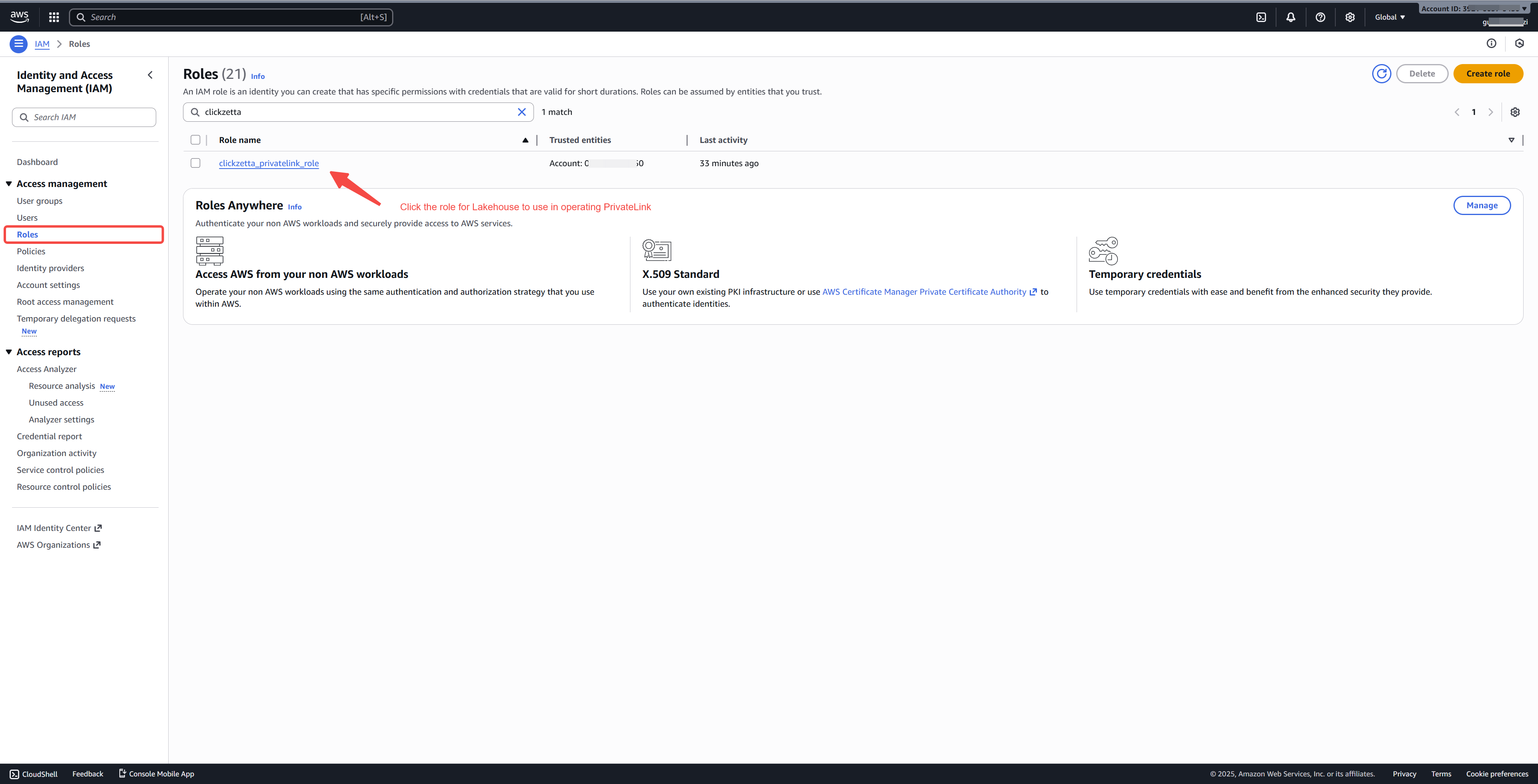
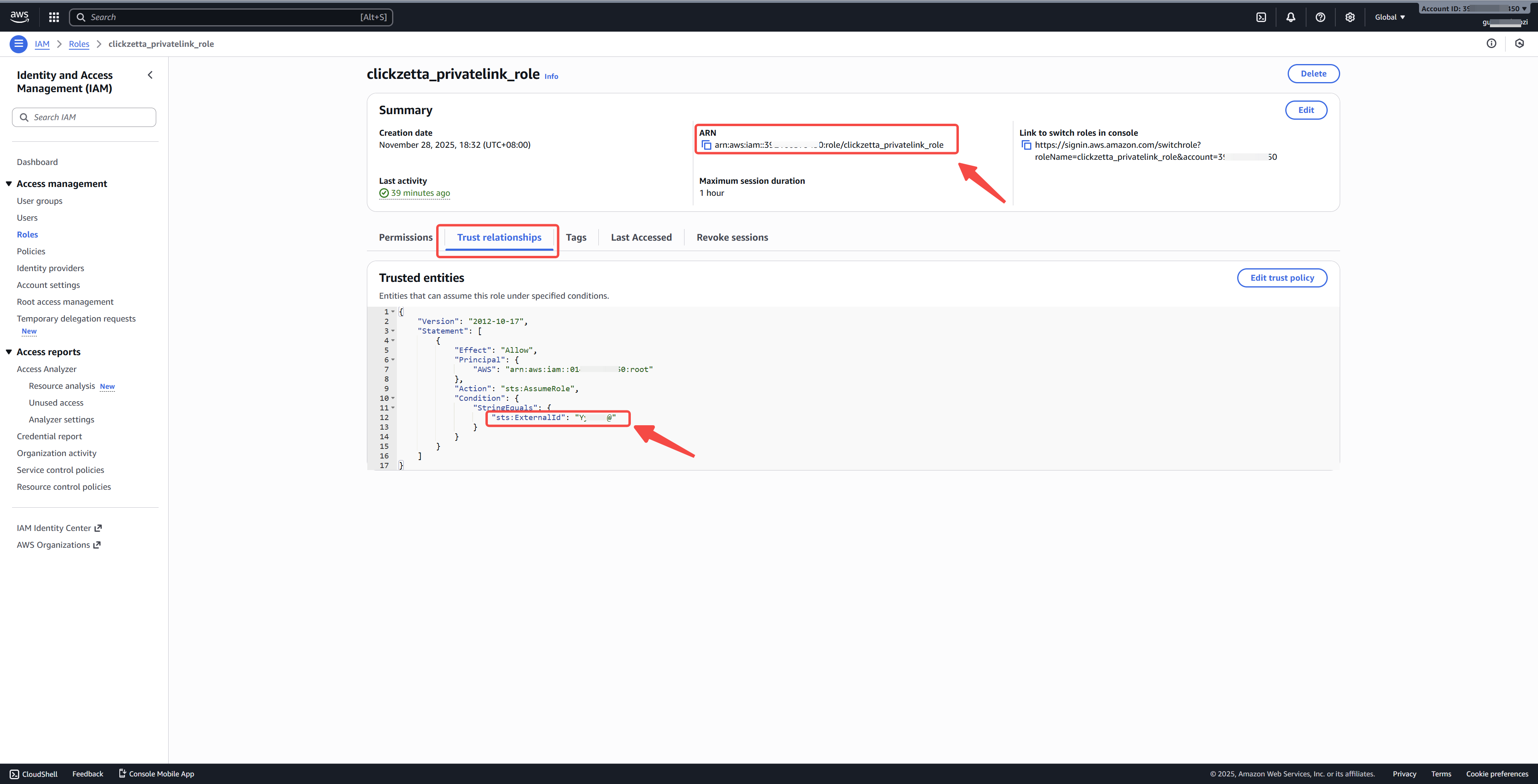
In the AWS console, go to IAM → Roles, select the role you intend to use, and copy the ARN and External ID from the role details page.
Then, go back to the Lakehouse allowlist dialog and paste these two values into their respective fields.
The required role permission configuration and External ID setup are described in: How to Obtain AWS ARN and External ID.
2. Create a VPC Endpoint
1. In the AWS console, navigate to VPC → PrivateLink and Lattice → Endpoints, and switch to the same region where your Lakehouse service is deployed.
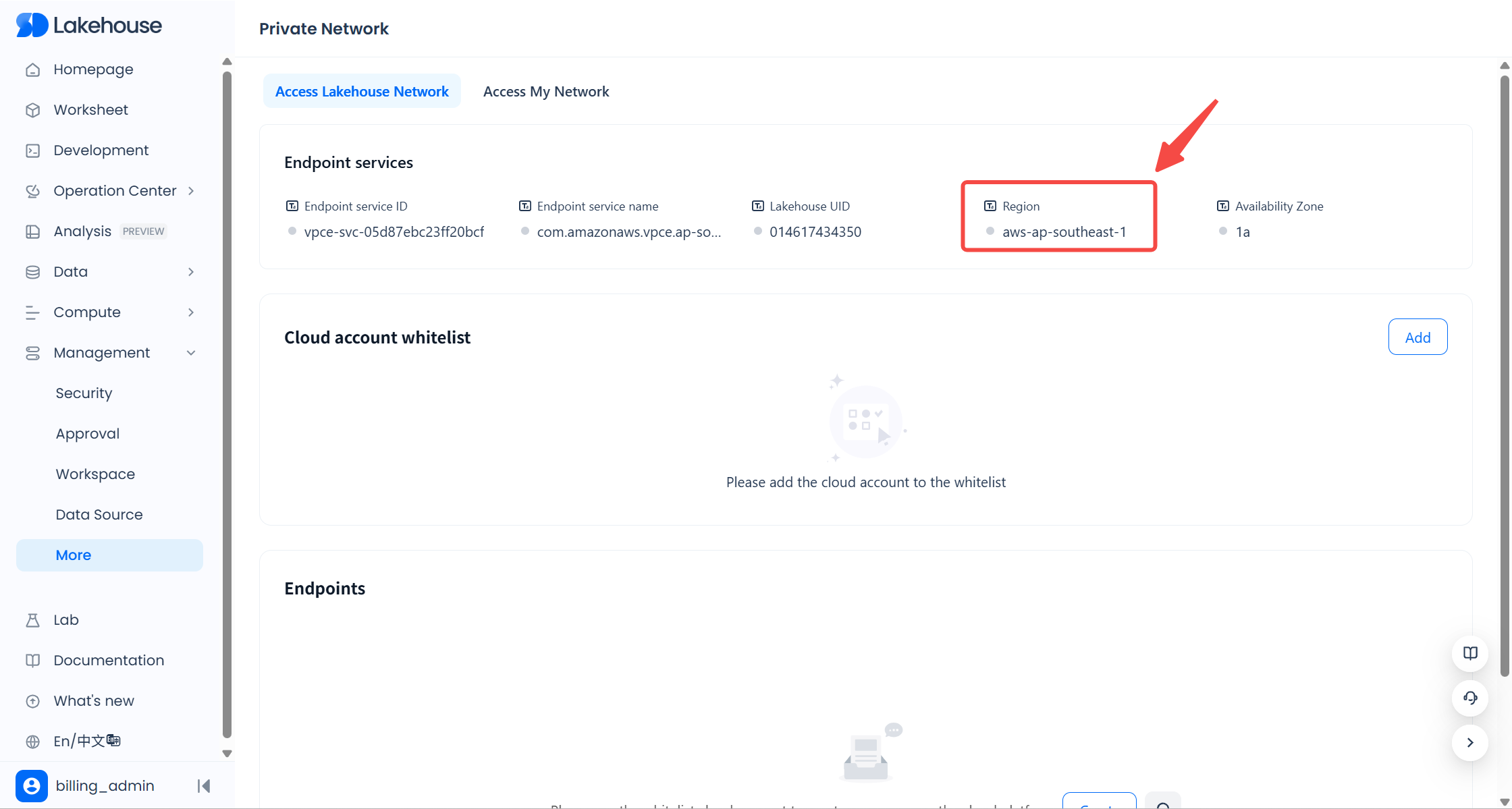
2. Click Create endpoint.
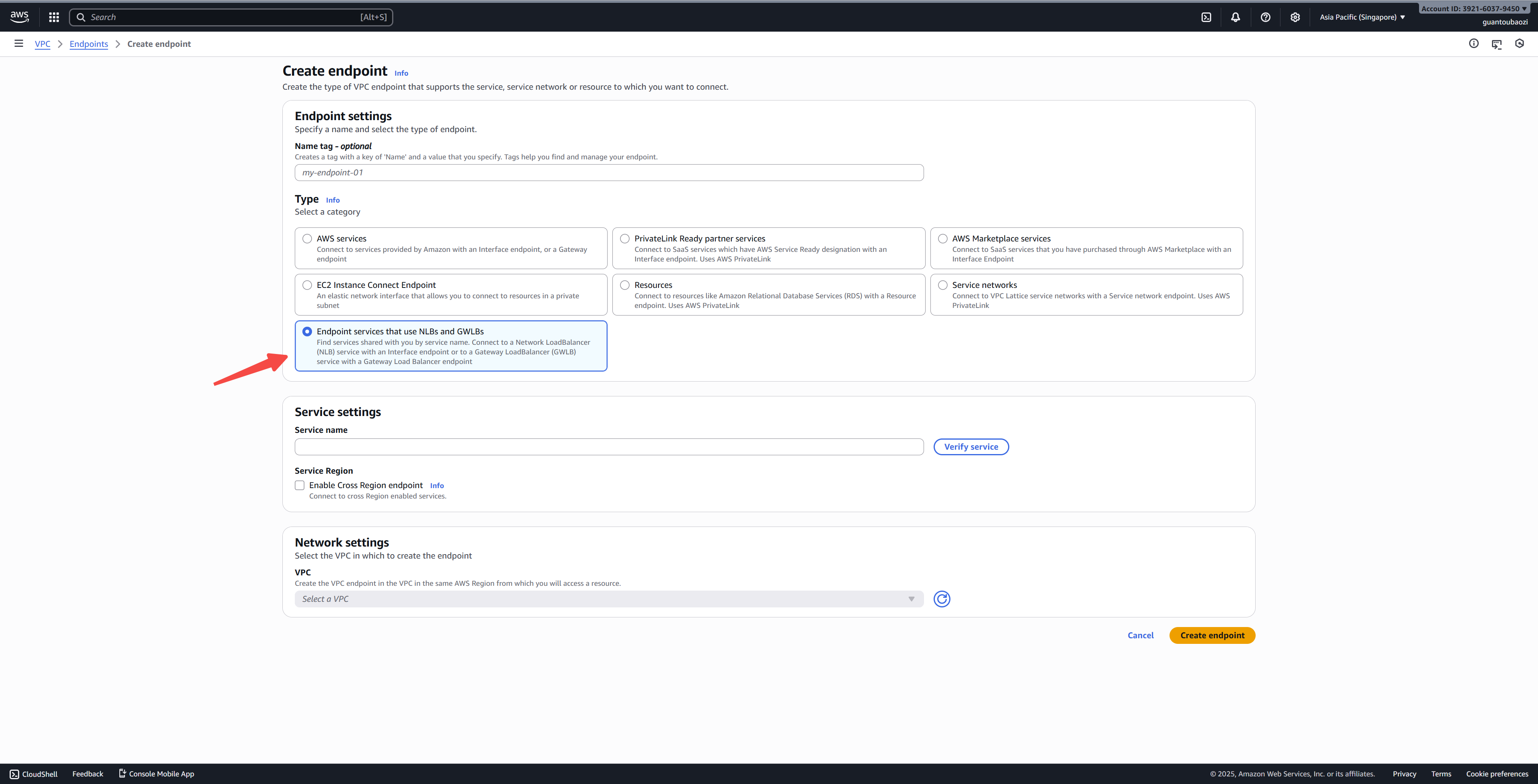
3. Under Type, select Endpoint service using NLB or GWLB.
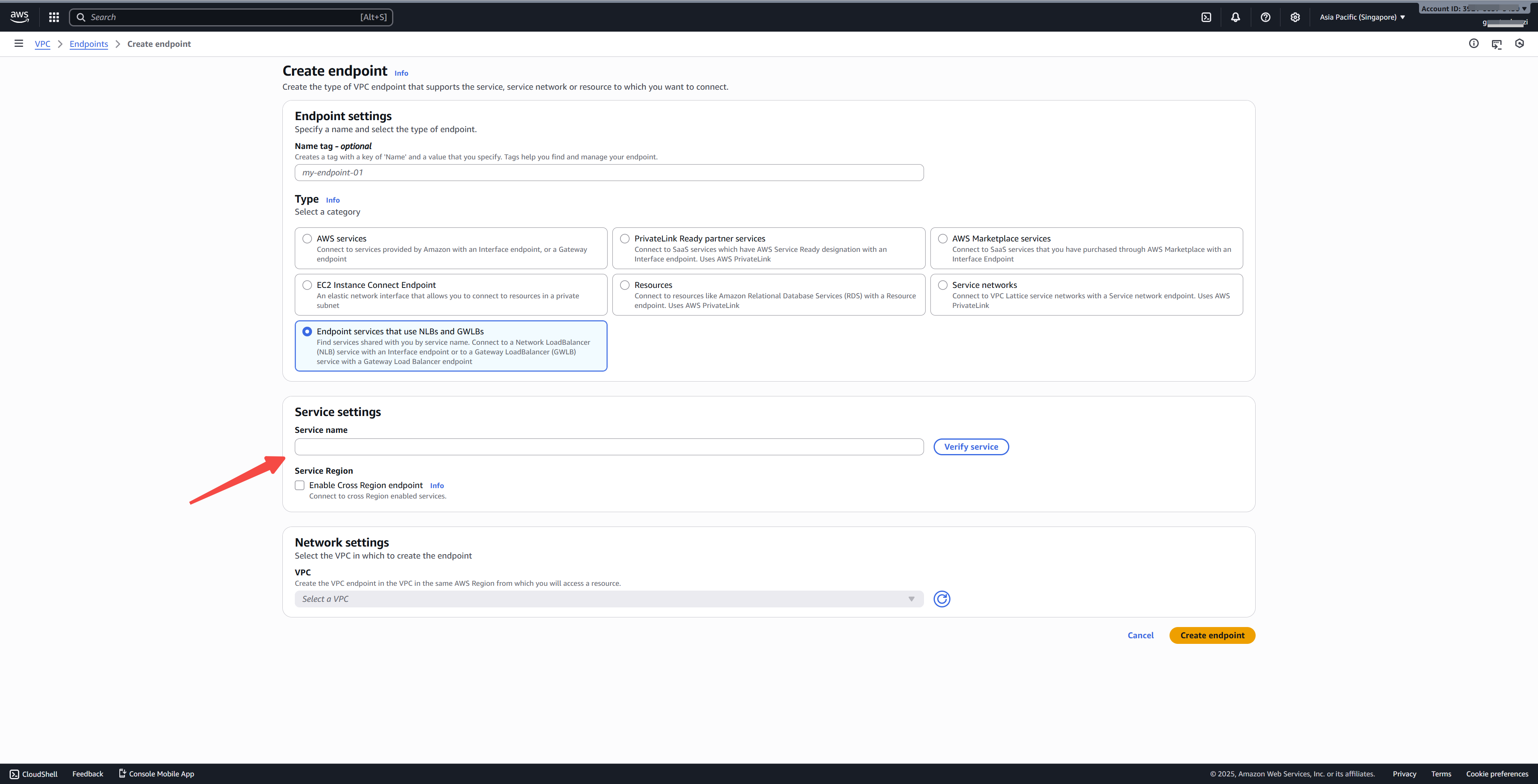
4. Under Service settings, paste the Lakehouse endpoint service name into the Service name field for validation. You can copy this service name from the Lakehouse console under: Management → More → Private Network → Access Lakehouse Network, in the Endpoint Service Name section. The format looks like:
5. Select the VPC that needs access to Lakehouse as the VPC to associate with the endpoint.
6. Click Create endpoint to complete the endpoint creation process.
3. Approve the Endpoint Connection
After the endpoint is created, refresh the Endpoints page in Lakehouse. You will see the endpoint you just created in the list. Click Allow connection to complete the private network connectivity setup between your VPC and Lakehouse.