
(SaaS)2: Singdata Lakehouse + Zilliz, Make Data Ready for BI and AI
Solution Overview
-
(SaaS)2: Both Singdata Lakehouse and Zilliz provide SaaS-mode services based on mainstream cloud services. By combining SaaS services, you can maximize the benefits of fully-managed and pay-as-you-go SaaS models.
-
Make Data Ready for BI and AI: Singdata Lakehouse's data warehouse focuses on providing scalar data storage, processing, and analysis for BI applications; Zilliz vector database focuses on AI-enhanced data analytics. Through the integration of Singdata Lakehouse and Zilliz vector database, a complete production-grade BI+AI solution is provided, addressing the BI/AI asymmetry problem:
- Asymmetry in BI data and AI data freshness: Zilliz Vector Data Pipeline provides batch data embedding services, reducing embedding time by more than 10x compared to non-batch processing, greatly improving AI data freshness.
- Asymmetry in BI data and AI data scale: Zilliz still provides stable fast response and concurrency at the tens-of-billions vector data scale. Vector data is no longer a supplementary "niche" data type, achieving parity with BI data in terms of scale.
-
Business Upgrade: Upgrade traditional data analytics to augmented analytics with the simplest solution, achieving BI+AI integration.
Solution Components
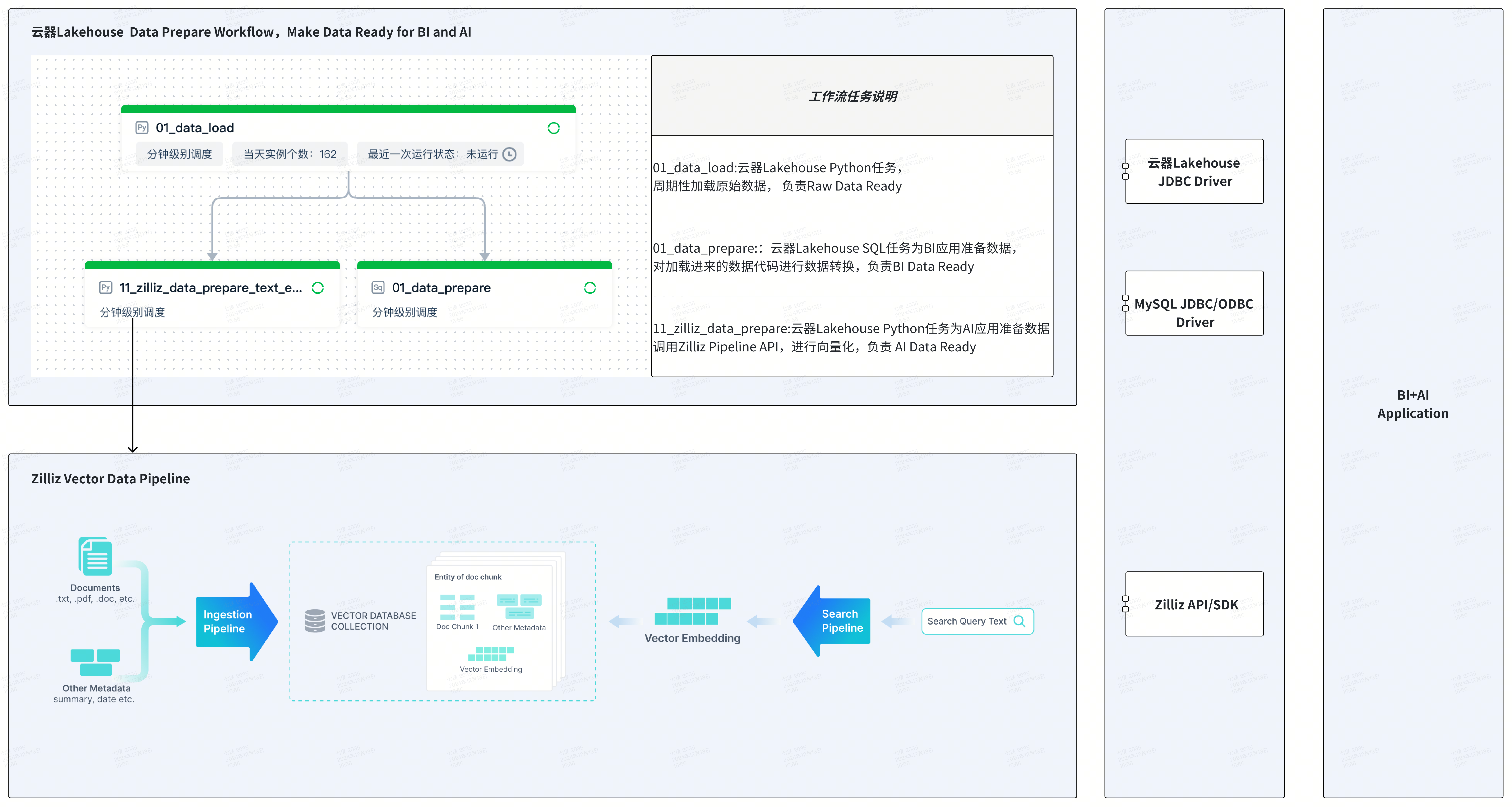
- Singdata Lakehouse Platform: Provides data lake and data warehouse management, including data management, data integration, task development, task execution, workflow orchestration, task monitoring and operations, etc.
- Singdata Zettapark: Loads CSV files through Python + DataFrame programming.
- Zilliz Vector Database: High-performance, cost-effective vector database.
- Zilliz Data Pipeline: Vectorizes and stores text, images, files, and other data, supports Chinese and English embedding models and reranking models, providing extremely simplified and developer-friendly vector processing.
Application Scenario Example: Enhancing Text Search via Semantic Retrieval
- Scalar retrieval: Singdata Lakehouse provides text-based LIKE fuzzy matching and keyword search based on text inverted indexes.
- Vector retrieval: Zilliz provides semantic retrieval based on vector data and result fine-ranking via reranking models.
Combining scalar and vector retrieval improves search performance and accuracy, suitable for product search, product recommendation, and other scenarios.
Task 1: Load Raw Data into Singdata Lakehouse
Singdata Lakehouse provides multiple ways to load CSV data, including web-based offline data sync and loading CSV through the data lake. This article uses Singdata Zettapark for data loading, with Python code running on Singdata Lakehouse's Python task nodes.
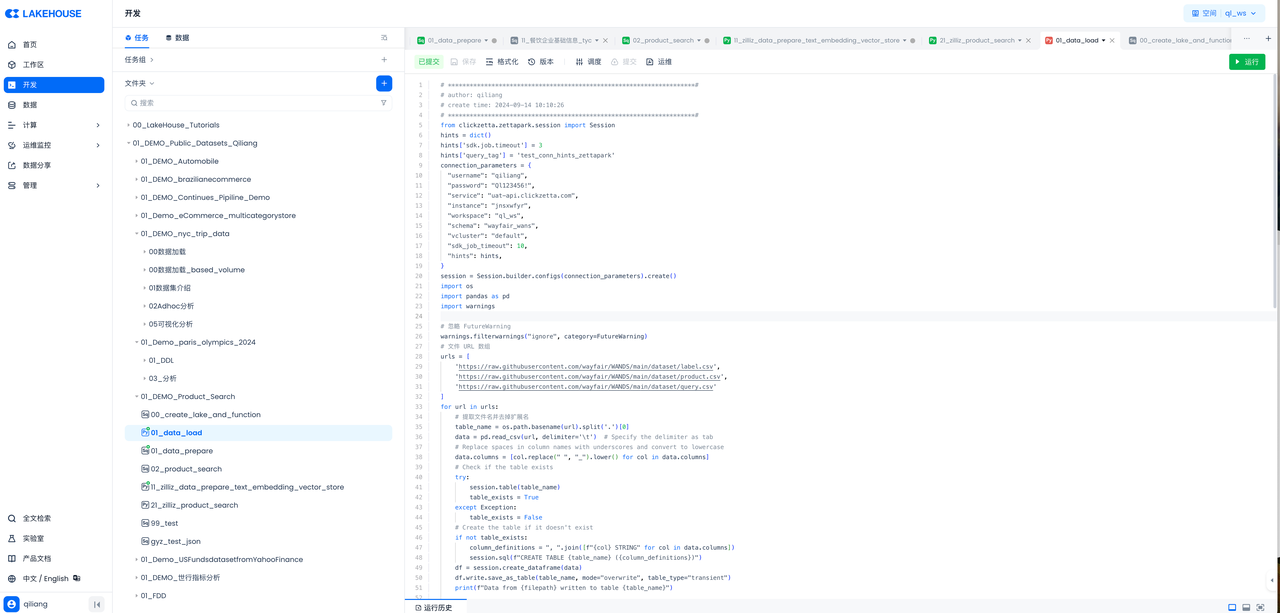
The code is as follows:
**********************************************************************#:
author: qiliang:
create time: 2024-09-14 10:10:26:
**********************************************************************#:
Ignore FutureWarning:
File URL array:
Close the session:
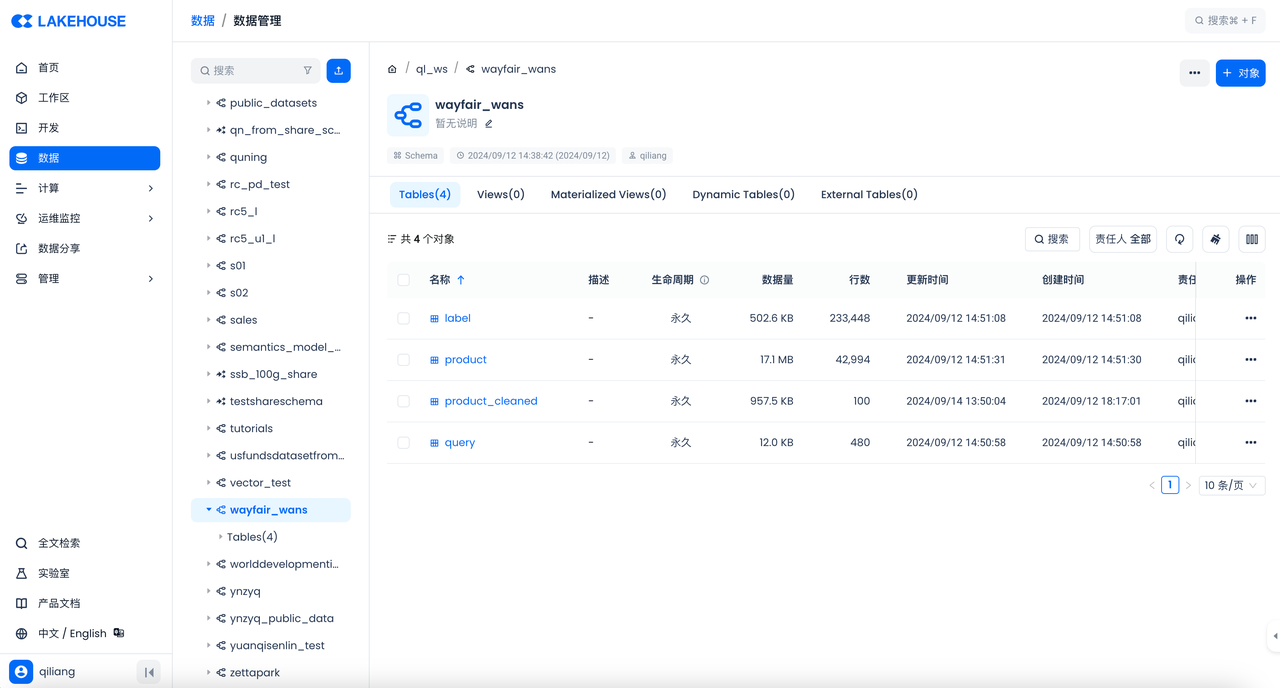
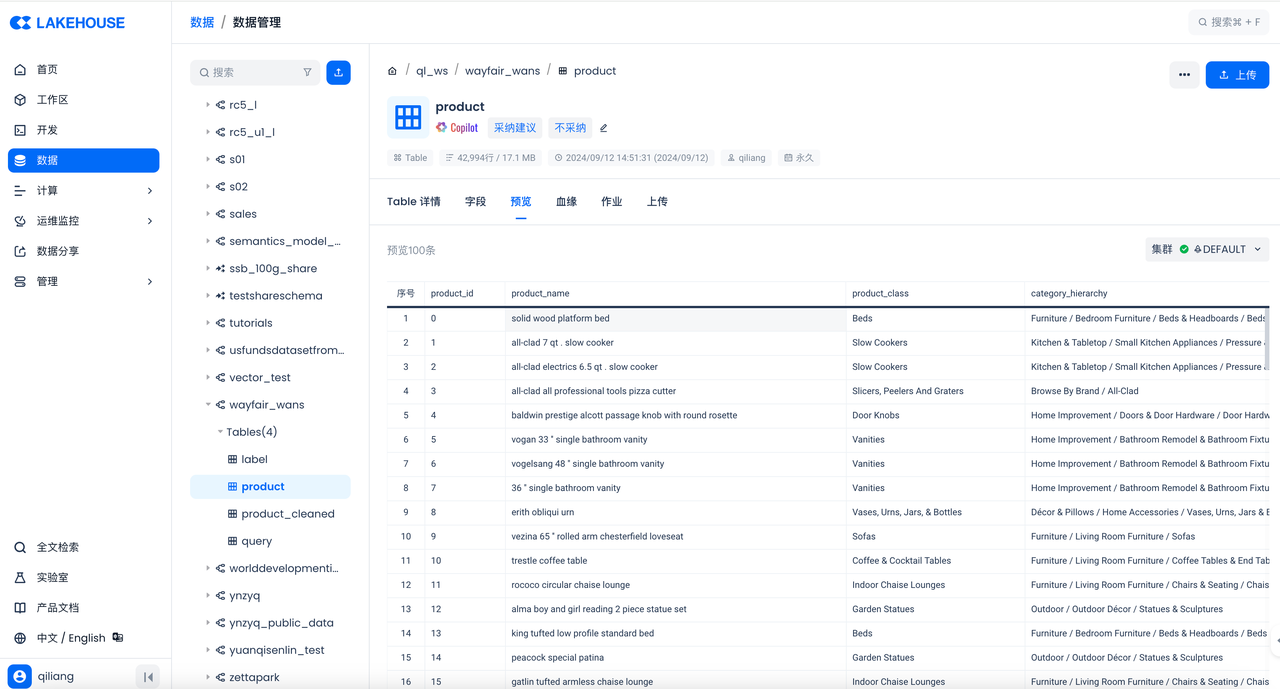
Then check the result in the Singdata Lakehouse console:
Task 2: Develop SQL Tasks to Prepare Data for BI
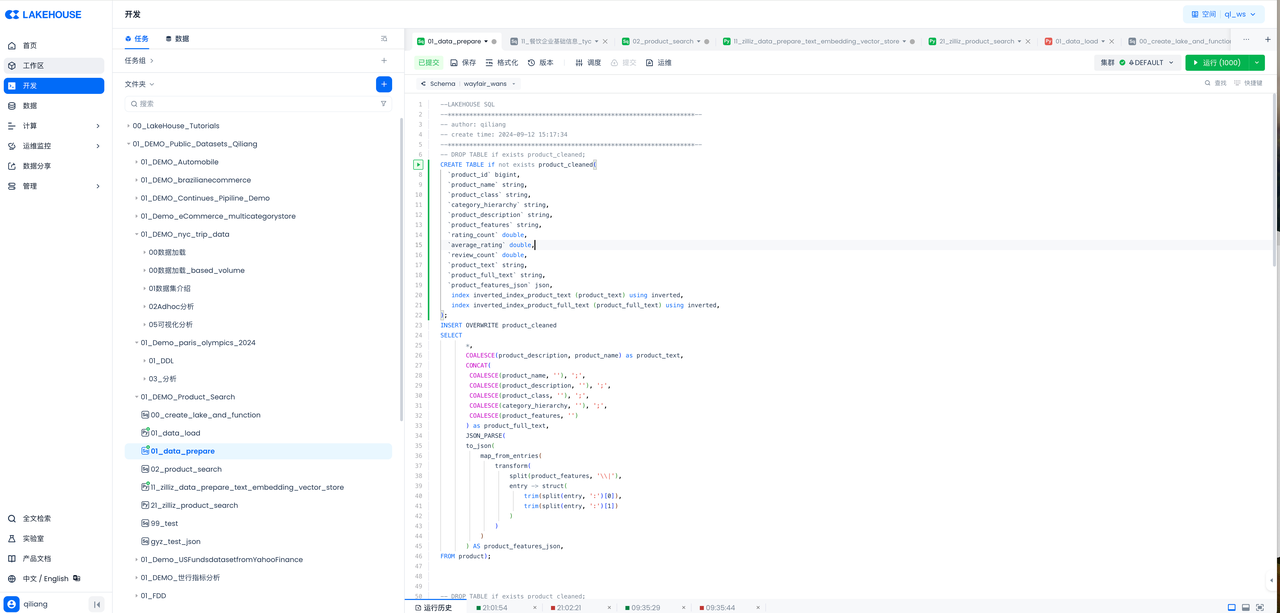
The code is as follows:
Task 3: Create Zilliz Data Ingestion Pipeline
Zilliz Cloud Pipelines simplify the process of converting unstructured data into embedding vectors and connecting to Zilliz Cloud vector database for storing vector data, enabling efficient vector indexing and retrieval. When processing unstructured data, developers often face complex unstructured data transformation and retrieval challenges, which can slow down development. Zilliz Cloud Pipelines address this challenge by providing an all-in-one solution, helping developers easily convert unstructured data into searchable vectors and ensuring high-quality vector retrieval after connecting to Zilliz Cloud vector database.
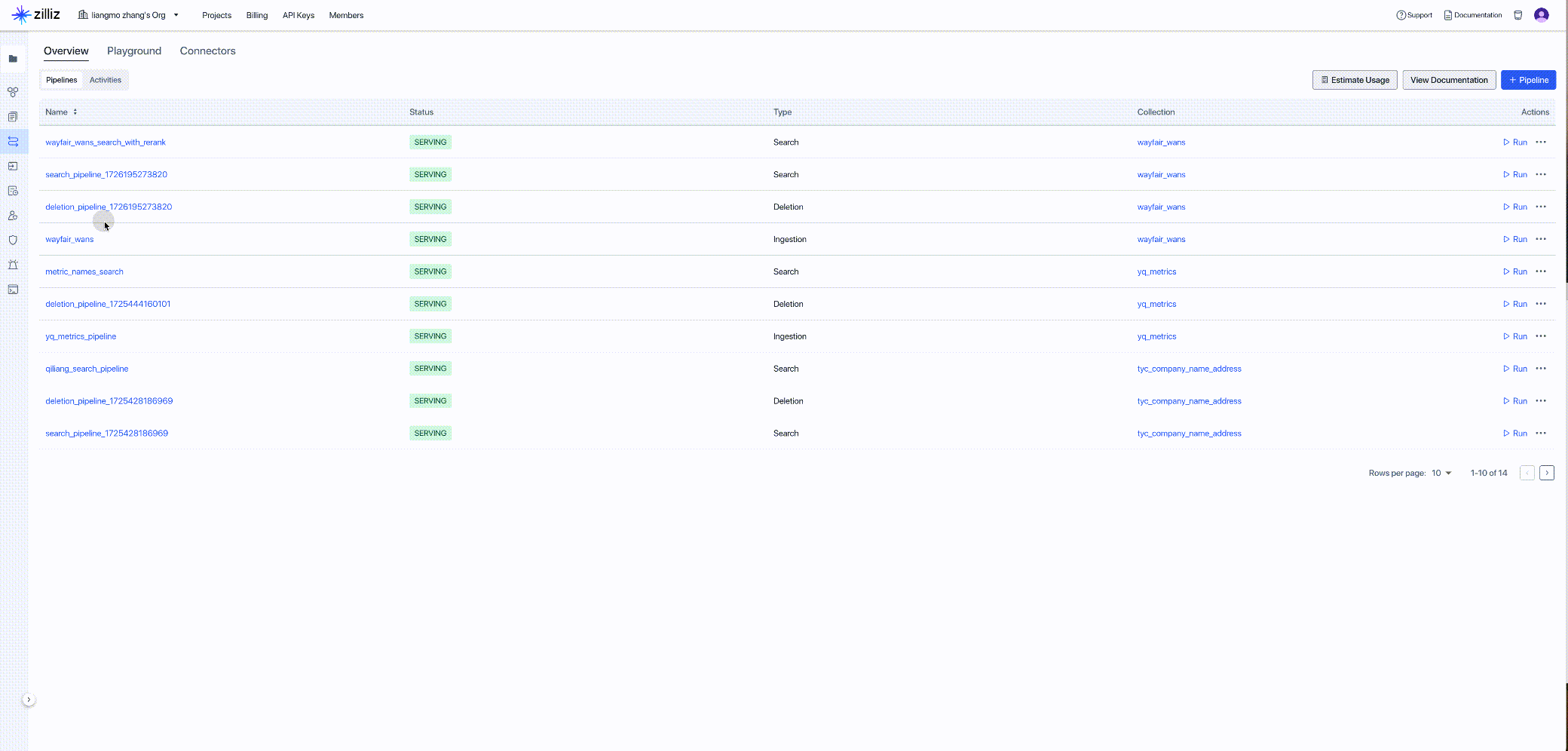
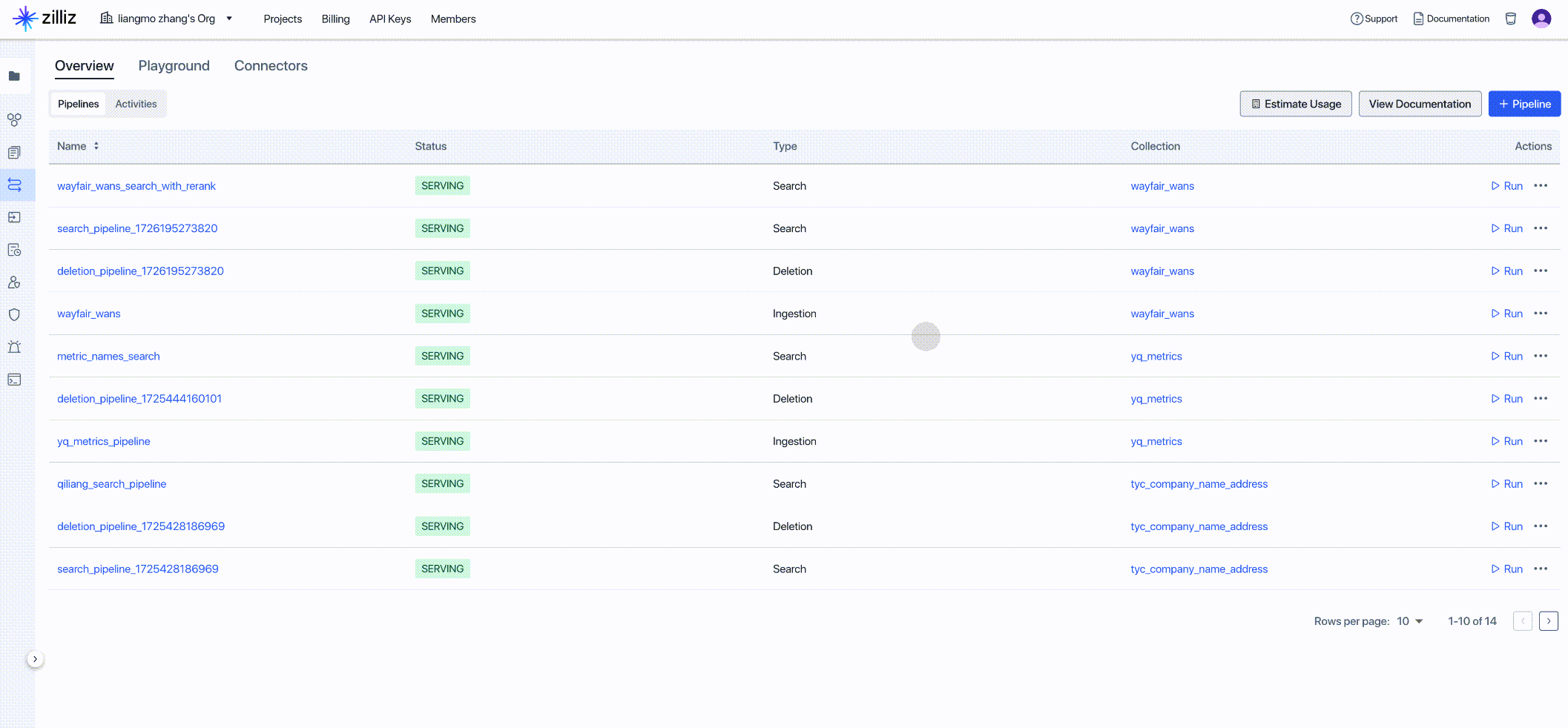
Get the client code for the newly created Pipeline as input for the next step:
Task 4: Develop a Python Task to Call Zilliz Data Ingestion Pipeline API in the Workflow, Preparing Data for AI-Enhanced Analytics and Automating Vector Data ETL.
Send the text information from the table named product in Singdata Lakehouse to Zilliz, first embedding the text data, then storing it as vectors.
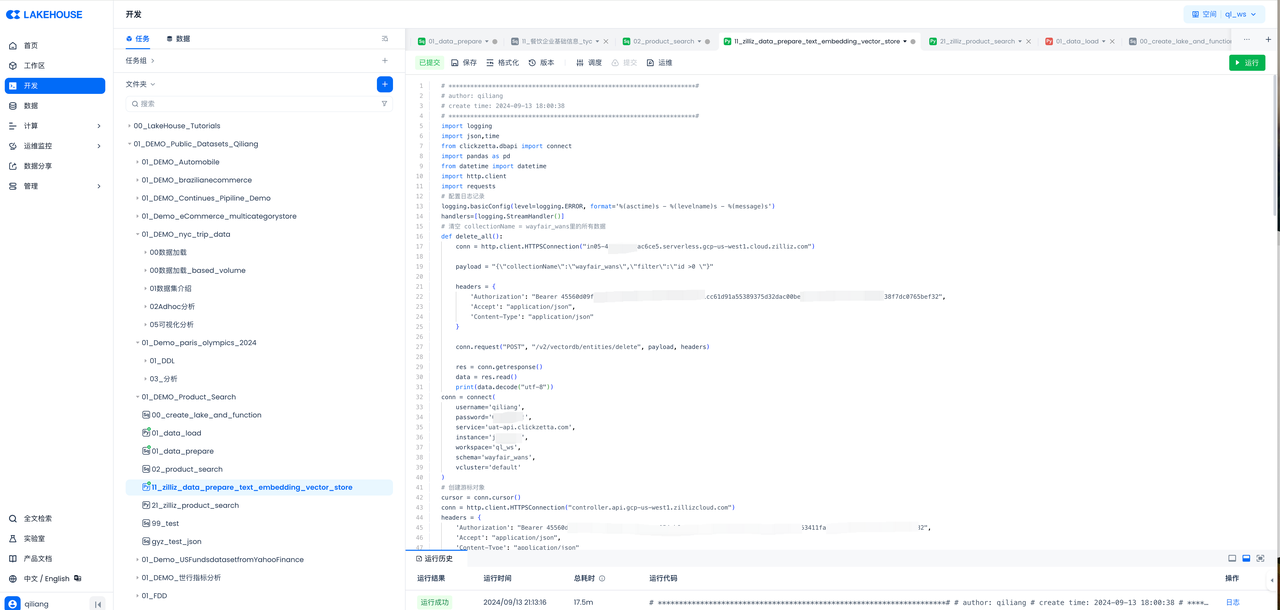
After executing the above code in Singdata Lakehouse, check the Zilliz console to verify the vectorization results:
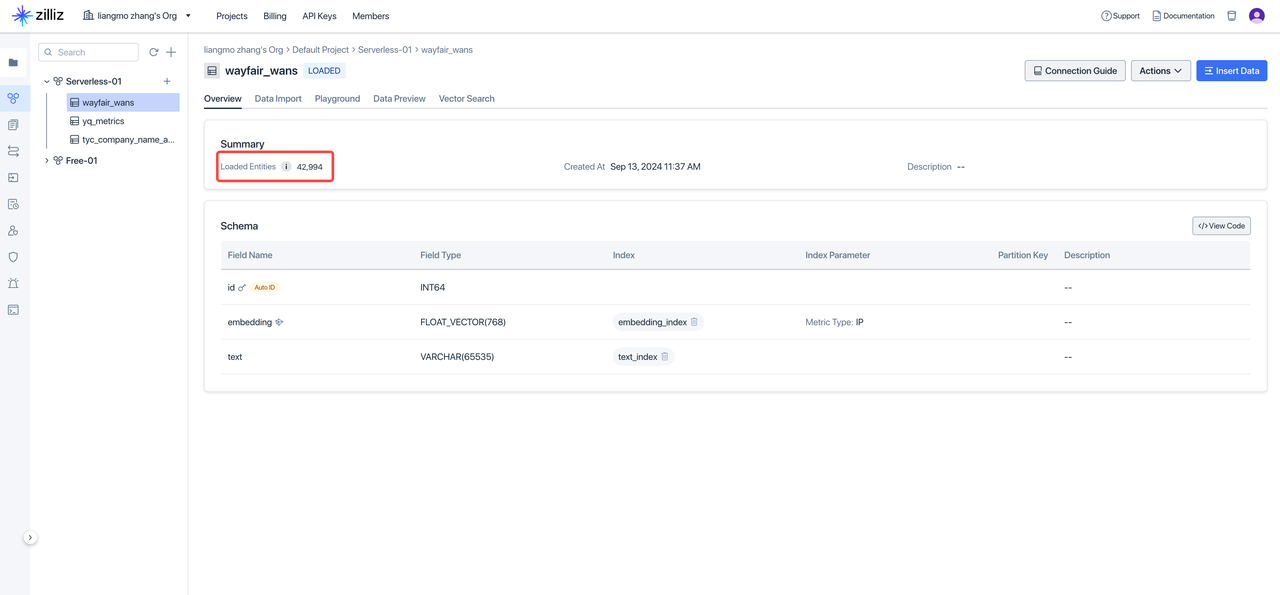
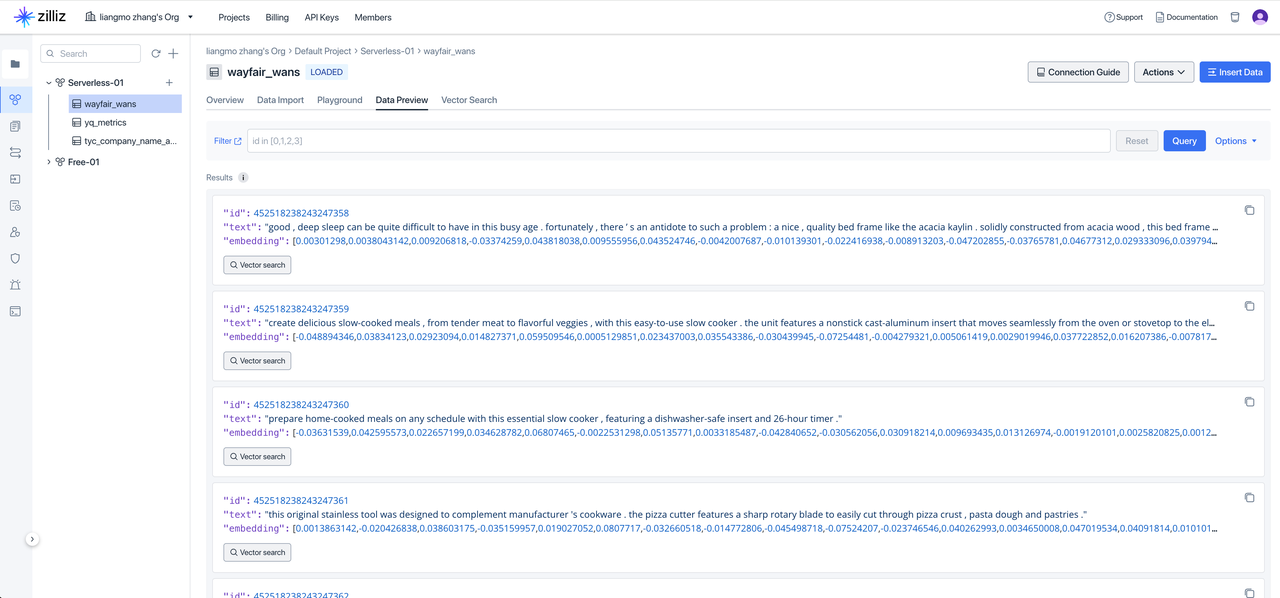
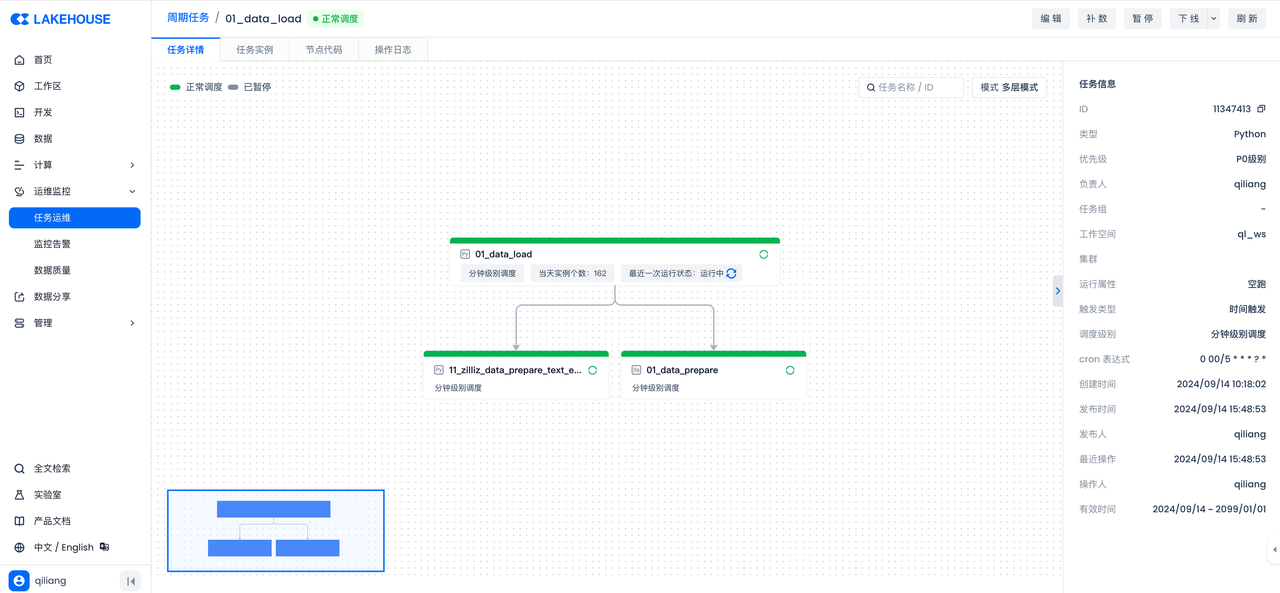
Task 5: Define the Complete Data Flow via Singdata Lakehouse Workflow Orchestration
Set scheduling properties for each of the above tasks and submit them to build the data workflow:
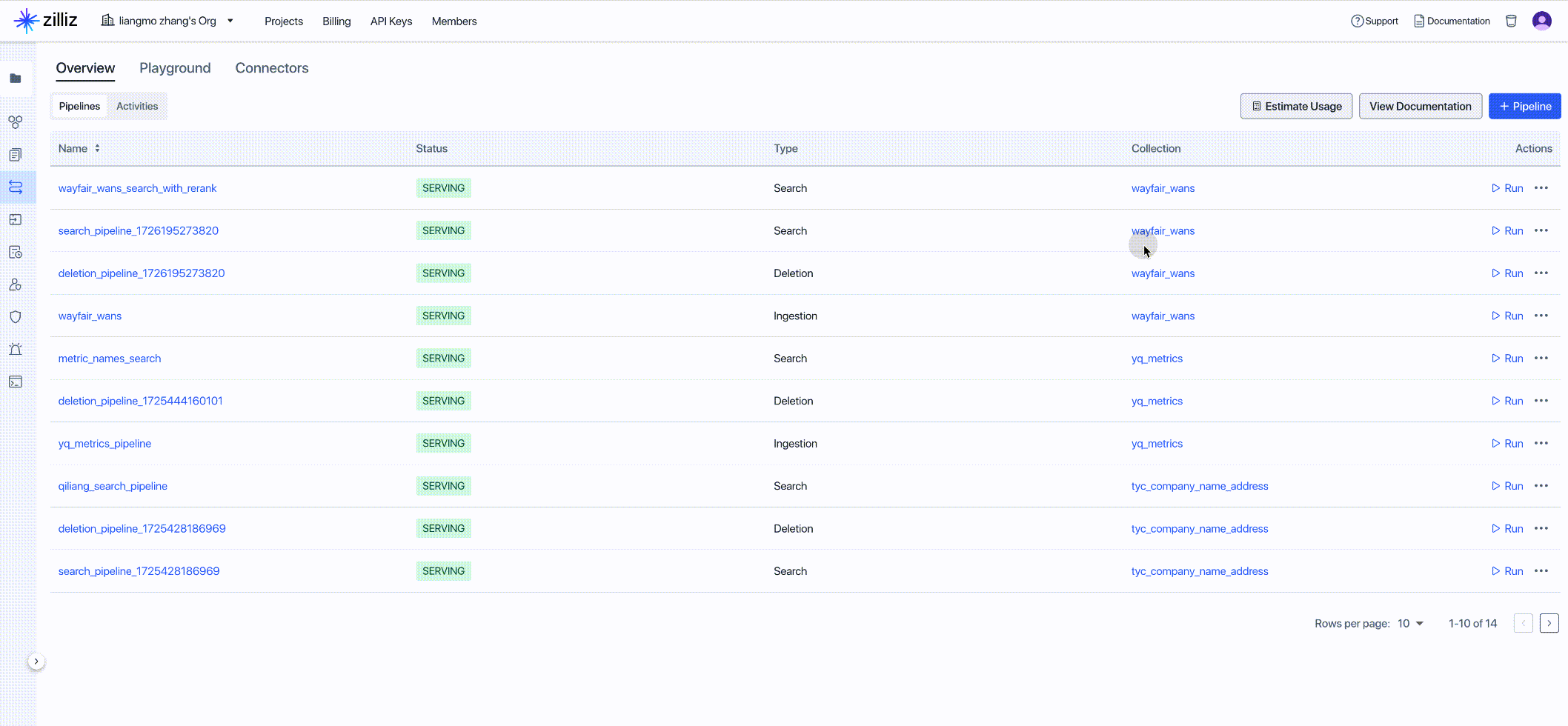
Task 6: Create Zilliz Data Search Pipeline
Using the Zilliz Data Search Pipeline, you can quickly and efficiently convert query text into embedding vectors and return the most relevant top-K document chunks (including text and metadata), effectively extracting data insights from search results.
Task 7: Perform Data Analysis via Zilliz API
Decode the response data:
Parse the JSON data:
Pretty-print the JSON data: